Ah! I figured it was something like that. Maybe this version has the transition times bug fix as well.
Thanks Les! Nice working with you again. Side note .. the format for how these posts gets sent to email has recently changed. It's no longer mobile adaptive, atleast on iOS.
Original Message:
Sent: 07-14-2023 13:04
From: Les
Subject: Load Clip Player via Custom Control
So... I am on 7.1.2 which is on the website ... and the release notes has the following :) ....
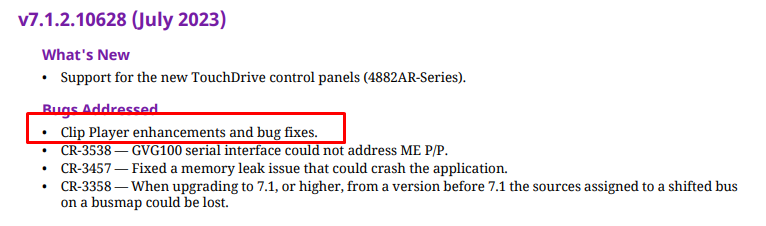
Could be that is the difference that we are seeing:)
https://www.rossvideo.com/support/software-downloads/carbonite-ultra/
Downloads are posted.
------------------------------
Les O'Reilly
Director - Switcher Product Management
------------------------------
Original Message:
Sent: 07-14-2023 12:34
From: Danny
Subject: Load Clip Player via Custom Control
Les, I tried pauses as well initially. Here is my sequence and it only executes the first event. I'm on Carbonite 7.1.0 9816
------------------------------
[Danny] [Skarka] Ross Pilot since Synergy
[Producer, Director, Technical Director]
Original Message:
Sent: 07-13-2023 20:36
From: Les
Subject: Load Clip Player via Custom Control
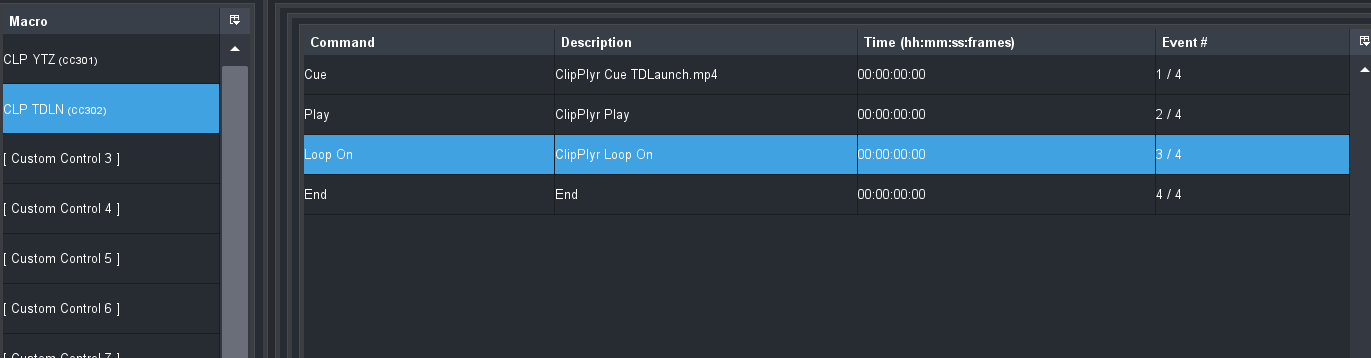
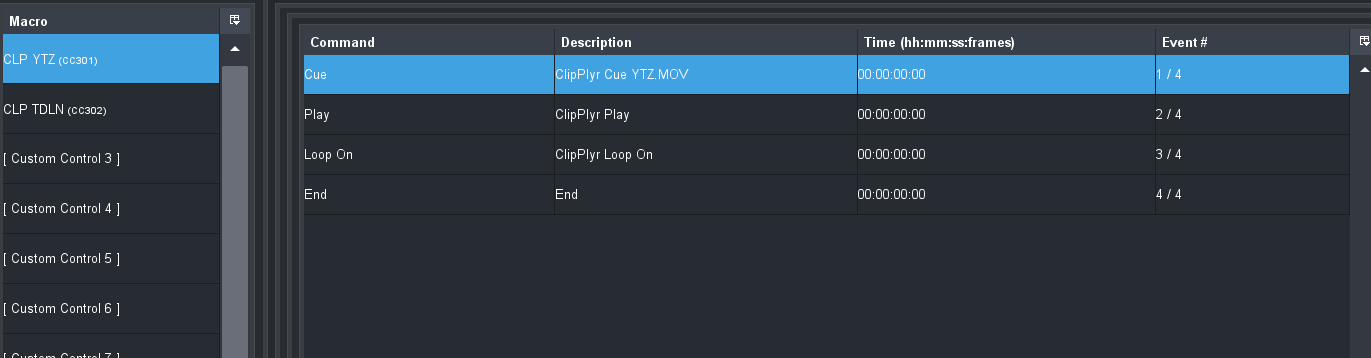
I took them all the way down to no Pauses and they work fine .. can do them back to back constantly and I get the cue and play everytime ..
------------------------------
Les O'Reilly
Director - Switcher Product Management
Original Message:
Sent: 07-13-2023 20:29
From: Les
Subject: Load Clip Player via Custom Control
changed the pause between the Cue and the Play to 5 frames and seems to still work on quick CCs back to back cue and playing..
------------------------------
Les O'Reilly
Director - Switcher Product Management
Original Message:
Sent: 07-13-2023 20:27
From: Les
Subject: Load Clip Player via Custom Control
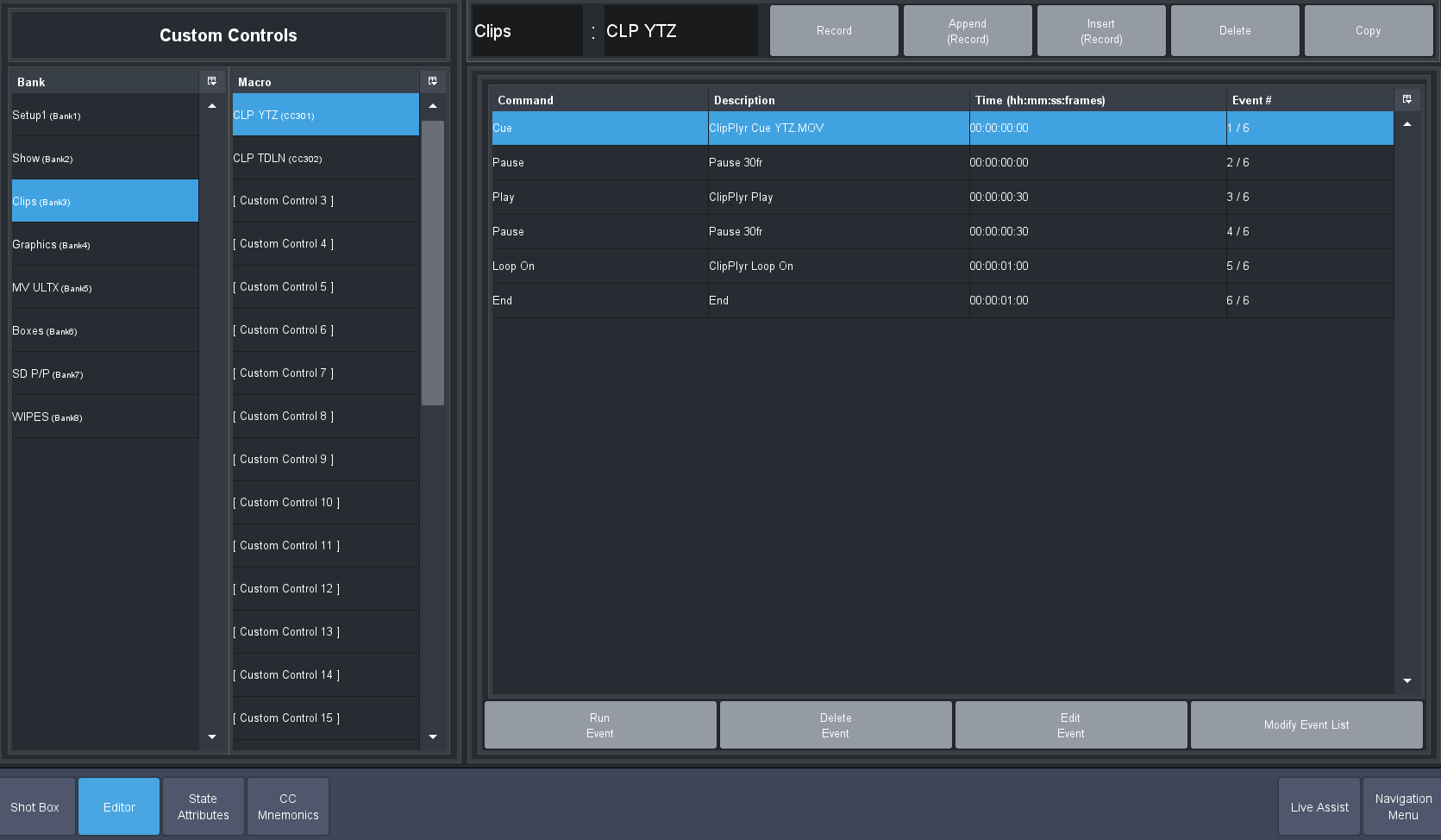
I added a pause of 30frames ... Then sent Play .. then pause for 30 frames and then sent loop on ... they seem to work for me.. I can probably play with the Pause to see how long I need that to be before sending play.. but it does seem to work..
------------------------------
Les O'Reilly
Director - Switcher Product Management
Original Message:
Sent: 07-13-2023 20:20
From: Danny
Subject: Load Clip Player via Custom Control
Nice! It seems you need a different CC to do the each aspect (Cue, Play, Loop On)? I created 3 CCs (Cue, Play, Loop On) and each work perfectly. I then embedded those three into a single CC so that with one button, the clip would cue, play and loop. That CC loads the clip but does nothing else.
So it seems you would have a CC assigned to cue each clip. Then a single CC to "play" (or loop on) whatever got loaded. And that works fine. You give it a TouchDrive CC row with the play button at the end and you are good to go. I noticed that Loop is persistent, so if everything is going to loop you don't need to bother with it except for the first time.
Thanks Les. This is good!
(now go update the manual! thats a great feature!)
------------------------------
[Danny] [Skarka] Ross Pilot since Synergy
[Producer, Director, Technical Director]
Original Message:
Sent: 07-13-2023 19:05
From: Les
Subject: Load Clip Player via Custom Control

So Insert Event - Devices - Video Server - Cue -
Click on the Video Server selection. Scroll to the bottom of the "slots list" and pick the ClipPlyr
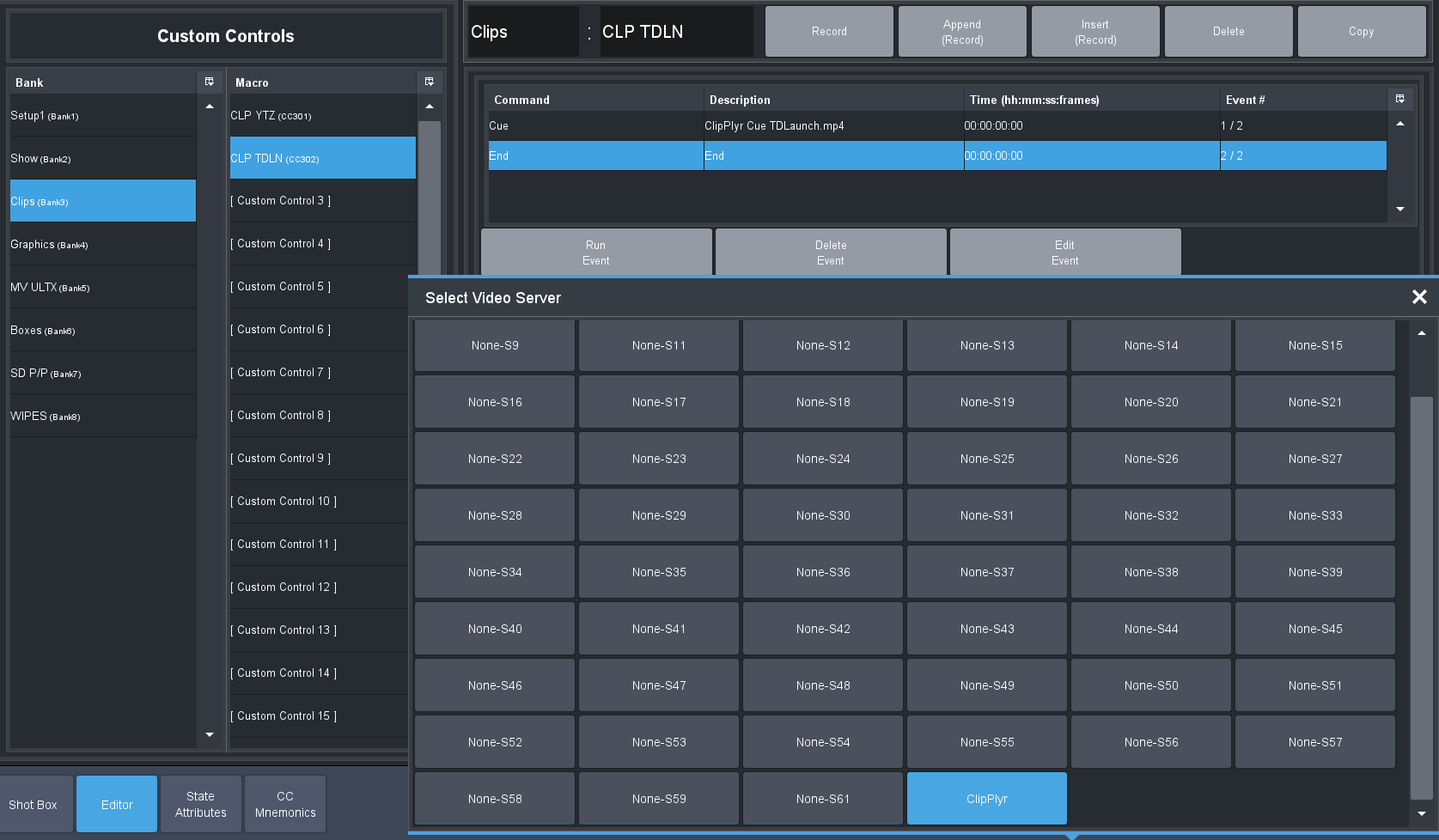
Leave it as Channel 1 for the Channel since there is only the 1 channel
Then in the CUE box type in the name of the clip including extension just like you see it in the Media Page of Live Assist.
------------------------------
Les O'Reilly
Director - Switcher Product Management