Each panel connects to a different port in DashBoard.
Main -5253
UltriTouch- 5254
SAT 1 - 5255
SAT 2 - 5256
VirtualPanel (SoftPanel) - 5257
Each Panel has it's own Personality on the dedicated Page of Personality that shows up on their port. When a panel connects it will setup the correct DashBoard UI port on the TD Dashboard instance.
However if you are using another DashBoard PC you will need to add the additional instance of the device but set to port 5255 by manually typing in the port number then hitting the Finish button.
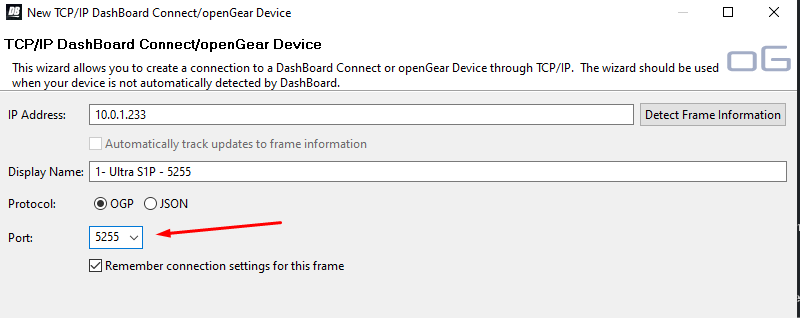
I named them so I could keep track of them in my list.
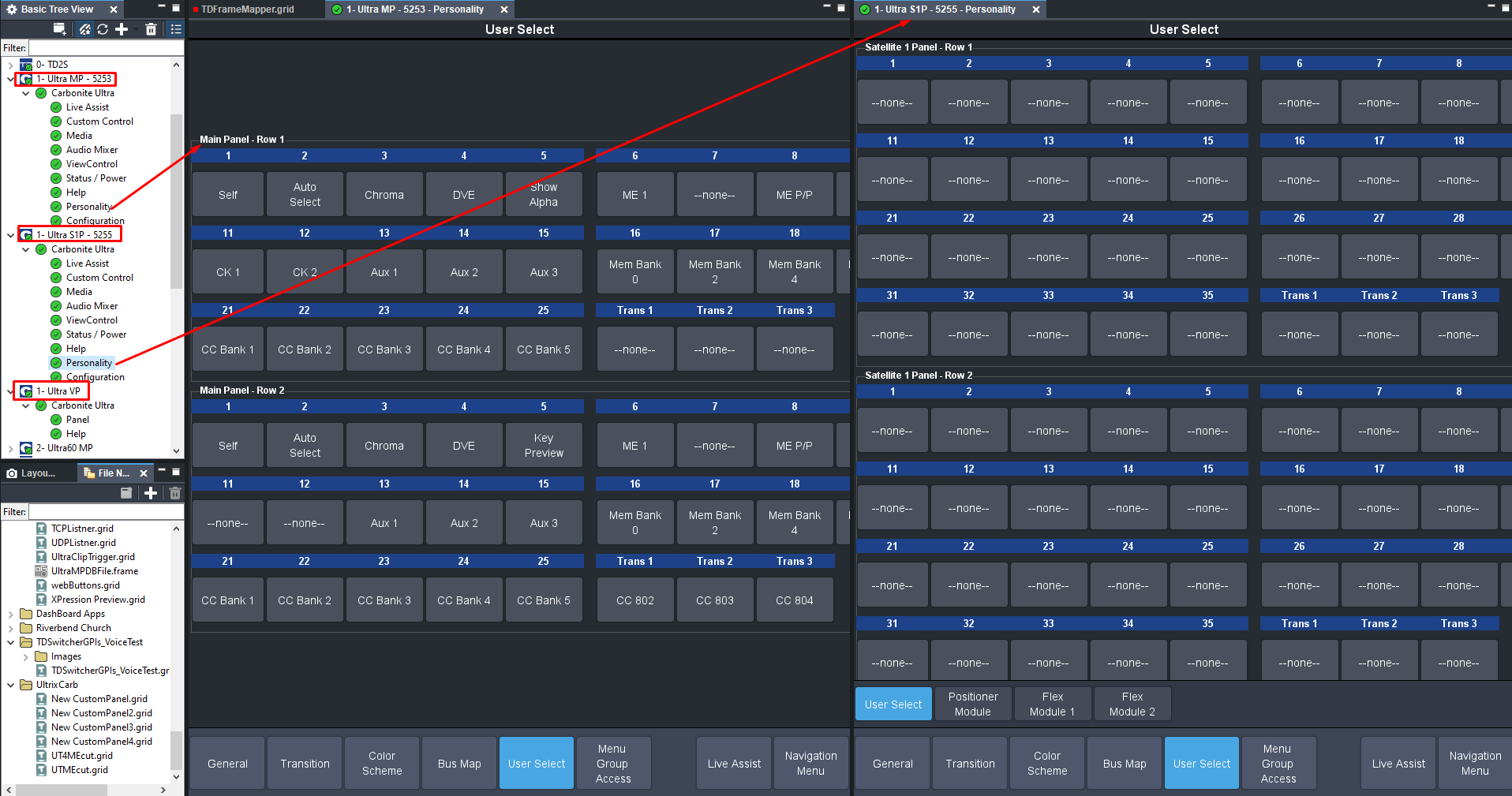
Each Panel (well port really.. if I point two panels to use SAT1 port 5255 they will get the same attributes from personality menu) will have it's own personality based on the settings of this menu.
Personality does still have a couple of items in it that are more global like the Editor Port and Roll Clip forcing ..
Colour Scheme / Bus Map / User Select and Menu Group Access is all independent per port.
------------------------------
Les O'Reilly
Director - Switcher Product Management
------------------------------