Hi Jaiprakash
Exposing the Custom Panel to the browser and adding an http trigger to a particular set of tasks associated with a button has nothing to do with how the tasks themselves are coded. They are absolutely allowed to use Visual Logic.
Step 1:
Assign an HTTP trigger port to the Custom Panel:
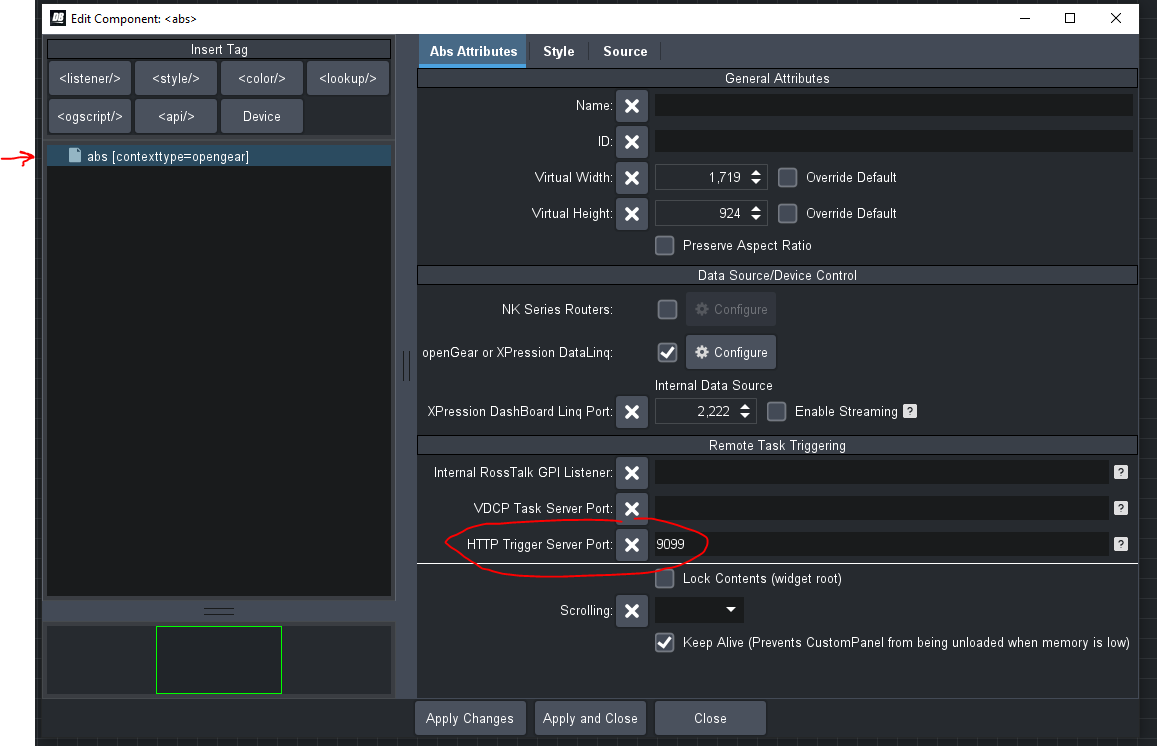
Step 2:
Create a button and add a task to perform a function:
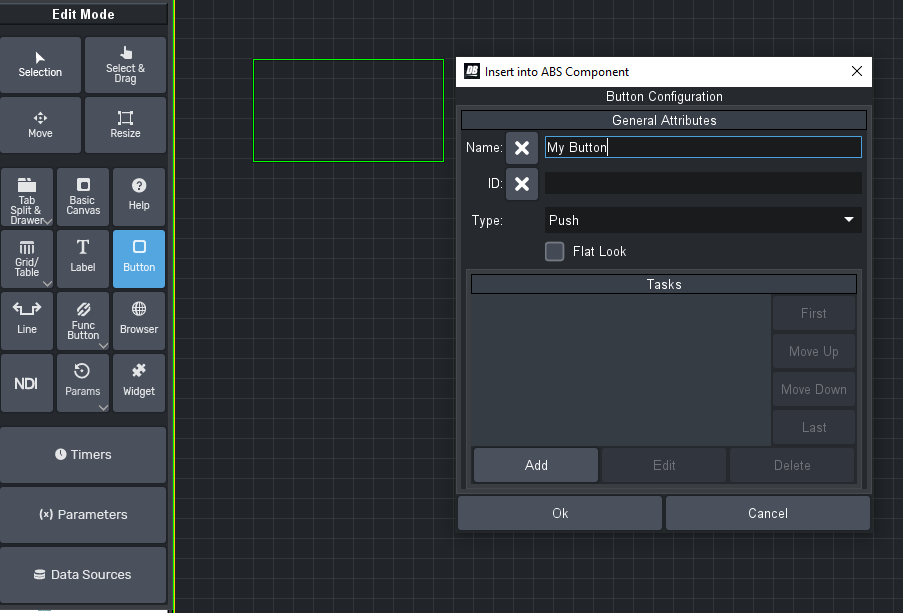
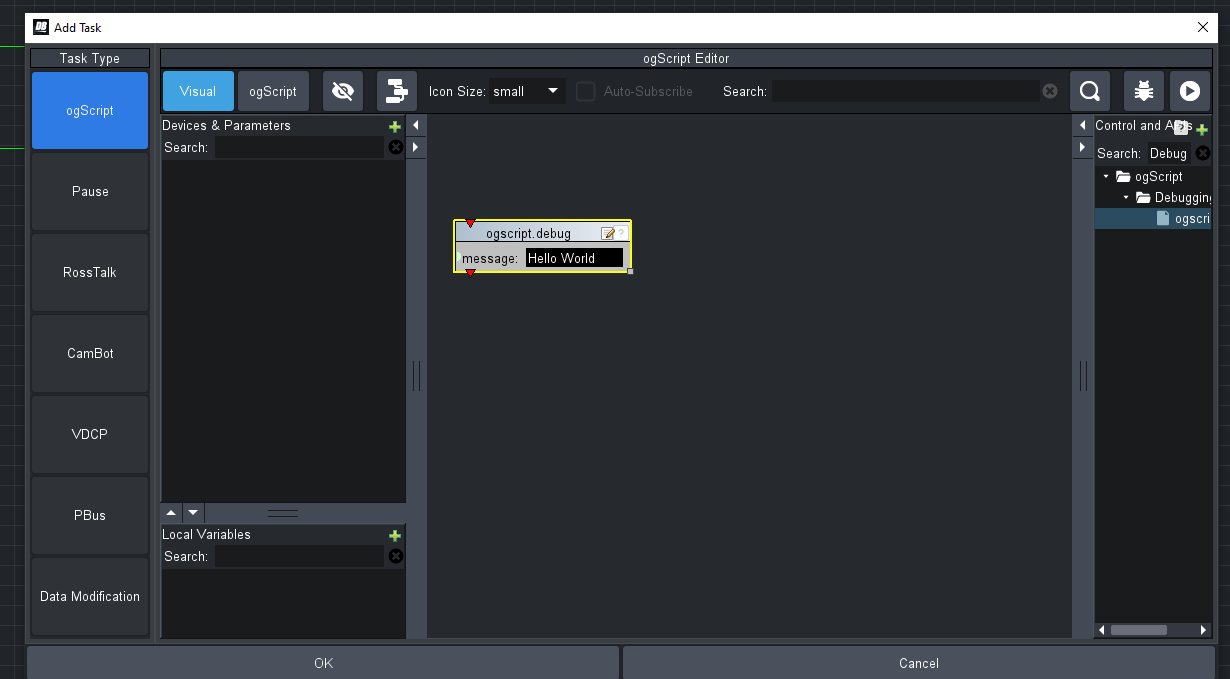
Step 3:
Assign a trigger ID to the button:
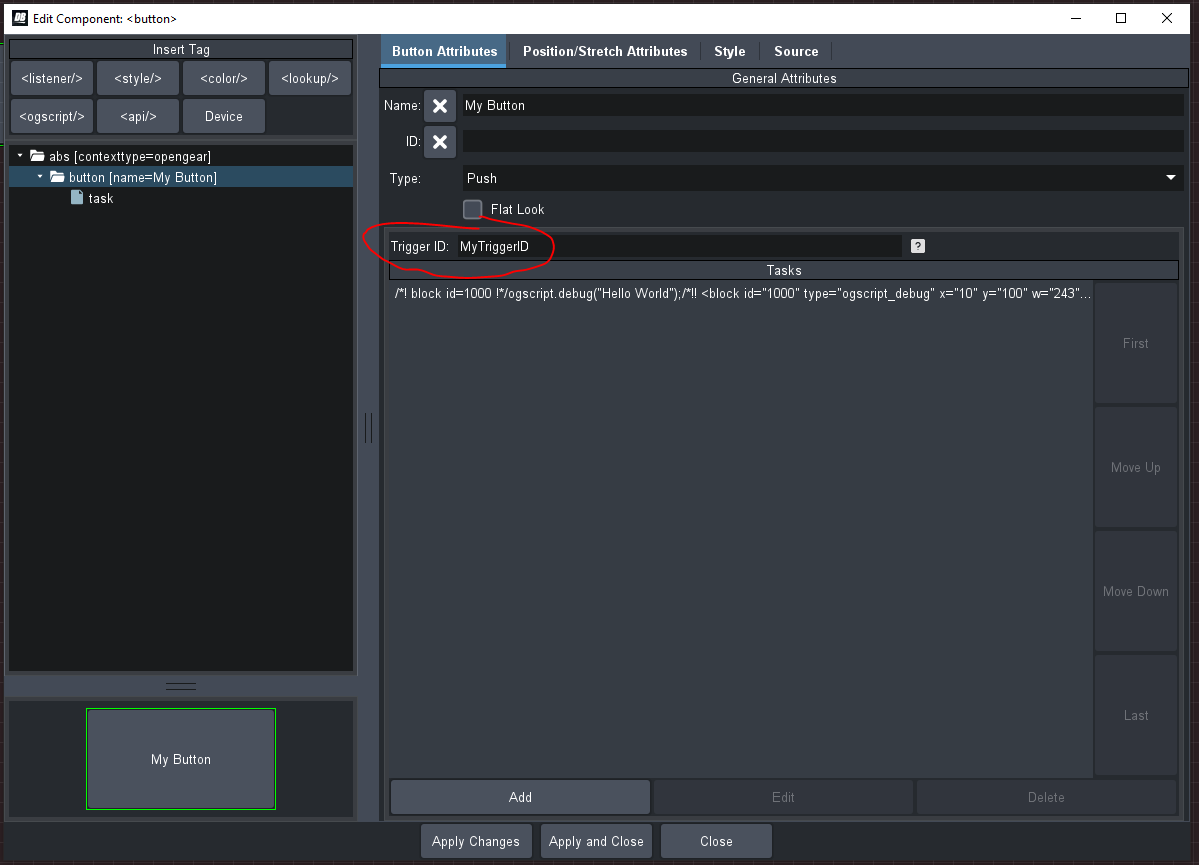
Step 4:
View the triggerable buttons in a browser and use them:
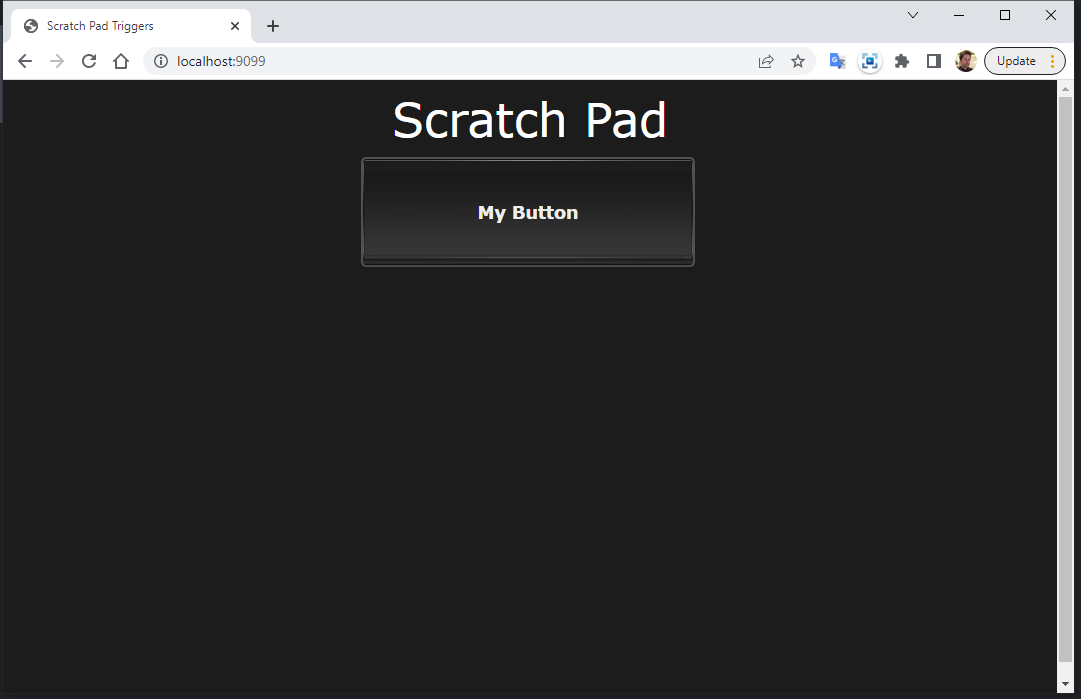
------------------------------
James Peltzer
Ross Video
------------------------------
Original Message:
Sent: 02-27-2023 10:30
From: jai1147
Subject: Operating an custom dashboard panel from an web browser
Hi james,
Since i dont know about programming is there an helpful step by step guide to integrate the buttons as above in my custom panel to be shown in an web interface and be triggered. please help
------------------------------
jaiprakash naidu naidu
Broadcast Manager
TV18 Broadcast Ltd
------------------------------
Original Message:
Sent: 11-21-2022 06:04
From: jai1147
Subject: Operating an custom dashboard panel from an web browser
Thank you very much james for the reply
------------------------------
jaiprakash naidu naidu
Broadcast Manager
TV18 Broadcast Ltd
Original Message:
Sent: 11-18-2022 17:00
From: James Peltzer
Subject: Operating an custom dashboard panel from an web browser
Hi Jaiprakash
You presently cannot expose the custom panel itself to a web browser. What you can do is expose individual scripts/buttons using the HTTP Trigger Service.
In this custom panel, you can trigger the button by pointing your browser to http://localhost:9099
<abs contexttype="opengear" httptriggerport="9099" keepalive="true" subscriptions="true"> <button buttontype="push" gpi="run-script" height="136" left="28" name="Run Script" top="65" width="233"> <task tasktype="ogscript">ogscript.debug("hello world");if (event.getTrigger && event.getTrigger() != null){ ogscript.debug("TRIGGER: " + event.getTrigger());}if (event.getState && event.getState() != null){ ogscript.debug("STATE: " + event.getState());}</task> </button></abs>
If you are writing your own web interface to trigger the buttons, you can also pass along additional state information:
http://localhost:9099/triggers/run-script/addtional%20state%20data
------------------------------
James Peltzer
Ross Video