Pause as a task type has always worked without blocking the thread (as far as I can remember). The ogscript.pause function call has been (and continues to be) disabled when running in the main user interface thread to avoid accidentally locking-up your application.
This panel should work as far back as you care to go in DashBoard Custom Panels.
<abs contexttype="opengear">
   <button buttontype="push" height="136" left="91" name="Pauses" top="169" width="290">
      <task tasktype="ogscript">ogscript.debug("Hello");</task>
      <task tasktype="pause">2000</task>
      <task tasktype="ogscript">ogscript.debug("World");</task>
   </button>
</abs>
------------------------------
James Peltzer
Ross Video
------------------------------
Original Message:
Sent: 07-08-2023 06:32
From: Aleksander
Subject: Pause a Dashboard Script Execution
Question @James Peltzer ... Not played around with the opt. 1 of pausing for years now.
But before, if you used the pause task and then a following task etc, you would lock down the dashboard until the pause was over, due to it not being on a different asyncExec.
Has this been "fixed", and you no longer lock down the main exec while using this pause task?
------------------------------
Aleksander Stalsberg
Inland Norway University of Applied Sciences/Lillehammer Icehockey Club
Norway
------------------------------
Original Message:
Sent: 07-07-2023 09:20
From: James
Subject: Pause a Dashboard Script Execution
Hi Jerry
You have 2 options to pause scripts:
- Put each call into a separate task in your task list. Between each script task, add a "pause" task.
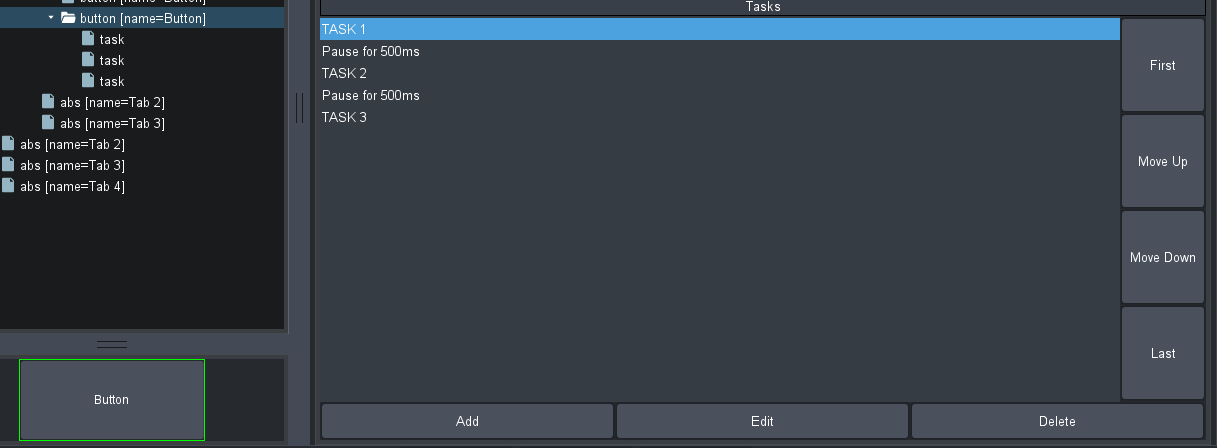
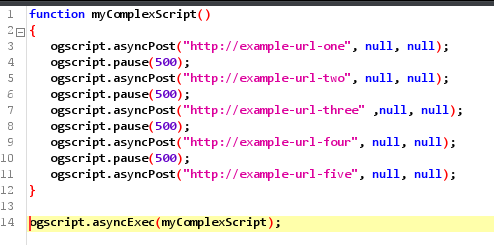
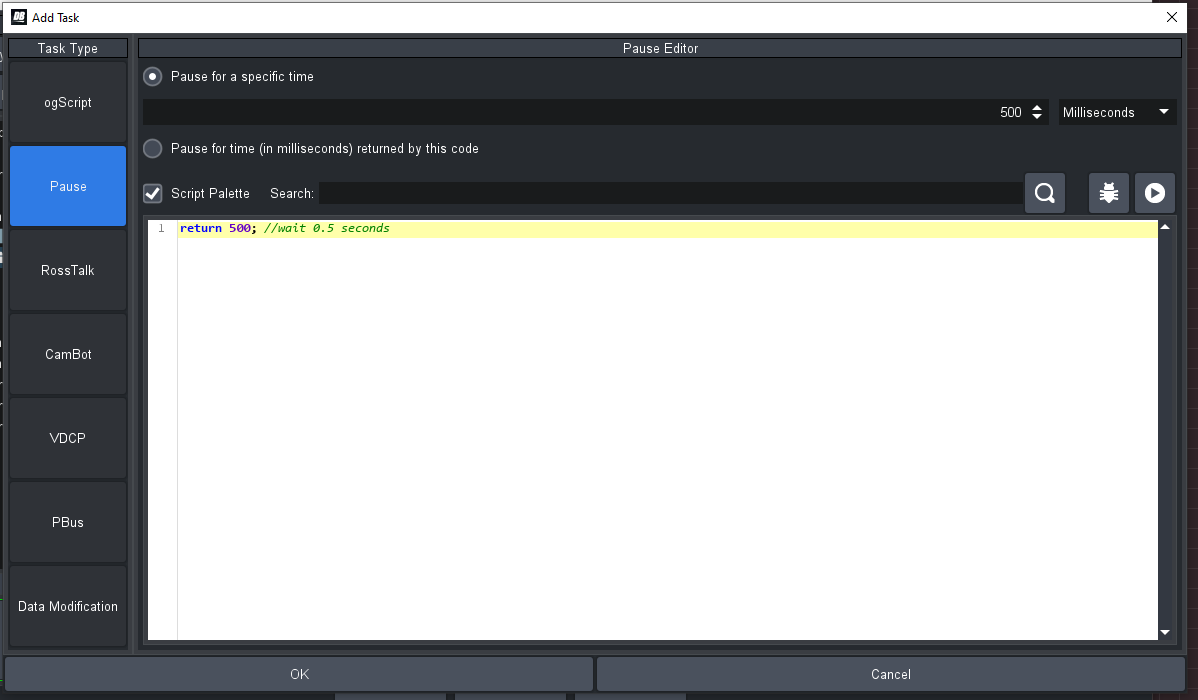 Run your script in an asyncExec block and use ogscript.pause(milliseconds); between your calls (this is most easily done when working in ogScript as opposed to Visual Logic).
------------------------------
James Peltzer
Ross Video