Could this also not be achieved by putting the mask video in a separate SceneDirector and trigger this SD with a Widget? That way you can keep it all in one scene...
NEP GROUP INC.
Original Message:
Sent: 08-22-2025 08:53
From: Simon Redmile
Subject: Question about using a scene as a mask in XPression
oh my bad!
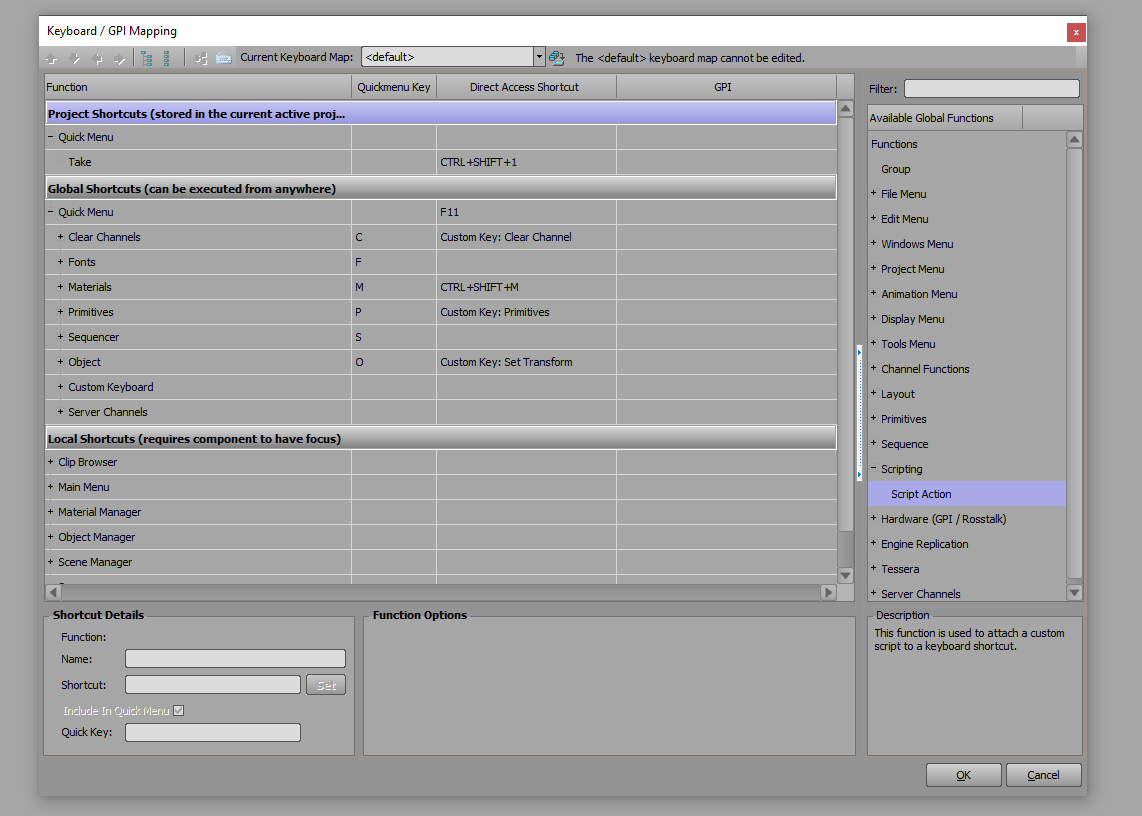
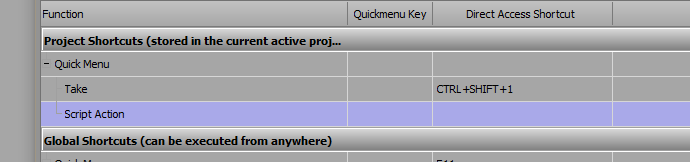
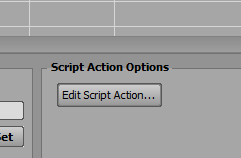
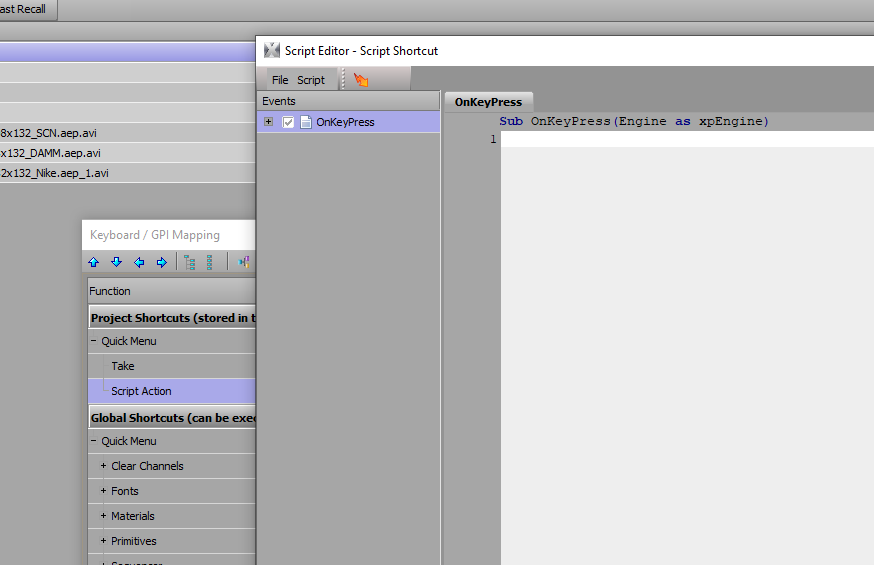
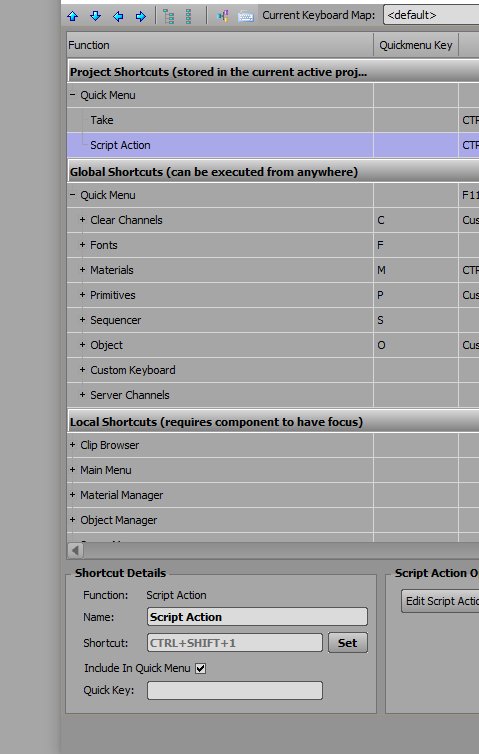
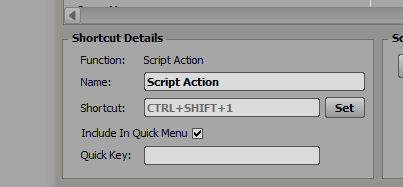
In edit keyboard mapping you need to add a script action to your projects shortcuts.
hopefully these screen shots help.
If you get stuck shout! :)
------------------------------
Simon Redmile
Senior Graphic Programmer & Designer
Ross Video
Bristol United Kingdom
------------------------------
Original Message:
Sent: 08-22-2025 07:57
From: Harm Dijkman
Subject: Question about using a scene as a mask in XPression
Hi Simon, Thanks!
But I need a little more help. Where do I need to put this code?
------------------------------
Harm Dijkman
RTV OOST
Original Message:
Sent: 08-22-2025 04:39
From: Simon Redmile
Subject: Question about using a scene as a mask in XPression
dim output as xpoutputFramebuffer
dim sd as xpSceneDirector
dim scene as xpScene
engine.Getoutputframebuffer(0, output)
output.GetSceneonlayer(1, scene)
scene.GetSceneDirectorByName("sceneDirector1", sd)
sd.Play
sd.autostop = true
------------------------------
Simon Redmile
Senior Graphic Programmer & Designer
Ross Video
Bristol United Kingdom
Original Message:
Sent: 08-21-2025 14:55
From: Harm Dijkman
Subject: Question about using a scene as a mask in XPression
Yes, help would be very welcome. I am not very experienced with scripting GPI triggers in XPression, so any guidance or examples you can provide would be greatly appreciated.
Best regards,
------------------------------
Harm Dijkman
RTV OOST
Original Message:
Sent: 08-21-2025 10:38
From: Simon Redmile
Subject: Question about using a scene as a mask in XPression
Best method would be to script some sort of GPI trigger for the animation, do you need help with that?
------------------------------
Simon Redmile
Senior Graphic Programmer & Designer
Ross Video
Bristol United Kingdom
Original Message:
Sent: 08-21-2025 09:46
From: Harm Dijkman
Subject: Question about using a scene as a mask in XPression
The reason I did not put the mask in the same scene is because my background is a timed animation: it starts with an intro animation and then switches into a loop. The mask, however, should appear at an arbitrary moment – whenever the operator triggers it.
If everything could indeed be built into one scene, that would be great, but I am not sure how to structure such a timeline in XPression. I would need the background animation to play (on trigger), while the mask could be brought in independently at any time by the operator.
------------------------------
Harm Dijkman
RTV OOST
Original Message:
Sent: 08-21-2025 08:12
From: Simon Redmile
Subject: Question about using a scene as a mask in XPression
Why not just put the mask in the same scene?
------------------------------
Simon Redmile
Senior Graphic Programmer & Designer
Ross Video
Bristol United Kingdom