When I save Show Installation -- That will store the Configuration settings including the Effects tab settings and the Config Tab Settings.
Fader Levels will store with the Memories as explained above -- I just spend time storing memories to test that the Faders will change per memory.
I save two different Show Files with different set of settings for the Effects tabs and the Config tabs. All of those also will recall with the installation as I swap between show Installation settings.
The one thing that we make an active choice on was to always disable Phantom Power for the ABUs on a reboot / reload of a configuration file set. There were some Errant mistakes in the early years with people plugin ABUs in configurations where the phantom power being enabled would burn up the input. So with that one you have to re-enable it. The rest of the settings should be storing and recalling as they were saved.
------------------------------
Les O'Reilly
Director - Switcher Product Management
------------------------------
Original Message:
Sent: 05-20-2025 21:39
From: Dave Spraker
Subject: RAVE mixer and GRAPHITE... saving RAVE presets ???
Found this discussion from 4 years ago... Any progress on saving an audio setup? We rotate between two shows for the two teams that play here. The RAVE audio toolset is great, but having to remember to make the same changes to each show is a PITA.
------------------------------
Dave Spraker
Production Engineer
Portland Timbers
------------------------------
Original Message:
Sent: 04-20-2021 12:28
From: Les O'Reilly
Subject: RAVE mixer and GRAPHITE... saving RAVE presets ???
under the Recall Attributes you would want to make sure that the Audio Mixer is set to (orange) so that the Memory Store Attribute is allowed to run...
These are probably set to "No Recall (Grey)" and thus even though you are adding it to your Memory Attributes on the Store side it will be over ridden to prevent it...
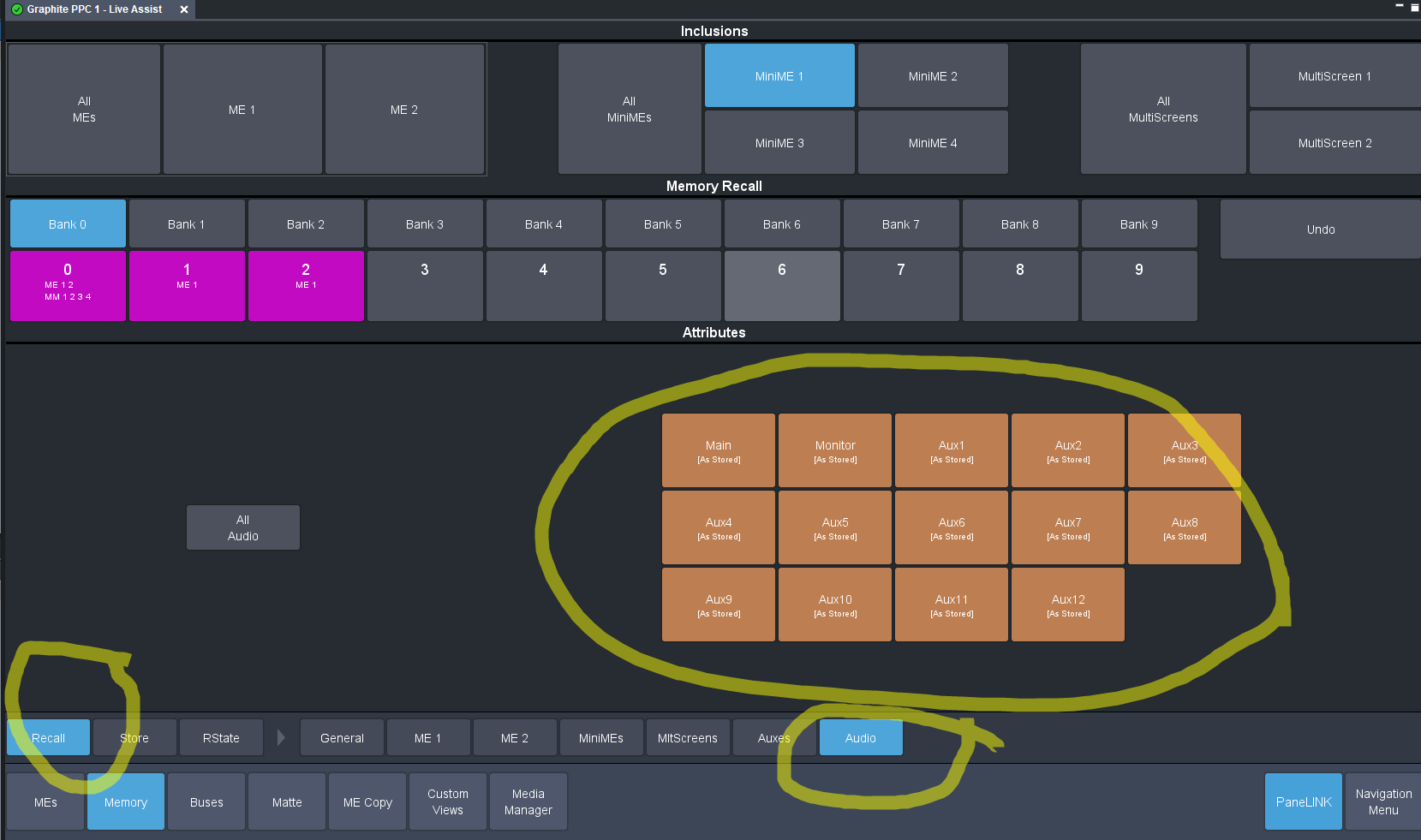
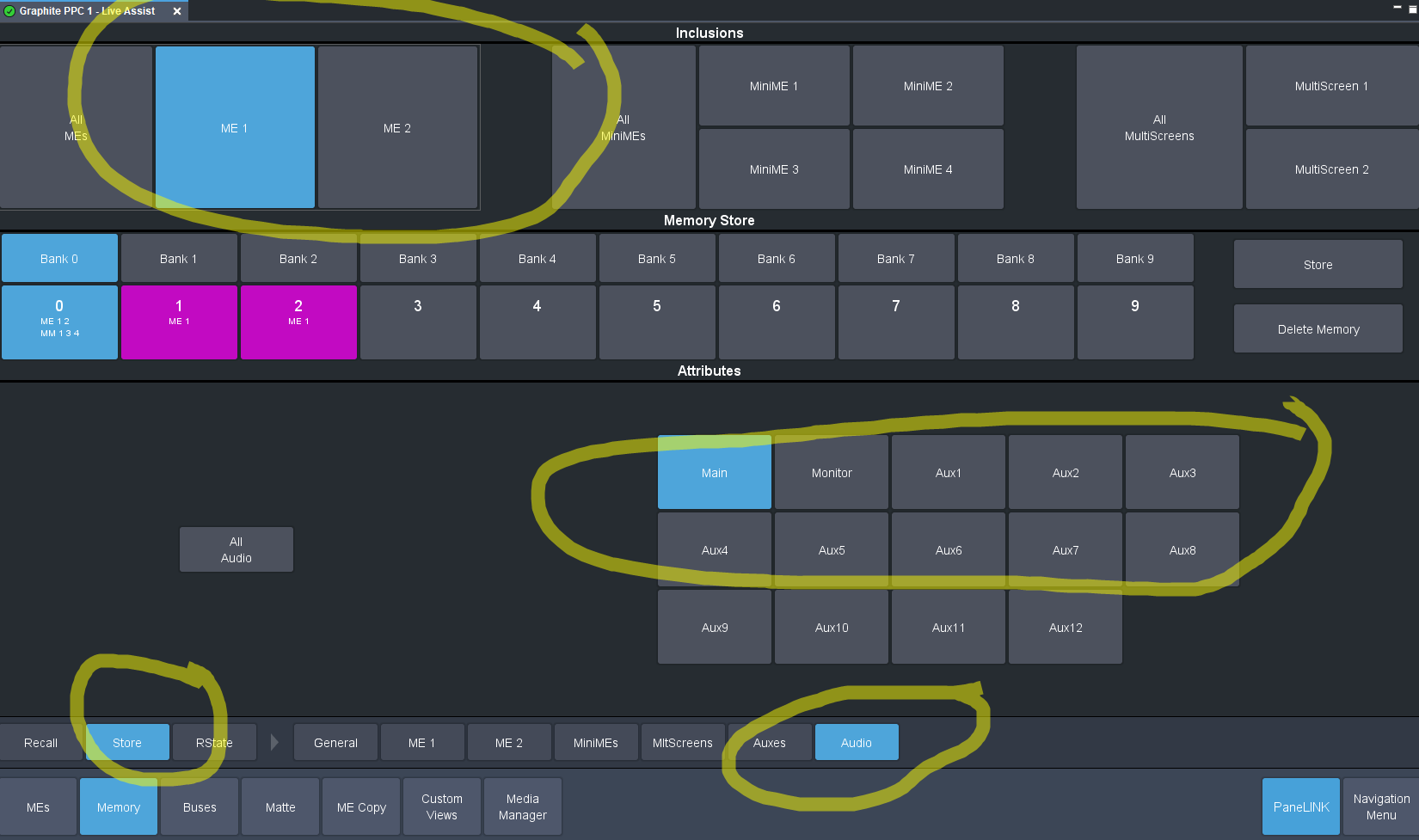
Then Before you "Store" the memory...... Now you have to store it with a ME MiniME or Canvas.... There is no separate "Audio Only" Inclusion... Yes this is a Feature request on the "List" of things that we would like to get done and Move Audio from being a inclusion like Aux Buses and have then instead be More like a separate ME memory On their own.
------------------------------
Les O'Reilly
Product Manager - Production Switchers
Original Message:
Sent: 04-20-2021 09:00
From: Robert Vanrhyn
Subject: RAVE mixer and GRAPHITE... saving RAVE presets ???
Les,
As always, thank you for the quick response.
i am using Dashboard 9.2 with latest GRAPHITE. I am able to create a memory for every region of the graphite system except RAVE!
When I save switcher memories I see the saved GRAPHITE resource-label right on the memory. If I save ME1 and ME2 memory, the memory button on dashboard reads ME1 ME1.
I can never get a memory button to save/display an audio resource - and yes, I definitely enabled the audio regions in the memory menu.
I think I will have engineering dept call tech support and have someone log on to confirm my dilemma...
Thanks les
------------------------------
Robert Vanrhyn
CNBC
Original Message:
Sent: 04-19-2021 15:19
From: Les O'Reilly
Subject: RAVE mixer and GRAPHITE... saving RAVE presets ???
Hi Robert,
You can store this with a memory. Just like an Auxbus or a Media Store you can include Mixers when you store and recall a memory. You can also make Custom Control Macros that can setup values as well... This is how I have my "audio Reset" configured for setting up levels and Pre-Post plus Mutes and other levels inside of My Custom Control...
------------------------------
Les O'Reilly
Product Manager - Production Switchers