Production Switchers

 View Only
  • 1.  Rosstalk to Ross emulators seems not to work?

    Posted 02-05-2025 06:58

    Hi, I work for a company building NRCS solutions. For this, we want to control Ross switchers, of course! To further finetune our existing Rosstalk implementation, we installed both Ross emulators on Proxmox (a virtual machines engine). They seem to work, we can reach them via Dashboard, and seem to respond.

    But, when trying to control them via Rosstalk, this doesn't seem to do anything. The only that works is 'FTB'. But basics such as changing an input on the PGM bus, don't seem to work on these emulators! When we asked a customer to try it on his Carbonite Black, that worked! But same command on our emulators don't. I'm looking at this to see something change (the preset/background fields, which are on 3 and BK in this screenshot)

    We tried in 3 different ways:

    • terminal straight into emulator: it responds, sending 'help' responds with a list of commands, sending 'FTB' does fade to black. But others such as the syntax from this page Carbonite/Graphite Commands
      Rossvideo remove preview
      Carbonite/Graphite Commands
      The switcher can be controlled from a remote editor or computer via RossTalk commands. These commands can be sent to the switcher over an ethernet connection. Carbonite accepts RossTalk commands over ...
      View this on Rossvideo >
       but I can't get any reaction out of it.
    • similarly, using the Companion module, trying the same thing. The (seperate) FTB command in there works, but sendding an XPT-command to change anything on the PGM-bus does nothing
    • same for our own integration. FTB works, nothing else.

    But, again, this is on emulators for Graphite, Carbonite Ultra60, Ultra, and Ultrix Carbonite. With a customer, on a Carbonite Black, it works.

    So, what can I do to get things working, so I can test and evaluate Rosstalk on these emulators?


    ------------------------------
    Jan De Wever
    Product Owner
    Tinkerlist
    ------------------------------


  • 2.  RE: Rosstalk to Ross emulators seems not to work?

    Posted 02-05-2025 11:15

    It all is working fine for me.  The PGM ME on an ULTRA is ME 0.  ME 1 would be ME 1.  So it depends on the switcher config and how many MEs are purchased.

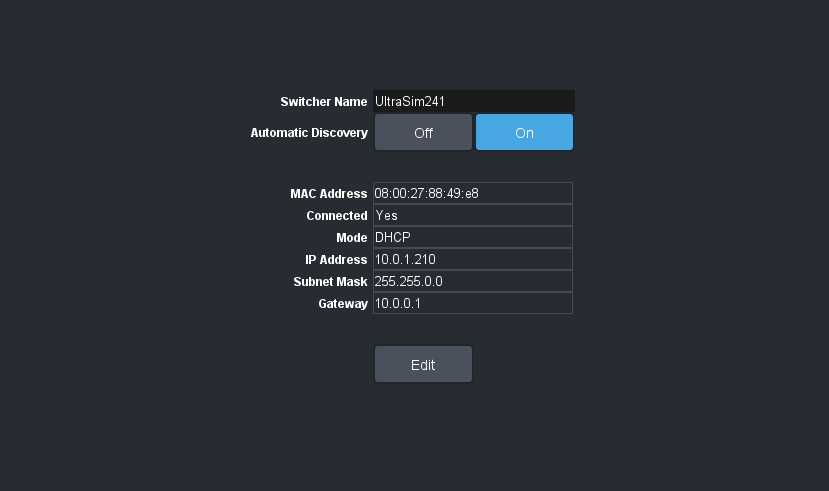
    You also need to make sure you are sending to the Switcher IP address not the PC running the emulation address.
    I built a "testing" DashBoard Panel as I have seen in the past companion has broken things sometimes -- also Companion instances can take over the RT port and hold on to it.. making it inaccessible to other instances.
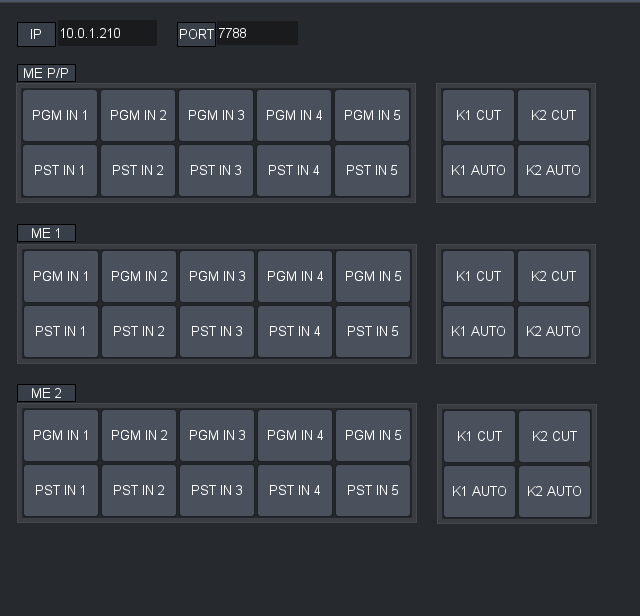
    This DashBoard Custom Panel Grid File has 5 XPT RossTalk Commands assigned to the Buttons and Cut and Auto Toggles for the first two keyers of the MEs.

    In Carbonite Ultra series products the "PGM" ME is always the ME P/P.  Older Carbonite Black and Carbonite switchers would use the Highest ME as the PGM final out -- thus moving between switchers would require some tweaking to memories / macros that focus on the PGM ME.  The new P/P resolves all this.

    ME:0:PGM or ME:0:PST is the destinations in this case for the section labeled ME P/P.  Then the Index will increase and Match the Name of the ME 1/2 as you see them in the DashBoard Menus.

    Download this Grid File and it will open in DashBoard when you double click on it..  I make a Folder I put in my C or D Drive called DashBoard Apps. that way I can find them all in the left side DashBoard Folder navigator -- see image:
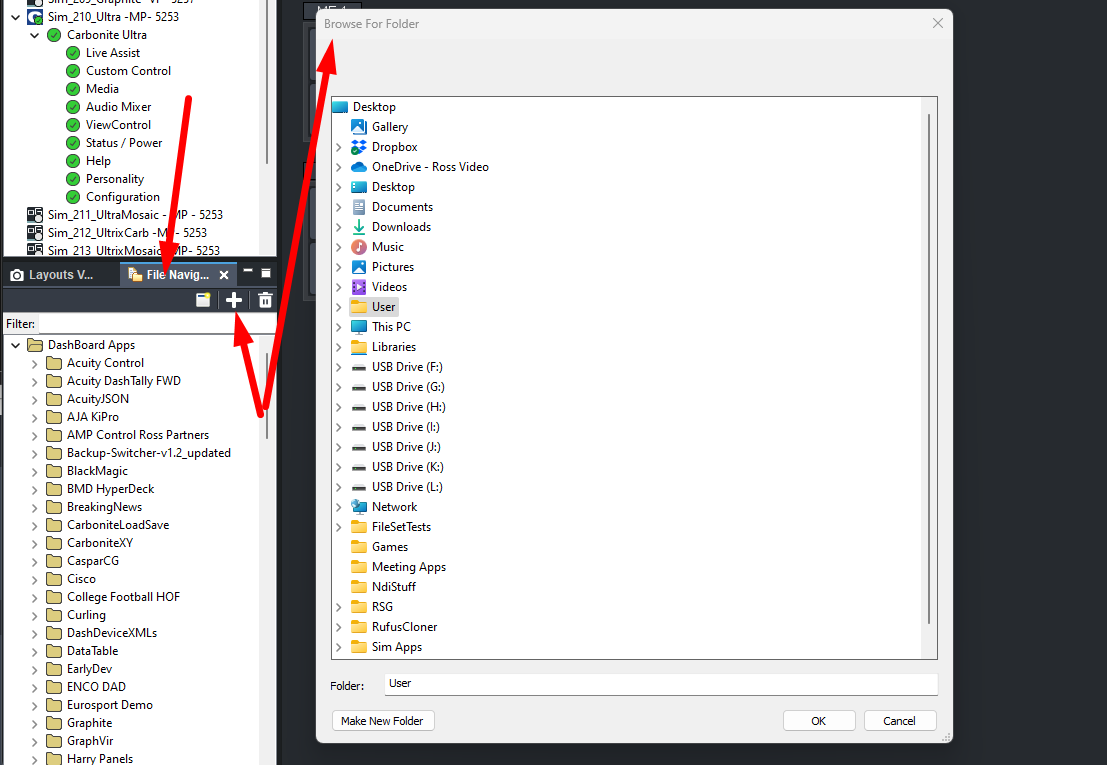
    So just add the folder location and drop it in there and you will then be able to just open it from DashBoard any time.

    Open the file -- change the IP Address Box to your frames ip address as shown in the Configuration - Network Menu
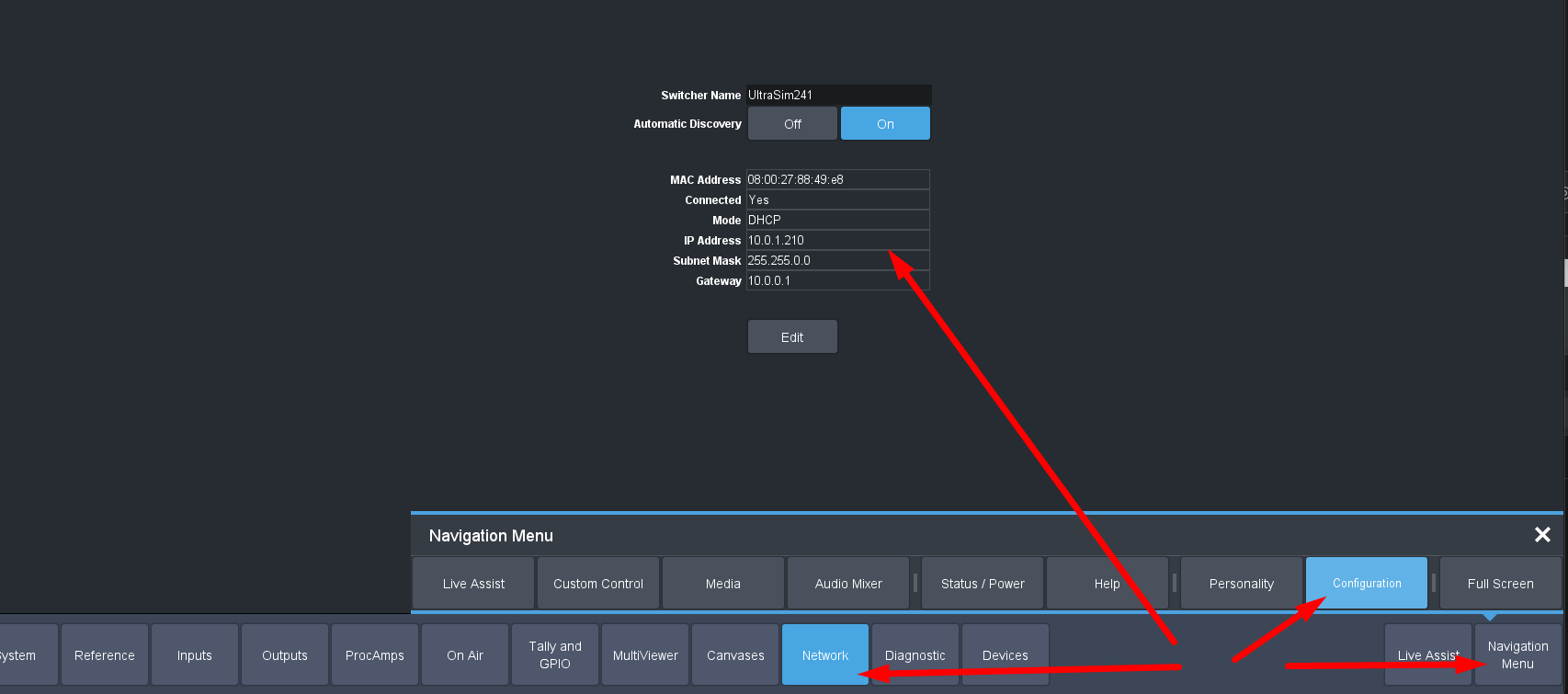
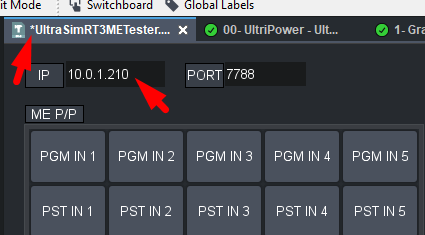
    Enter the IP and press Enter ... you will see the STAR show up that changes have been made.  Press CTRL+S to save those changes.

    Close and Reopen the panel to ensure that all the buttons will update to the new IP address.  Port is 7788 can't change that on the Carbonite Side but I always leave it in for sending to other listeners as needed.

    Then go to the live Assist Menu in Carbonite to see the changes to the switcher.
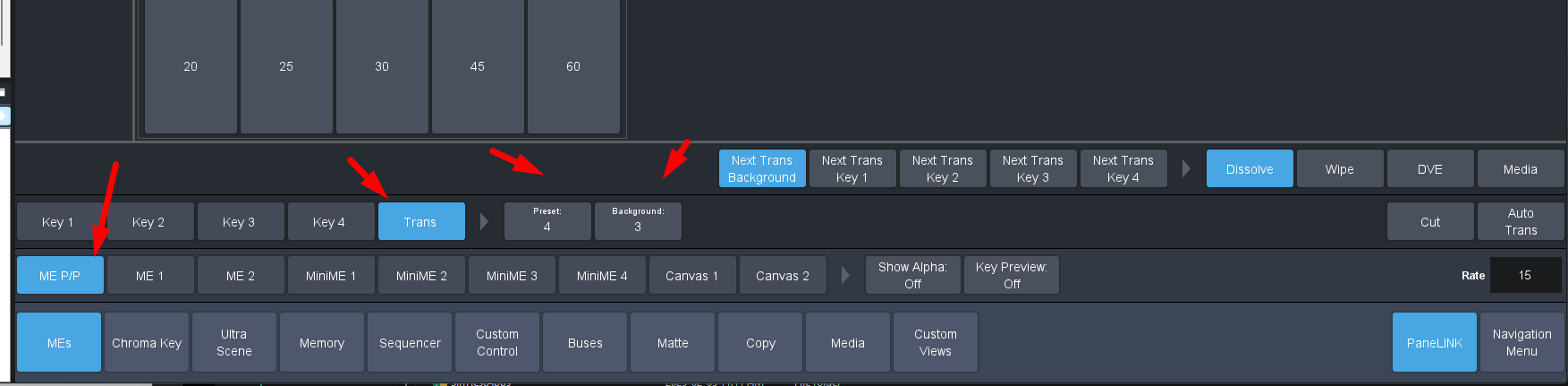
    Small Tip --
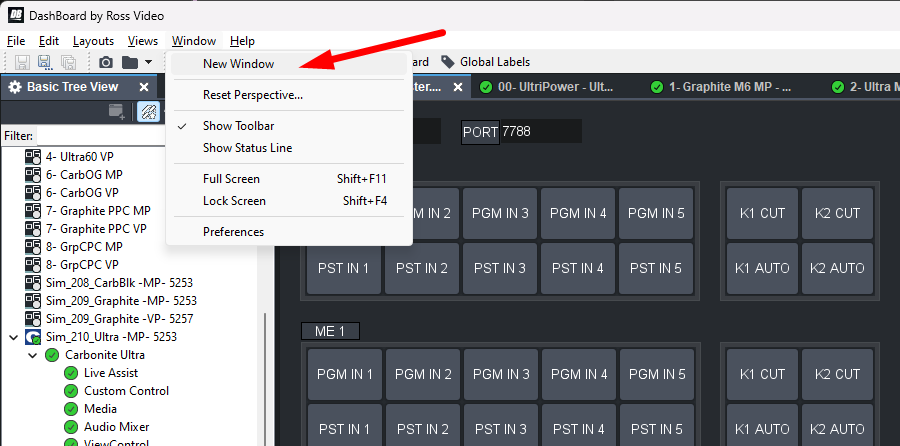
    Use the new Window to open second instance of DashBoard so you can have the Test Panel on 1 and the Switch UI in another.


    ------------------------------
    Les O'Reilly
    Director - Switcher Product Management
    ------------------------------


  • 3.  RE: Rosstalk to Ross emulators seems not to work?

    Posted 02-06-2025 10:03

    Hi Les! Thanks for the elaborate answer. The catch indeed was I was testing on an UltraBlack emulator, which needed the ME P/P syntax as you said (and as said on the Rosstalk documentation page). My bad! I got it working from terminal now, so sending commands works. Now I have to have our devs correct the way we talk to these Ultras, compared to the others.

    And thanks for the added info on Ross Dashboard, will for sure try this!


    ------------------------------
    Jan De Wever
    Product Owner
    Tinkerlist
    ------------------------------