Hi Ryan
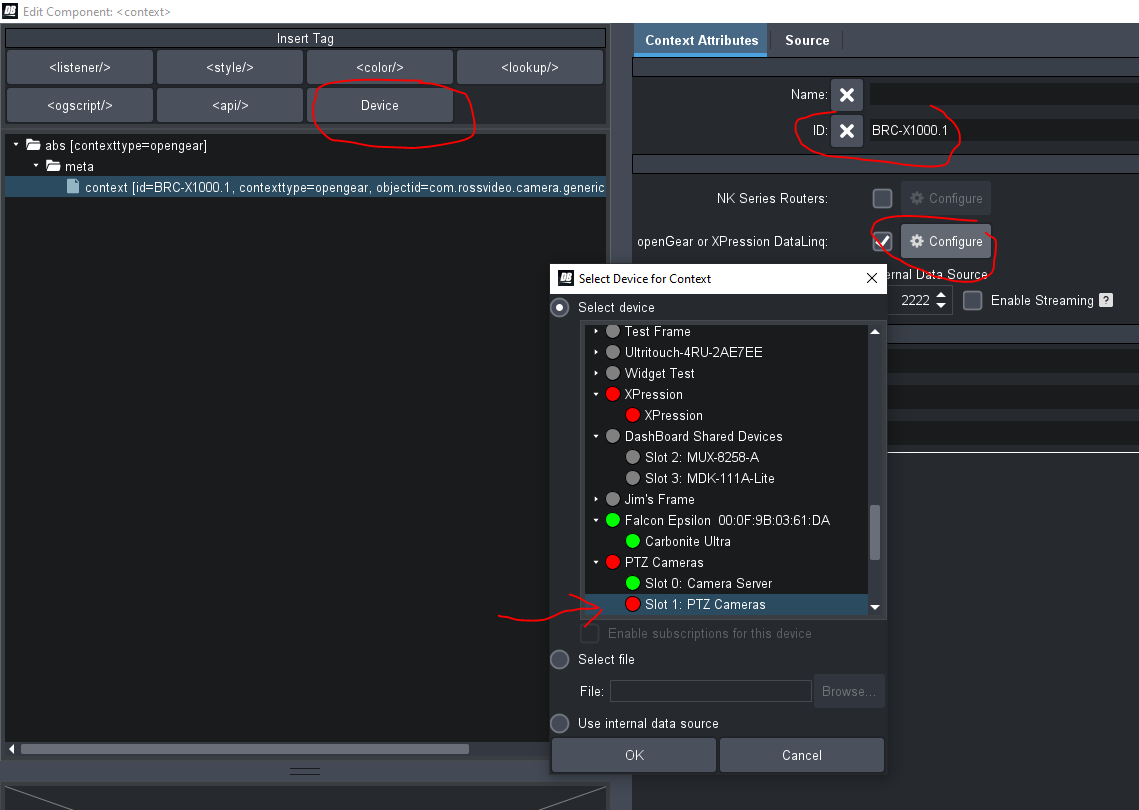
The context tag is used to add a device to your custom panel so you can interact with its commands, parameters, and widgets. When you drag and drop into your panel, you are essentially creating a context within your panel that is pointed at the device you dragged from. In the case of what you're trying to achieve here, adding the context tag and pointing it at your Sony BRC Camera (using the steps I described above), you will be able to see the Sony parameters and commands when you are creating scripts or building your panel user interface.
Adding the Context:
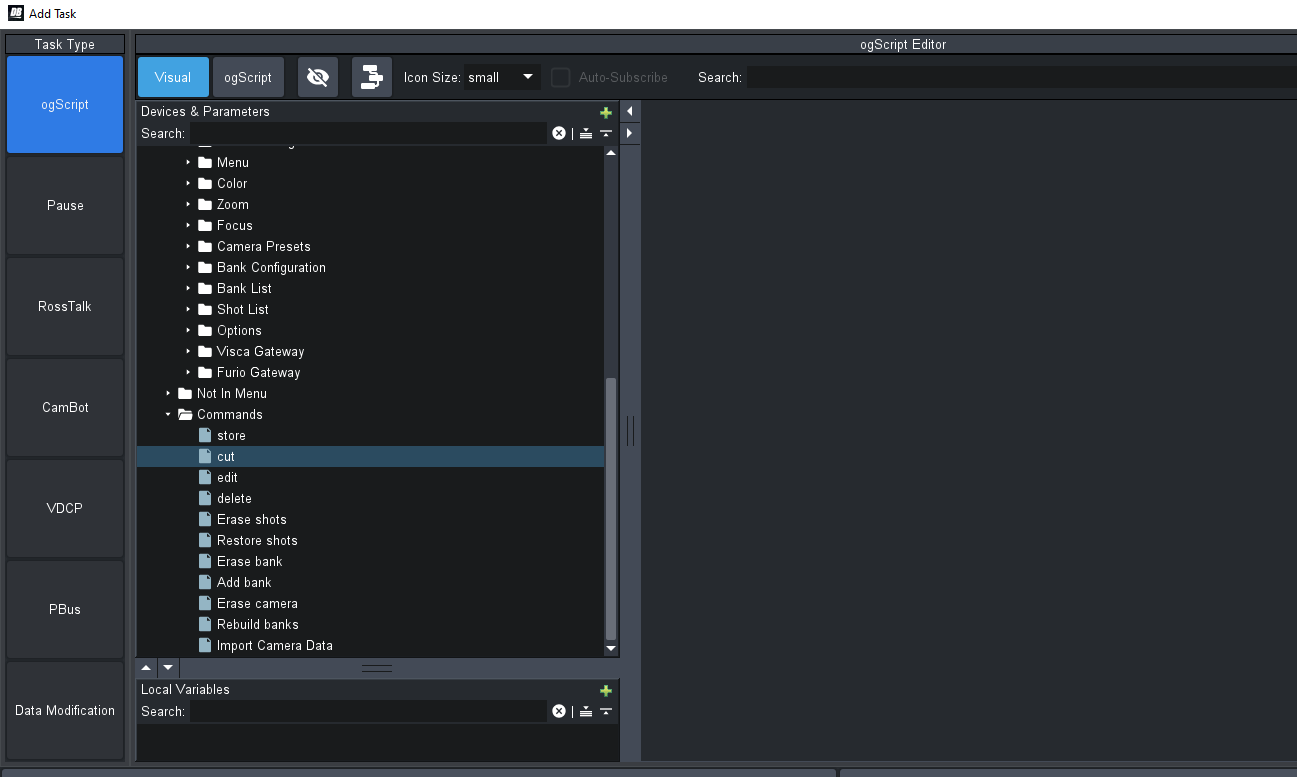
Seeing the parameter and command list when attaching scripts to a button:
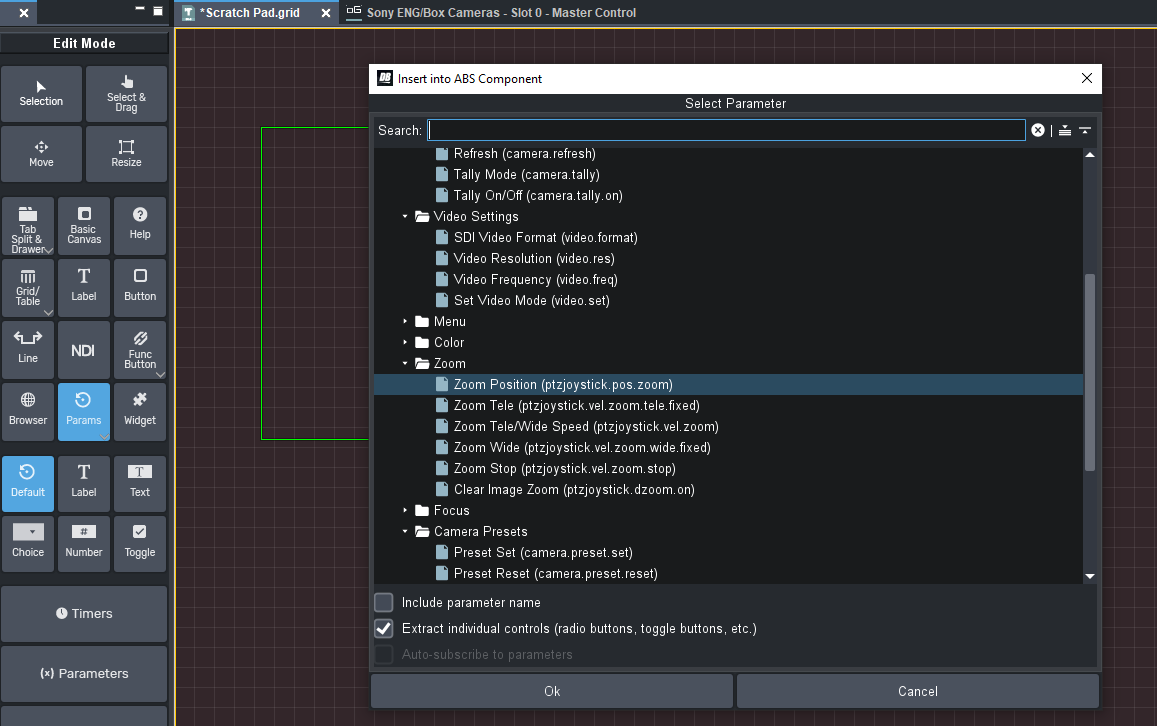
Adding a "Zoom" control to the panel:
------------------------------
James Peltzer
Ross Video
------------------------------
Original Message:
Sent: 07-13-2023 09:23
From: Ryan Ellis
Subject: SONY BRC-X1000 Custom Dashboard
Hey James,
Thought I would come around to this again. I am not familiar with the <context/> tag and how to use it. I thumbed through the manual and didn't find too much there either. Do you have resources on how to use the tag in this situation best?
------------------------------
Ryan Ellis
Design Engineer
Diversified
------------------------------
Original Message:
Sent: 04-14-2023 18:33
From: James
Subject: SONY BRC-X1000 Custom Dashboard
Hi Ryan
The Ross-supplied panel itself is locked for editing but you should still be able to add it as a data source in a custom panel by putting your custom panel into edit mode, double-clicking to enter the "source' view and selecting the "Device" button at the top to insert a new <context/> tag. Give the context an ID and select the Sony camera and its API should become available within Visual Logic and its parameters should be available to add to your panel using the custom panel toolbar.
------------------------------
James Peltzer
Ross Video