If you want to control the clips separately you'll need scripts to control those layers separately, my sample controls a script on layer 0.
When working with tessera there is only 1 framebuffer which is essentially "0" so you'll need your 2 clips on different layers. for example 100 and 101 so you'll need 4 scripts 2 to play and 2 to pause.
one pair will control 100 and another control 101 unlessyou want them always to pause together and then you can combine into a single pair.
Original Message:
Sent: 11-18-2024 13:38
From: Michele Hampton
Subject: Stopping a clip at any time Tessera
HI Simon. Thank you for your message. I see what you are doing, but if my clip is playing out on Node 1 and 2 and those are in a sequence (different ID number like 200 and 201) then I have the Take keyboard shortcuts assigned to 2 different keys S(stop) and P(play). Now I put those scenes that have your script on in a sequence at say ID 3 and 4. Because the 2 scenes I have built with your script have to have their own Sequence ID's I am thinking? If I have the clip playing, the one I want to pause and play, then I hit my shortcut key S to stop, the clip disappears. It is on the same Framebuffer. I am confused on how this will works. Thanks
------------------------------
Michele Lee Hampton
Graphics Operator
Hermosa Beach, CA
------------------------------
Original Message:
Sent: 11-18-2024 12:03
From: Simon Redmile
Subject: Stopping a clip at any time Tessera
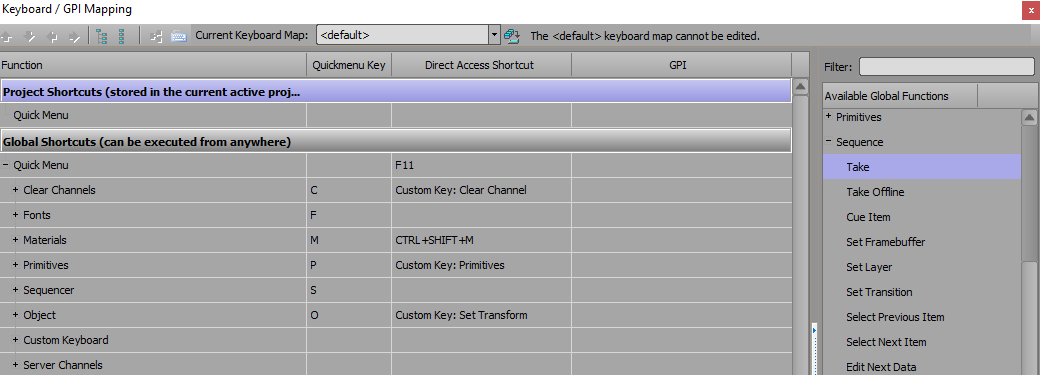
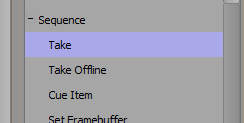
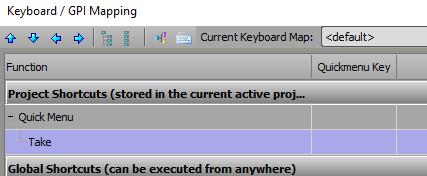
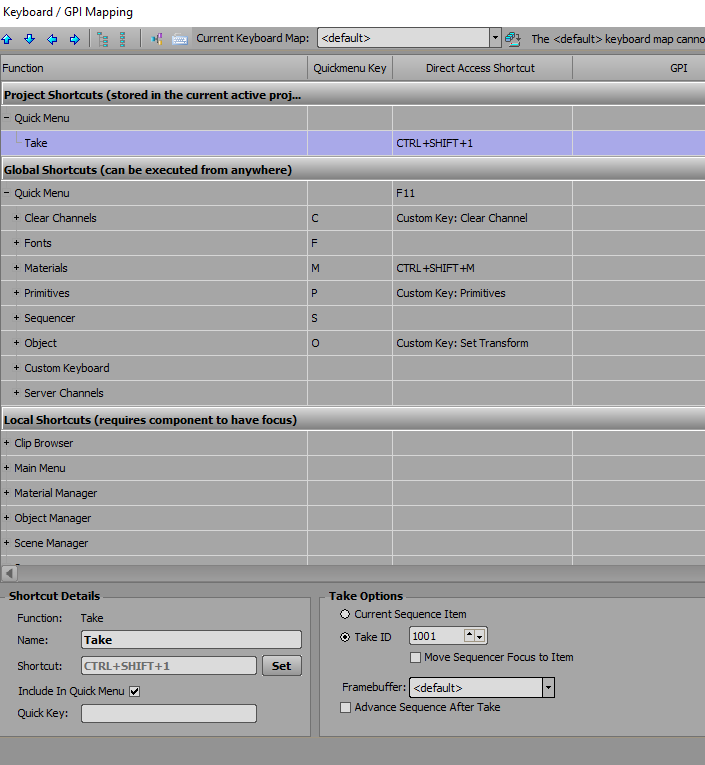
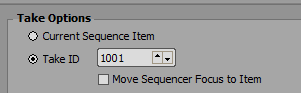
I realised I didn't include where you would find the scene triggers in GPI, they would be here.
------------------------------
Simon Redmile
Senior Graphic Programmer & Designer
Ross Video
Bristol United Kingdom
Original Message:
Sent: 11-18-2024 10:13
From: Michele Hampton
Subject: Stopping a clip at any time Tessera
Hi Simon. Thank you for this script. I will try it on my laptop today. I am back in the studio on Wednesday and Thursday. Might try it at the end of the day on Thursday just to not to take away from my show build. I so appreciate your help.
------------------------------
Michele Lee Hampton
Graphics Operator
Hermosa Beach, CA
Original Message:
Sent: 11-18-2024 04:30
From: Simon Redmile
Subject: Stopping a clip at any time Tessera
For tessera take my script and make 2 blank scenes.
On one scene place onOnline;
dim channel as xpOutputFrameBuffer
dim scene as xpScene
dim obj as xpBaseObject
dim material as xpMaterial
Engine.GetOutputFrameBuffer(0, channel)
channel.GetSceneOnLayer(0, scene)
scene.GetObjectByName("clip", obj)
obj.GetMaterial(0, material)
material.play
and on the other place;
dim channel as xpOutputFrameBuffer
dim scene as xpScene
dim obj as xpBaseObject
dim material as xpMaterial
Engine.GetOutputFrameBuffer(0, channel)
channel.GetSceneOnLayer(0, scene)
scene.GetObjectByName("clip", obj)
obj.GetMaterial(0, material)
material.pause
then you should use the keyboard mapping to play those scenes instead of using a script event.
------------------------------
Simon Redmile
Senior Graphic Programmer & Designer
Ross Video
Bristol United Kingdom
Original Message:
Sent: 11-17-2024 20:22
From: Michele Hampton
Subject: Stopping a clip at any time Tessera
HI Simon. Thank you for this update. So just to ask I can copy this script you have shared with me and then just paste it in the edit scrip area of the keyboard layout? If that is not correct could you help me here. Also great that it will stop the clip for both nodes. It is a screen that splits apart as the talent is revealed from behind the screens and they walk out.
I am so grateful for your help and also Roman.
------------------------------
Michele Lee Hampton
Graphics Operator
Hermosa Beach, CA
Original Message:
Sent: 11-15-2024 14:13
From: Simon Redmile
Subject: Stopping a clip at any time Tessera
Hey Michele, if you use the tessera version of the script both sides should pause and continue.
Regarding the playing once only that's because Romans script sets the play mode to once.
You can actually just use.
dim channel as xpOutputFrameBuffer
dim scene as xpScene
dim obj as xpBaseObject
dim material as xpMaterial
Engine.GetOutputFrameBuffer(0, channel)
channel.GetSceneOnLayer(0, scene)
scene.GetObjectByName("clip", obj)
obj.GetMaterial(0, material)
material.play
material.pause
I don't have time right now to put that into Romans script format but perhaps he does.
Using the methods I have above it won't change the clip mode.
------------------------------
Simon Redmile
Senior Graphic Programmer & Designer
Ross Video
Bristol United Kingdom
Original Message:
Sent: 11-15-2024 12:23
From: Michele Hampton
Subject: Stopping a clip at any time Tessera
Thank you for this update. I ran this on my laptop and it worked great. Question...I think, from what I can see, that when I so the Ctr + Shift +1 it will stop and the clip, great, then I do the Ctr + Shift +1 again and it starts but it will only play the clip to the end of it. I tried it with and AVI that I looped so I had something that keep playing. When I do this new script it does stop, then start but does not keep the animated loop of my AVI. Hope that makes sense.
Also another catch to this Tessear question. The screen I am wanting to have this work on is in 2 pieces. So it uses 2 nodes. They are called Node 1 and Node 2. When I bring in the graphics from our designer the incoder will divide the graphic into 2 clips (right side and left side) So this is the screen that I need to be able to stop and start but both sides. Thoughts?
------------------------------
Michele Lee Hampton
Graphics Operator
Hermosa Beach, CA
Original Message:
Sent: 11-15-2024 04:13
From: Simon Redmile
Subject: Stopping a clip at any time Tessera
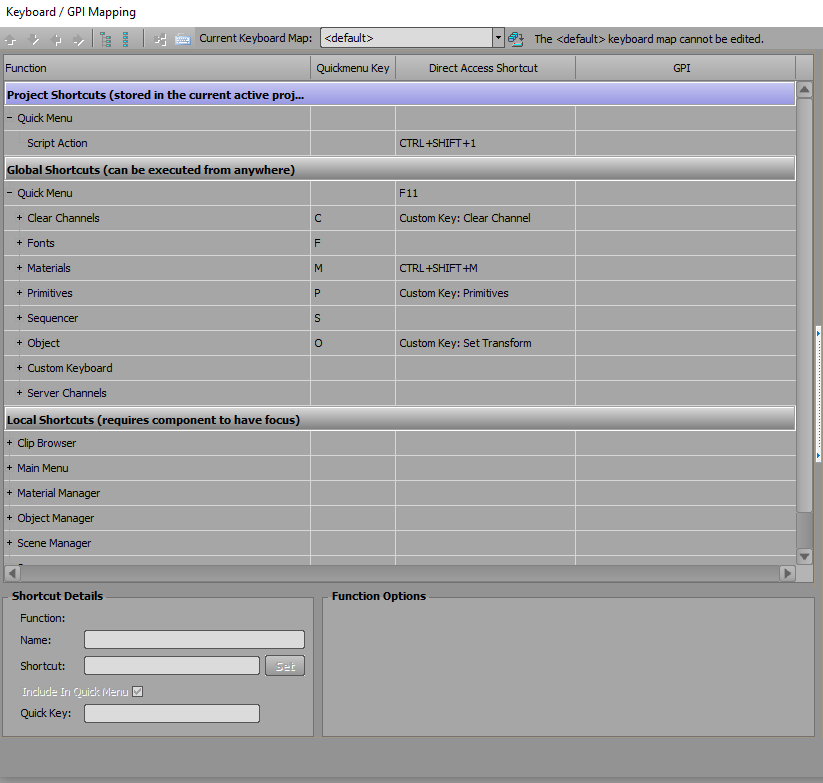
Roman / Michelle I have taken Roman's script and placed it in "Project Shortcuts" rather than global. That means you don't need a custom keyboard mapper as the script travels with the project.
------------------------------
Simon Redmile
Senior Graphic Programmer & Designer
Ross Video
Bristol United Kingdom
Original Message:
Sent: 11-15-2024 02:57
From: Roman Yaroshenko
Subject: Stopping a clip at any time Tessera
Hi Michele.
Sorry.
Something went wrong. I see that the file does not have a script in the hotkey. Here is the script. Paste it into the hotkey script action.
Dim fb As xpOutputFrameBuffer engine.GetOutputFrameBuffer(0, fb) Dim scene As xpScene Dim tessera As xpTessera = engine.Tessera Dim scn As xpScene If fb.GetSceneOnLayer(0, scn) Then 'or tessera.GetSceneOnLayer(0, scn) Then If scn.Name = "Slide" Then Dim obj As xpBaseObject scn.GetObjectByName("Slide", obj) Dim mat As xpMaterial obj.GetMaterial(0, mat) Dim count As xpCounterWidget engine.GetWidgetByName("Pos_Counter", count) If count.Value = mat.Position Then 'to check if the video is playing or not mat.SetPlayMode(PlayMode.pm_Once) Else mat.SetPlayMode(PlayMode.pm_Stopped) End If count.Value = mat.Position End If End If
------------------------------
Roman Yaroshenko
chief specialist
RBC-TV
Moscow Russian Federation
Original Message:
Sent: 11-14-2024 15:26
From: Michele Hampton
Subject: Stopping a clip at any time Tessera
Hi Roman. So I just opened up the zip file on my laptop. I see the Keyboard and XPN files. When I open it up on my laptop I don't see anything pausing. Can I run this up on my laptop Xpression Designer program? I am not at my Tessera system and won't be for a few days.
------------------------------
Michele Lee Hampton
Graphics Operator
Hermosa Beach, CA
Original Message:
Sent: 11-14-2024 03:10
From: Roman Yaroshenko
Subject: Stopping a clip at any time Tessera
Hi Michele!
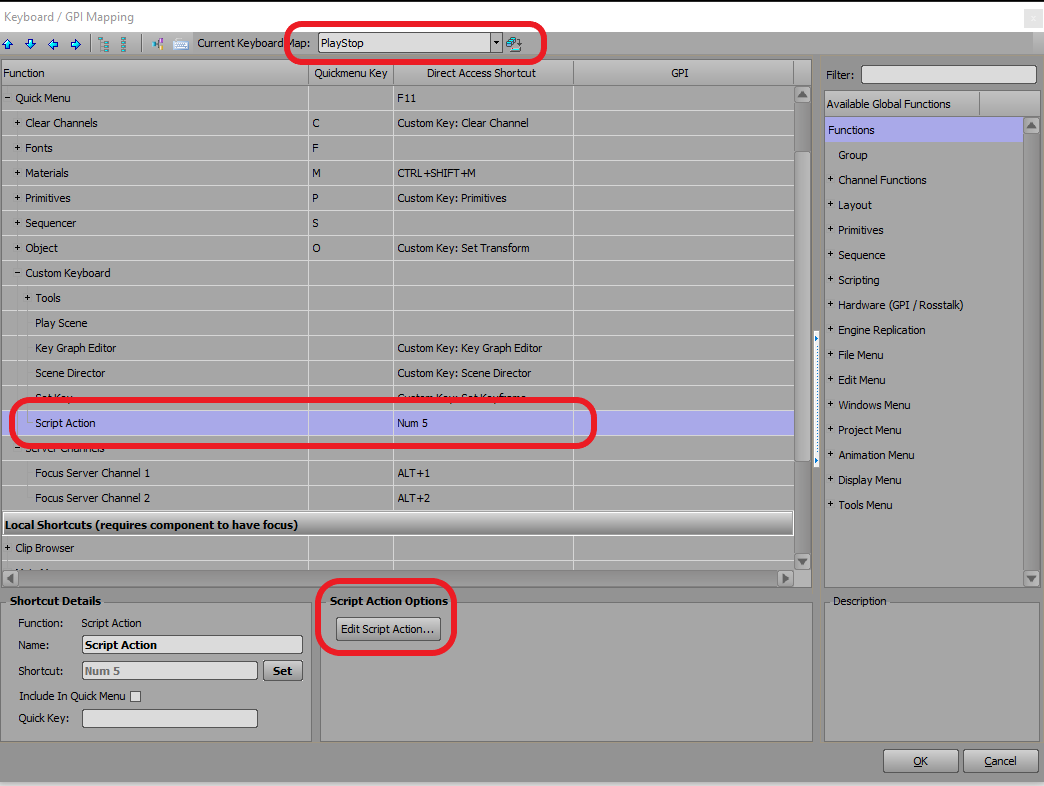
Here is a project with play/pause video clips. When you press 5 on the numpad, the clip pauses if it was playing and it starts playing if it was paused. In Studio, it plays as it should. For Tessera, you will need to change the script a little.
You will need to put the PlayStop.kbd file into the C:\Program Files\XpressionTessera folder. Then run your XpressionTessera and in your Keyboard/GPI Mapping, select PlayStop. In Edit Script Action, change the script for Tessera
------------------------------
Roman Yaroshenko
chief specialist
RBC-TV
Moscow Russian Federation