No we do not. There is an OverDrive Side Stick panel which would be useful but again that only works with OverDrive.
Original Message:
Sent: 11-14-2023 16:10
From: Tue Sandbæk
Subject: Streamdeck/Carbonite Black
Hope, you can give me an introduction on how to do that, so I can se if we can use that.
You do'nt have any panel with knobs on?
------------------------------
Tue Sandbæk
Director / TV-Technician
TV SYD
------------------------------
Original Message:
Sent: 11-14-2023 11:37
From: Les O'Reilly
Subject: Streamdeck/Carbonite Black
you are going to have to assign buttons and Paramaters for each Keyer and ME yes
------------------------------
Les O'Reilly
Director - Switcher Product Management
Original Message:
Sent: 11-14-2023 11:29
From: Tue Sandbæk
Subject: Streamdeck/Carbonite Black
So there I would be able to select my ME and adjust Size and Position on my KEYS in the DVE?
------------------------------
Tue Sandbæk
Director / TV-Technician
TV SYD
Original Message:
Sent: 11-14-2023 11:02
From: Les O'Reilly
Subject: Streamdeck/Carbonite Black
In DashBoard Version 9.7 you can build a custom panel.
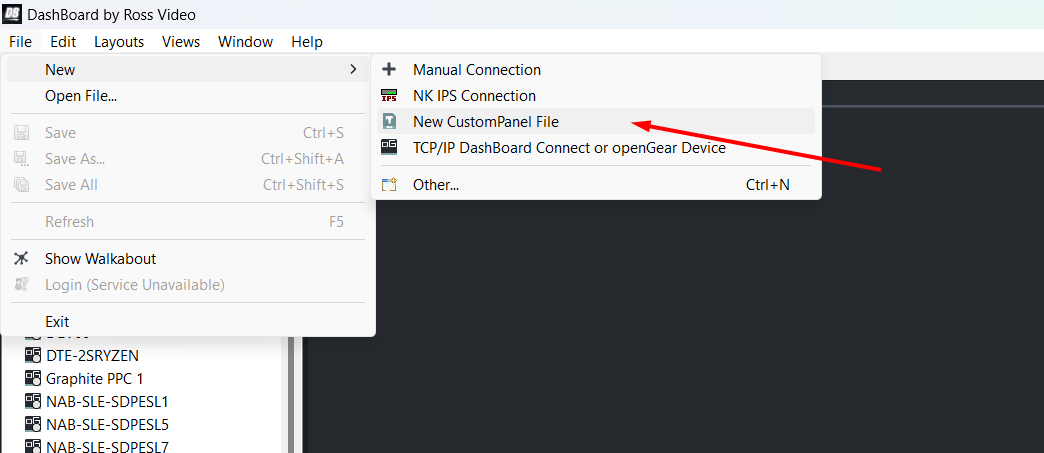
When selecting the template you will have the option for the SideShotNG
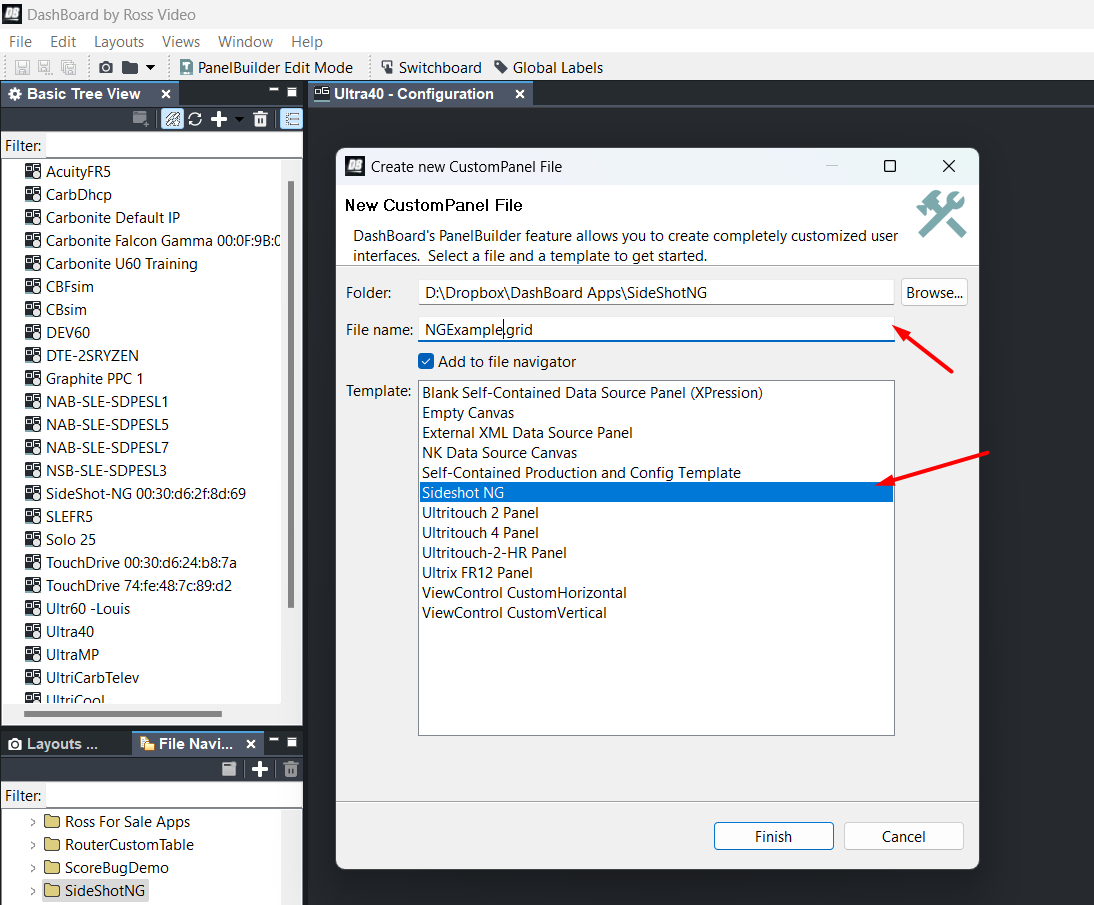
Now you will have the Template for the SideShotNG which will allow you to pull in Buttons and Elements from other panels and devices
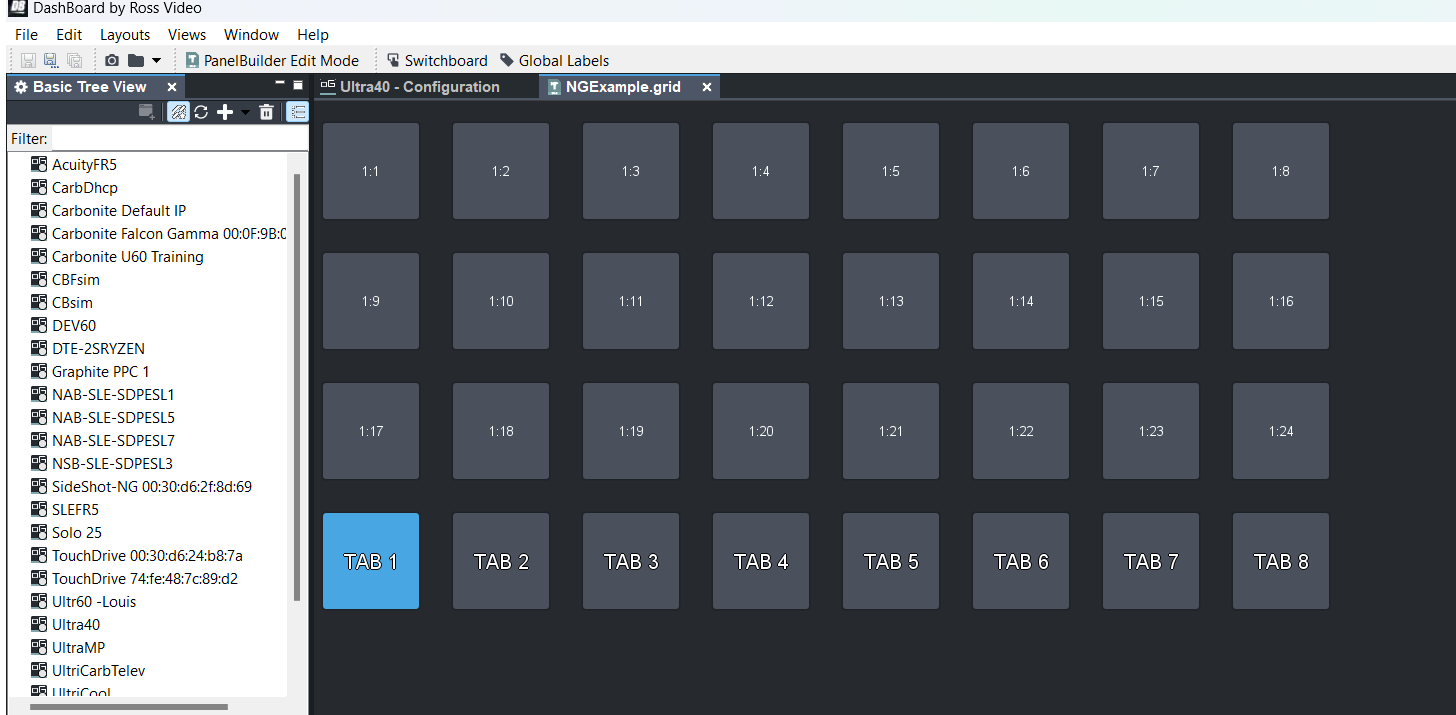
The Template has the concept that the Bottom 8 Buttons are Tabs with Buttons inside of every tab that you can drag elements to or add your own functions.
I will try to come back to this thread in a day or so when I can connect to a frame and show an example a little further.
https://documentation.rossvideo.com/files/Cut%20Sheets/Production%20Switchers/Acuity/SideShot%20NG%20CutSheet.pdf
That is the link to the SideShotNG cut sheet
------------------------------
Les O'Reilly
Director - Switcher Product Management
Original Message:
Sent: 11-14-2023 09:40
From: Tue Sandbæk
Subject: Streamdeck/Carbonite Black
I would like to here more about this shotboxes and OGP OIDs mapped to controls.
Where can I find more information about that?
------------------------------
Tue Sandbæk
Director / TV-Technician
TV SYD
Original Message:
Sent: 11-14-2023 09:32
From: Les O'Reilly
Subject: Streamdeck/Carbonite Black
No we will not be able to add that kind of control to RossTalk .. that is not what it is intended for and is a one way communication. I would open the DashBoard GUI to the frame to find the adjustments.
We have other products like our shotboxes which might be able to do this via creating custom panels with OGP OIDs mapped to controls. However this is not something that will be in a Streamdeck plugin.
Mosart has been offered the ability to have full automation protocol and support of the product to offer this workflow. They have chosen to not implement that protocol which would enable them to offer this as part of the workflow. These kinds of abilities are built into OverDrive and Mosart is able to implement the same protocol and access the same features.
------------------------------
Les O'Reilly
Director - Switcher Product Management
Original Message:
Sent: 11-14-2023 09:12
From: Tue Sandbæk
Subject: Streamdeck/Carbonite Black
Is it in the pipeline?
We would love to have that opprtunity, to adjust DVE's.
Our panel is hided, as we use Mosart.
Back in the old days, we used the panel, and therfore had an opportunity to adjust the DVE's at the panel.
Now the panel is gone, and we use Mosart it would be nice to have that feature, on a streamdeck or something like that, so we don't have to turn the panel on every time.
------------------------------
Tue Sandbæk
Director / TV-Technician
TV SYD
Original Message:
Sent: 11-14-2023 09:00
From: Les O'Reilly
Subject: Streamdeck/Carbonite Black
No there is not the ability to control those functions. RossTalk is not able to replace the control panel to that level.
------------------------------
Les O'Reilly
Director - Switcher Product Management
Original Message:
Sent: 11-14-2023 08:40
From: Tue Sandbæk
Subject: Streamdeck/Carbonite Black
My thought was to use it to adjust my DVE's.
Would that be possible, to adjust size and position with the knobs?
Best regards
Tue.
------------------------------
Tue Sandbæk
Director / TV-Technician
TV SYD
Original Message:
Sent: 11-14-2023 07:04
From: Louis Santiago
Subject: Streamdeck/Carbonite Black
Original Message:
Sent: 11/14/2023 7:02:00 AM
From: Louis Santiago
Subject: RE: Streamdeck/Carbonite Black
You can use the Ross talk plugin in Stream Deck, just send the commands to the frame ip.
Here's a link