That Menu should be there. I would suggest you open dashboard an have a look. If something looks out of place you will need to post some images of what you see. Version 3 is over 5 years old.
As for Carbonite black panels -- you may need to upgrade that software as well. The panel version is included in the version 9.1 upgrade files.
It probably will be fine to upgrade from version 3 to version 9 however that does not mean that everything in your show files will upgrade perfectly.
You will want to have time to test every custom control and memory that you use to ensure they function correctly. There might also bee some installation or personality settings that you will need to verify was well. Again with a version that is older than 5 years it is not possible to say it will just work and all effects will just work.
------------------------------
Les O'Reilly
Director - Switcher Product Management
------------------------------
Original Message:
Sent: 05-19-2025 11:33
From: Shamil Gasim
Subject: Tally Output
Thanks for reply.
By means of crucial 24/7 On-Air schedule we are still on version 3.0. of Ultra Frame , is this section of the DashBoard Menu available on this firmware version ?
or Should I update the frame to the latest version of the Ultra Frame ( v 9.0.) ?
if yes
Can I update it to the latest firmware version directly from firmware version 3.0 ?
Will the panel (Carbonite Black 1 ME) work perfectly with latest version of the firmware? Won't it give any Matching Error after update ?
I apologize for the number of questions, but I want to ensure everything runs smoothly for our 24/7 operations. I greatly appreciate your assistance and guidance on this matter.
Thanks in advance.
------------------------------
Shamil Gasim
TV and Radio Engineer
------------------------------
Original Message:
Sent: 05-19-2025 11:10
From: Les O'Reilly
Subject: Tally Output
Tally is not tied to the Button. Tally is tied to the input. So when you remap the bus map that is just changing where the source will be located for selection.
Tally configuration is in -- Configuration -Tally and GPIO - External Tally.
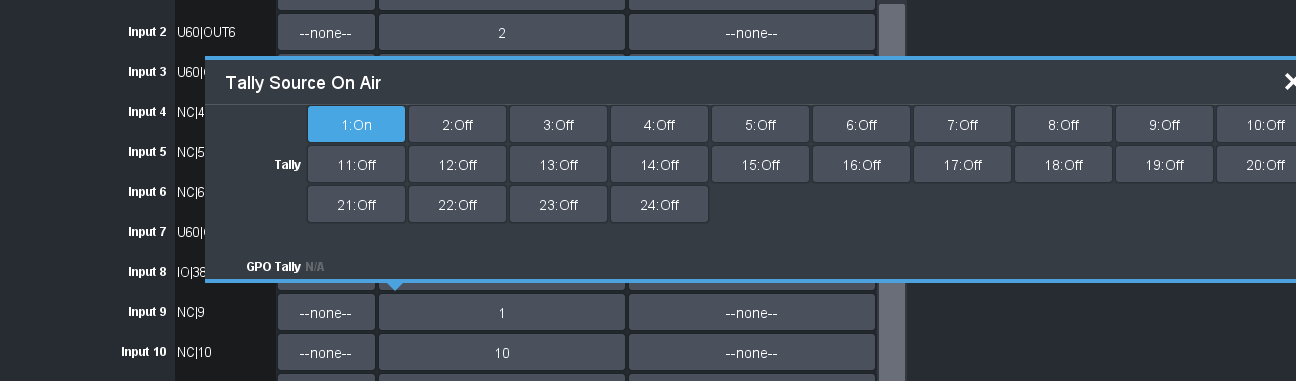
Here you assign the Tally Pins to the Inputs and if it is ON Air or On Preview. Note you can assign Multiple Pins to Multiple Inputs. Inputs can also have more than 1 pin assigned to them.
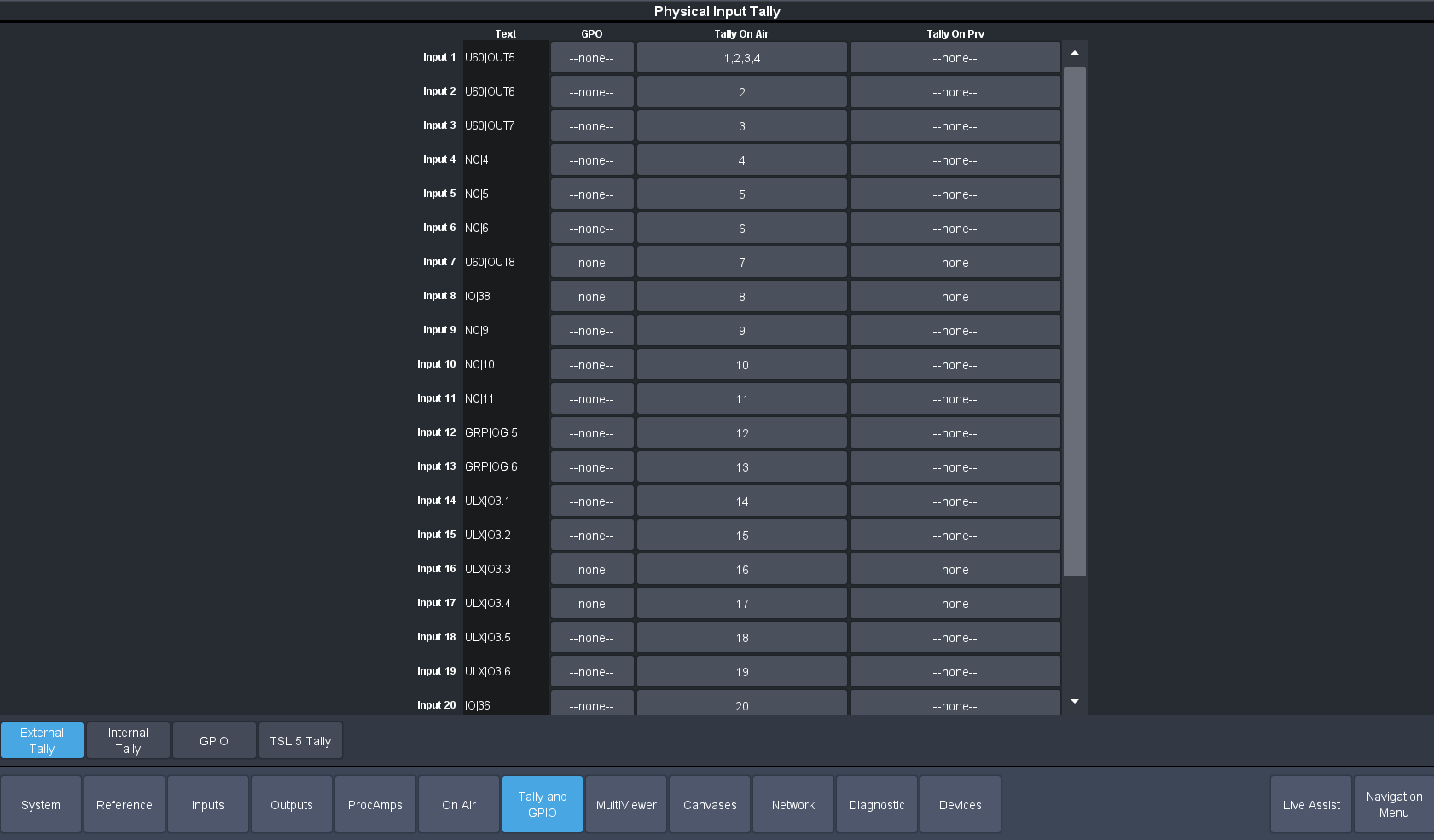
So you would change Input 9 to have Pin 1 and then remove Pin 1 from Input 1.
------------------------------
Les O'Reilly
Director - Switcher Product Management