You can not assign a list to be loaded.
However you can have a Media Item Per Media Store Channel loaded as part of the RState.
Each Show file has the ability to Set an RState (Reset State) and it works like a memory.. You go into the RState Attributes page of the Memory system and you can setup which Items will or will not Recall ... Note the MEs do NOT have a way to be excluded.. However you have to select the Aux Buses / Media Channels / MiniME and MultiScreen configs that you do want to recall.. Then you Save the Rstate -- and don't forget to save your Show File again... This is like a memory if you have not saved it to the show file then you load it back .. it will be gone.
So best steps is to setup your MEs how you would want them to come up default with Key assignments and sources on Buses.. Then if there are an Aux that need to feed destinations you could have those already pre-routed.. so make sure you click on those so that they will recall ..
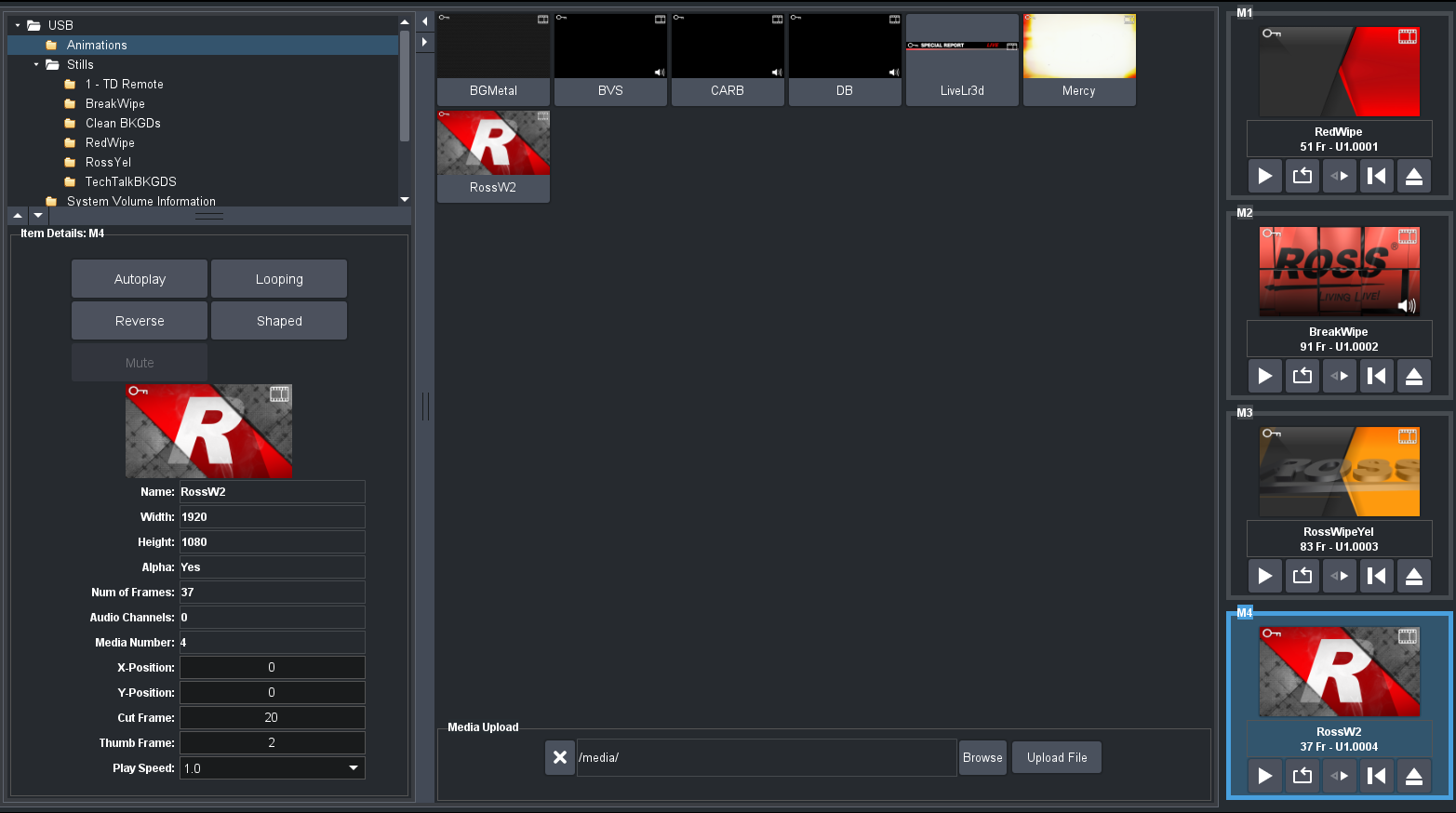
Then Load the media channels to get you the main elements that you need .. (note there is a bit of a "hack here") Media 1 use 3 for it's alpha .. but you could put an Animation in channel 1 and an animation in channel 3 to load even though when you run it you need Channel 3 to be the alpha .. this will get you 2 animated wipes loaded into the RAM for 1/3 and then another two into channel 2/4 RAM ... if you have a few wipes your custom controls are probably swapping between channels on Media 1 or Media 2 for the wipes.. So to do this you first load Channel 1 then 2 then 3 then 4 .. and should get something like this
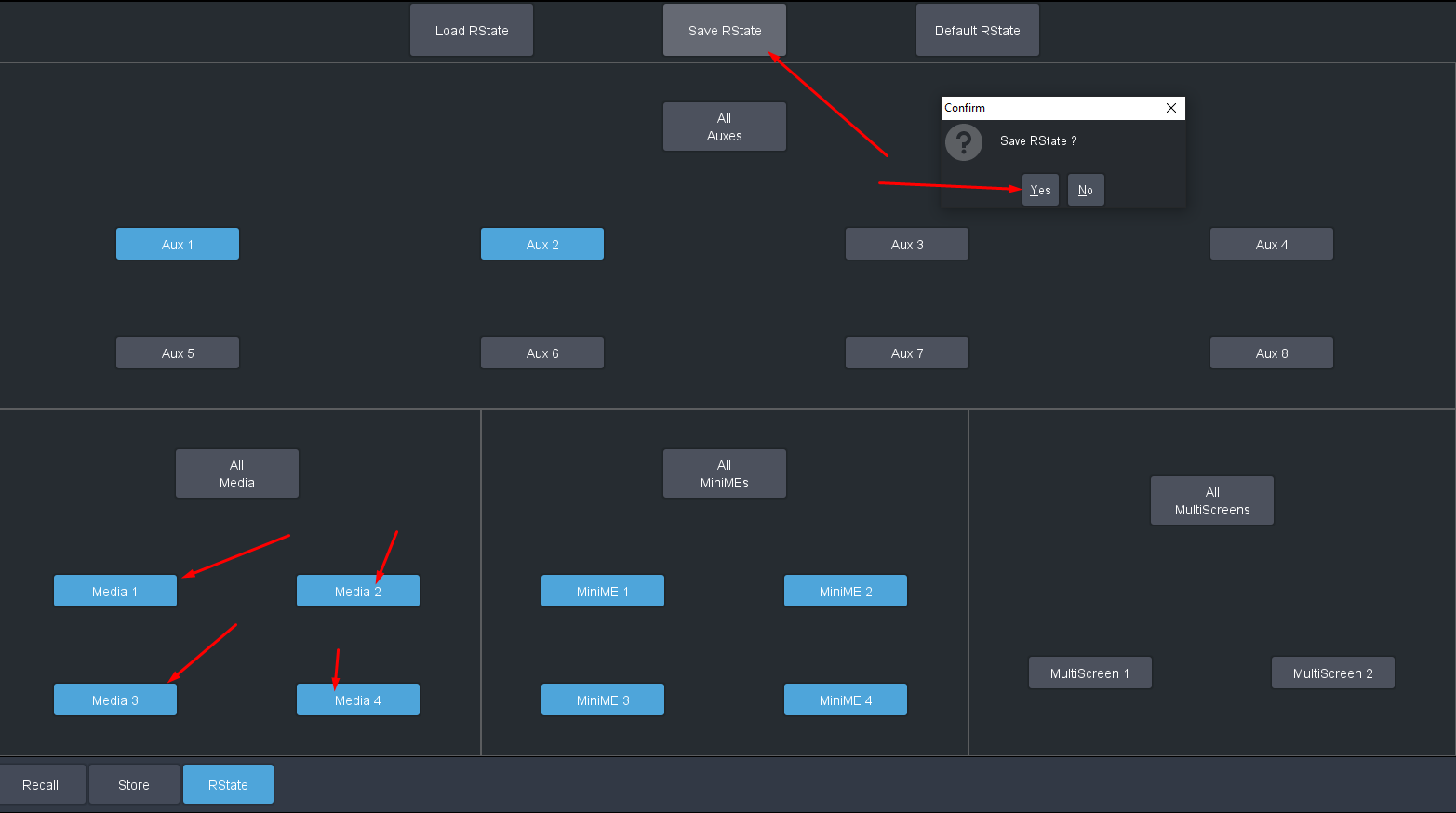
After that we go to the Memory tab in Live Assist.. Make sure to enable that Media Channels recall and also add any of the other item you like (keep in mind the MEs will all save and recall .. no way to have them excluded..) then click on Save RState and confirm the dialog box
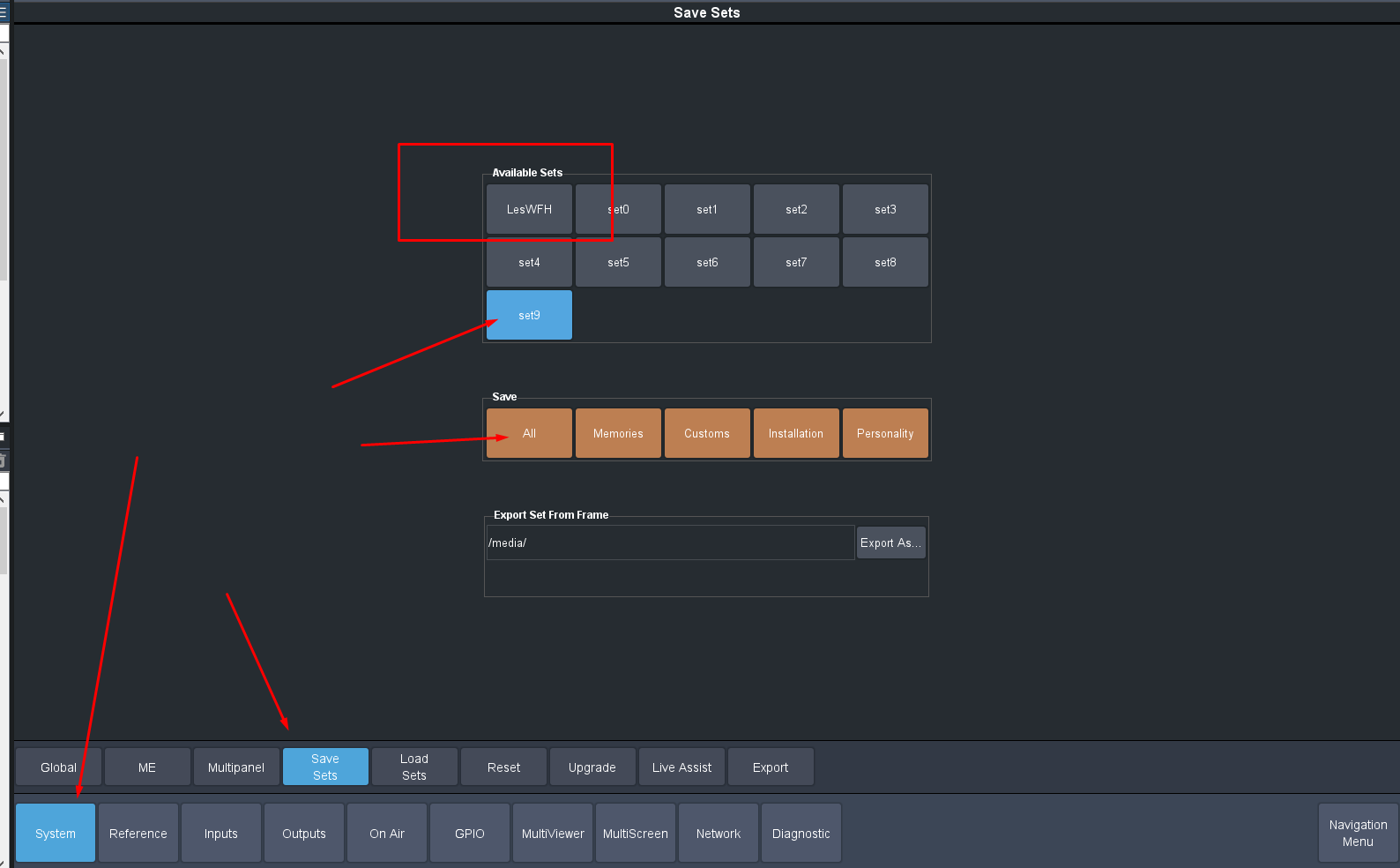
Then don't forget to make sure to save this to your File set ... since this is kind of Like Memory 00000 so to speak and will load with your file sets when you do a Recall (example is Set 9 .. but you can always use FTP to edit the folder or even add folders with other names and they will show up)
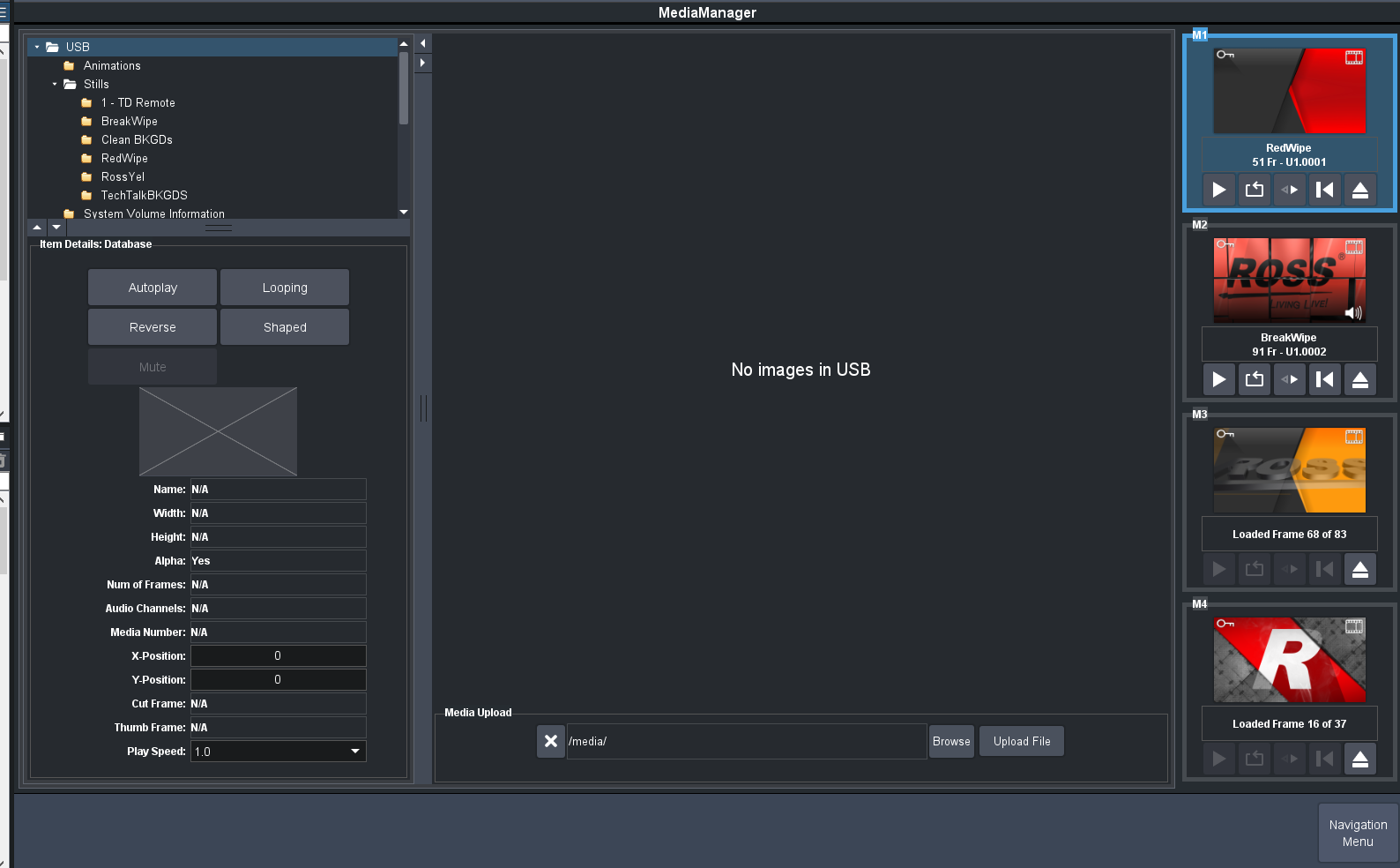
Then I shut it down .. Reboot it and when it came back up it started loading everything in order
If you have any other questions let me know.
------------------------------
Les O'Reilly
Director - Switcher Product Management
------------------------------