My preferred method is to check if the In (if using Trans Logic) or Default if not has played or not.
The easiest way to do this is to check if it's at the end of its duration or at least over part of its duration if its particularly long.
Original Message:
Sent: 08-21-2023 22:03
From: Diego Garcia
Subject: Trigger Audio Clip on Datalinq Text Update
Hi Garner,
im doing something similar, but with undesired effects.
i have an update animation of a score that comes thru datalinq. it works in onsetText, but the first time the takeitem is put online, it also runs the "update" animcontroller... is there any way to only run the OnSetText once the takeitem is online? this only happens when the source is datalinq. if instead it comes from a Counter widget, it works fine.
any suggestion?
thanks
Diego
------------------------------
Diego Garcia
SOCIEDAD TELEVISORA LARRANAGA S.A.
Montevideo Uruguay
------------------------------
Original Message:
Sent: 07-05-2023 11:39
From: Garner Millward
Subject: Trigger Audio Clip on Datalinq Text Update
You need to assign your audio device to the virtual output:
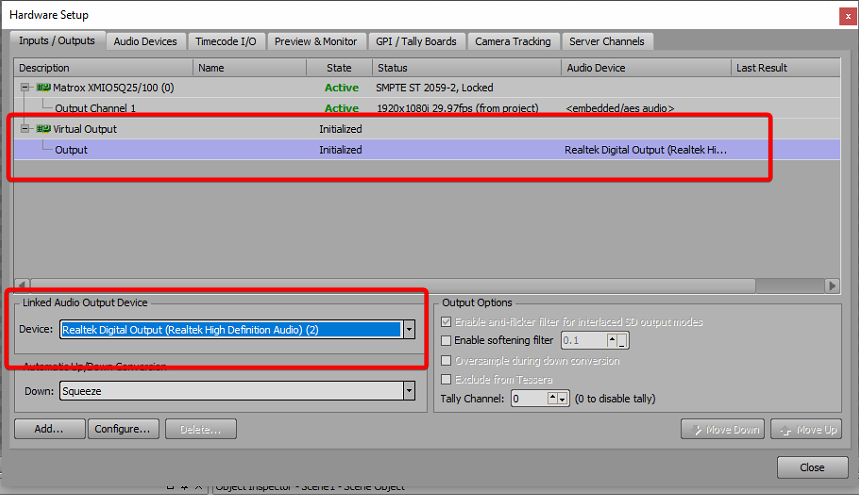
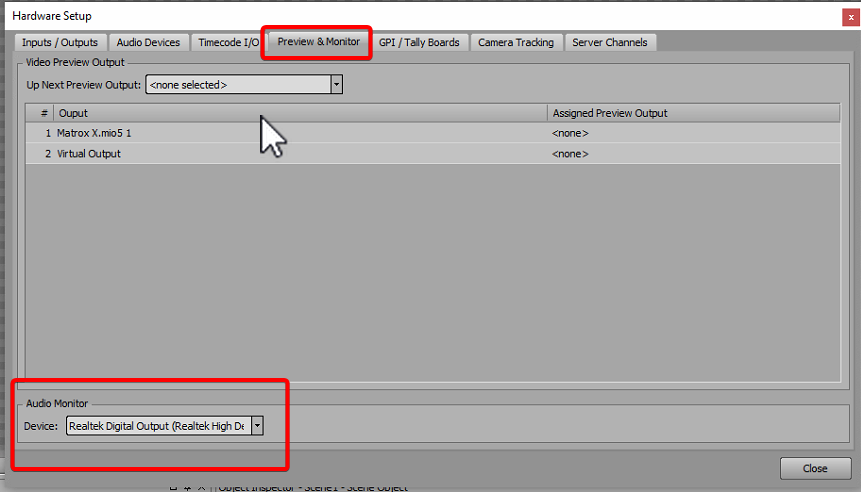
If you are hearing audio only when you scrub a scene director it is because you only have your audio device assigned as an audio monitor:
Original Message:
Sent: 07-04-2023 08:17
From: Adam
Subject: Trigger Audio Clip on Datalinq Text Update
You knw what, Roman...I may have to wait until I get into my studio later today. Since I tried this on my laptop using Xpression Designer, I am not hearing any audio output from the virtual output. I only can hear audio when I scrub the scene director. I am hoping that is my issue. Thx
------------------------------
Adam
Off the Post Productions
Original Message:
Sent: 07-04-2023 08:14
From: Adam
Subject: Trigger Audio Clip on Datalinq Text Update
Thank you for this. Not sure what I am doing wrong.
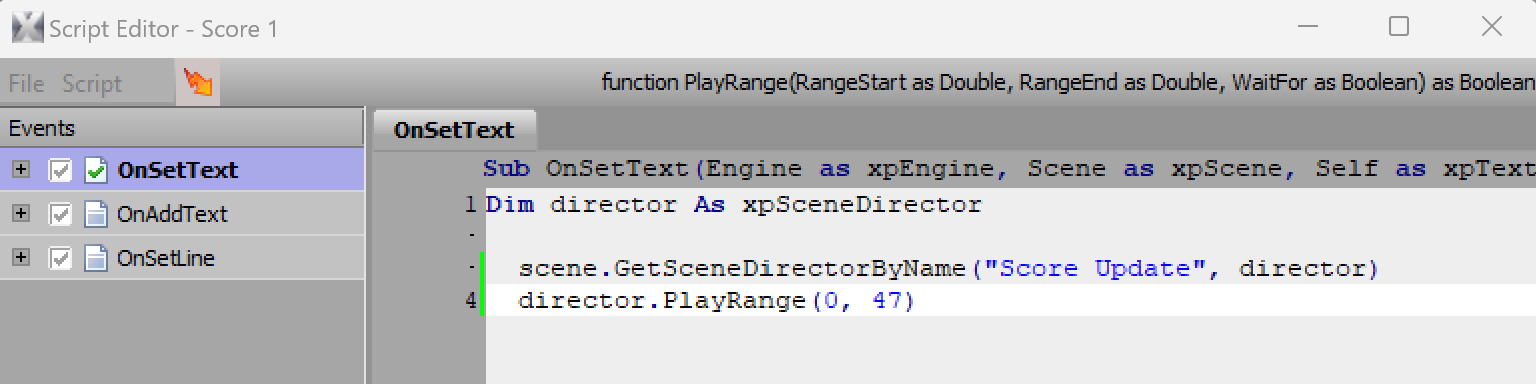
When you say "assign the script to a text object" are you meaning this event handler in scripting? When the score changes...not getting the audio trigger.
------------------------------
Adam
Off the Post Productions
Original Message:
Sent: 07-04-2023 07:58
From: Roma
Subject: Trigger Audio Clip on Datalinq Text Update
Hey Adam.
It's so simple.
Create a scene director and name it as 'ding'. Put into the scene director your audio clip.
Then set in the text object the script below
Dim director As xpSceneDirectorscene.GetSceneDirectorByName("ding", director)director.PlayRange(0, 200) 'second number is endpoint of your audio clip on the scene director
------------------------------
Roman Yaroshenko
chief specialist
RBC-TV
Moscow Russian Federation