What are you trying to connect too and Control?
Sending a Generic Text String is done with a "rosstalk" device.
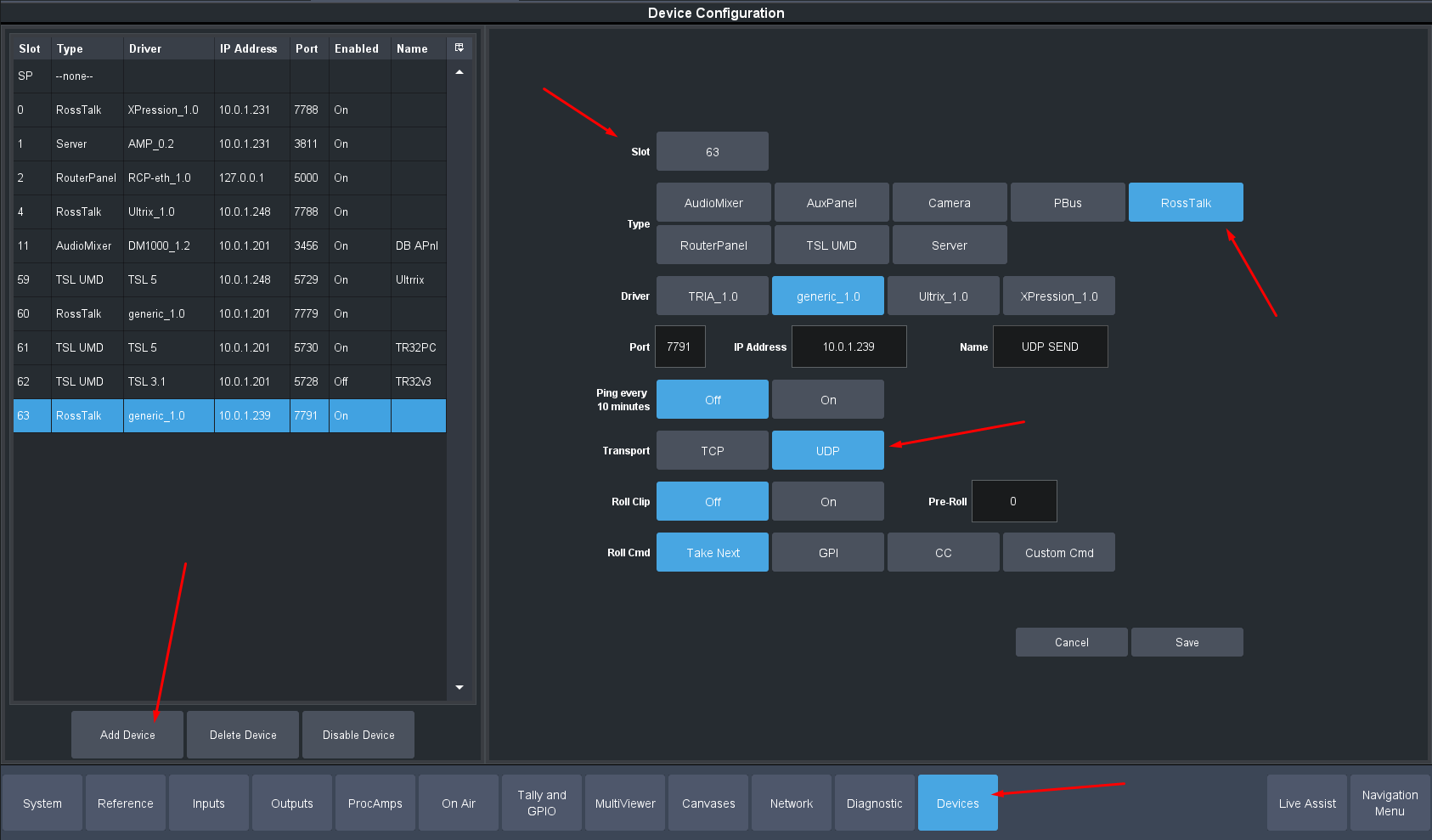
You will need to setup a RossTalk device -- assign the PORT , IP Address and use the Generic Driver. also give it a name
Then when you want to send a Custom String you will do this with a Custom Control.
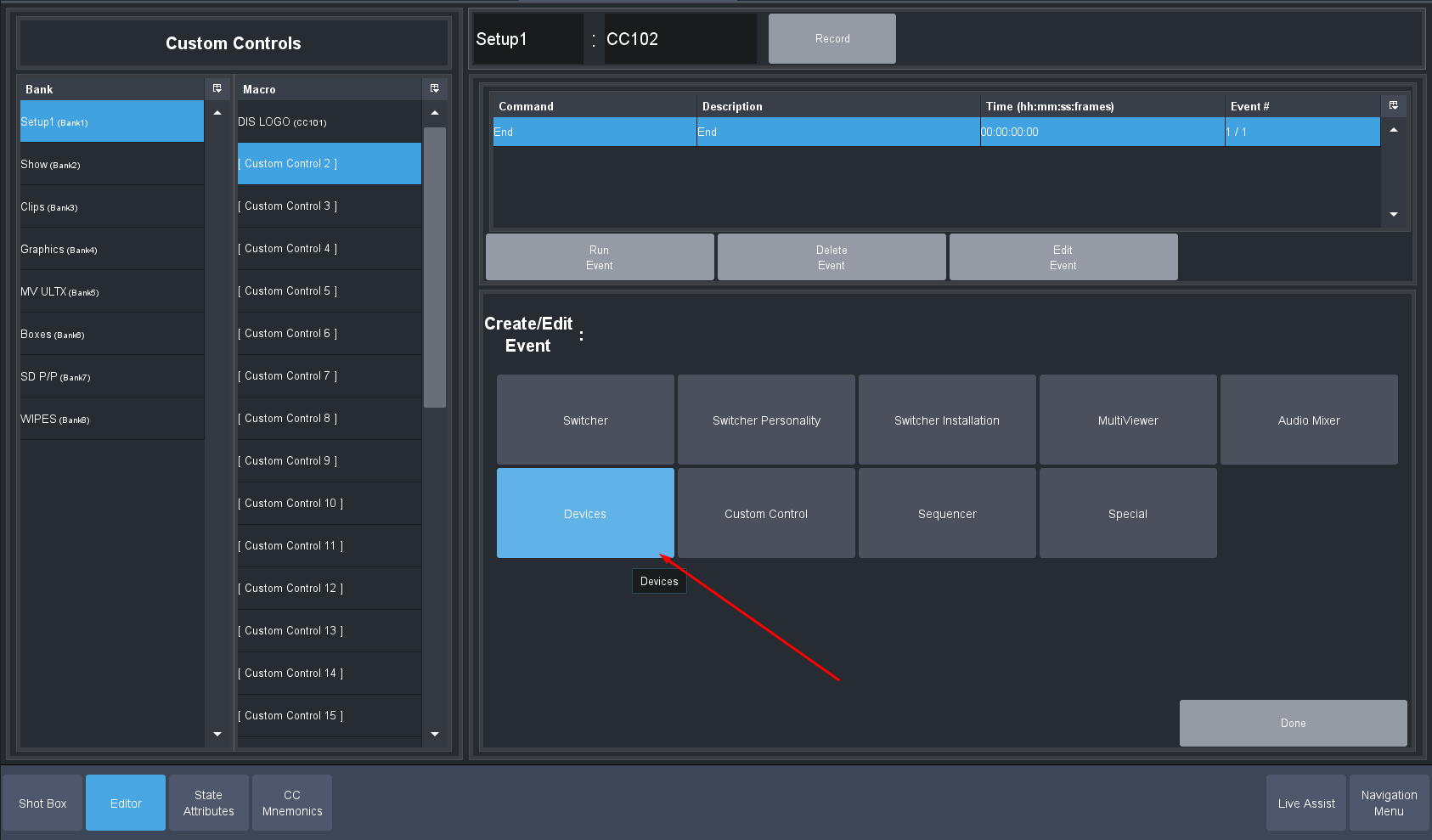
Edit a custom Control you will use -- Modify Event list and select Devices. Pick the Generic Ross Talk Device:
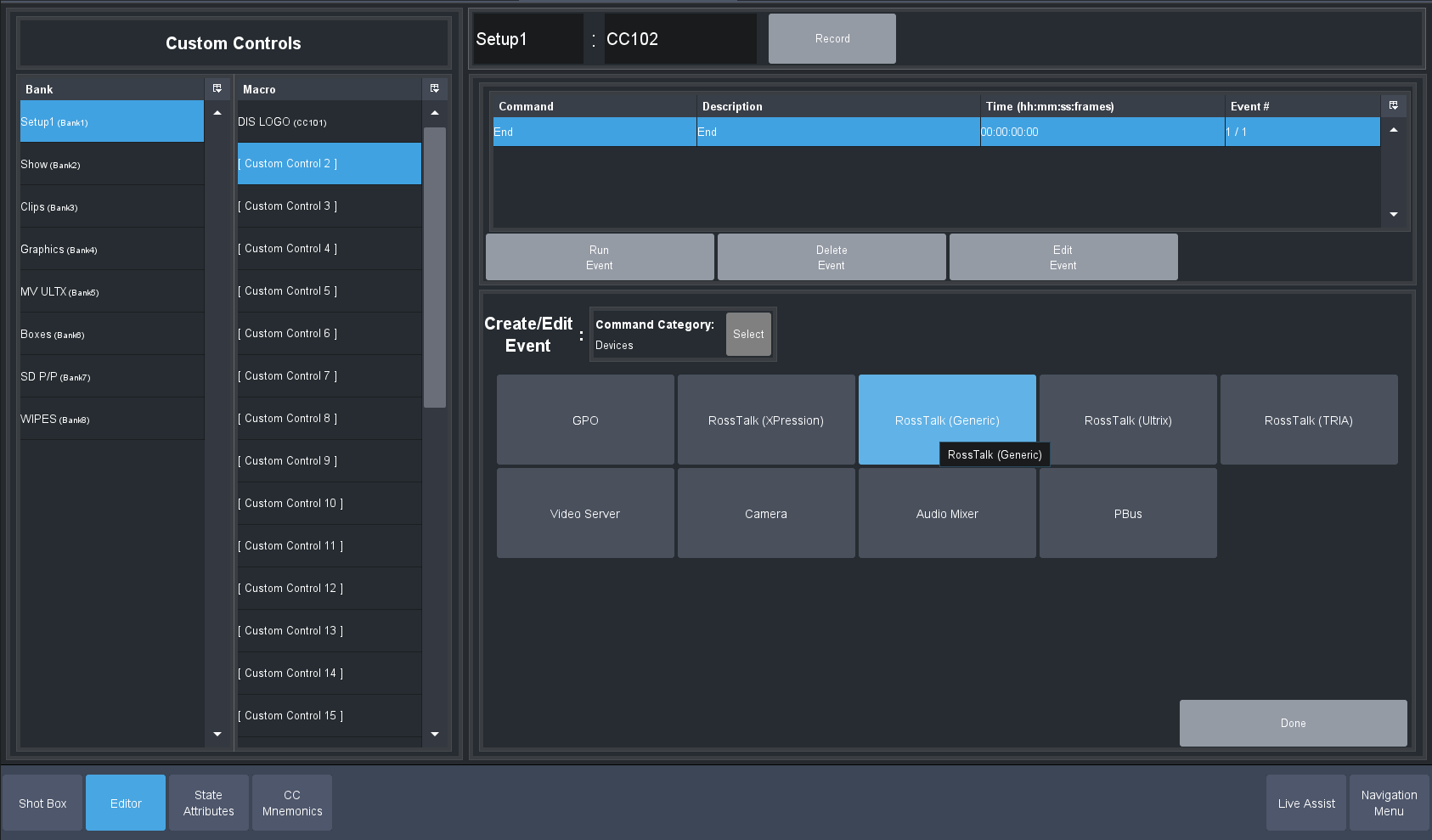
Now you are going to need to pick what the device might be looking for -- some devices want a specific Delimiter. "RossTalk" devices usually default to CRLF or Carriage Return Line Feed. Those ASCII CODE will basically tell the device it is the end of the command and to then parse the message.
Some Devices just want a CR or a LF ... and some will take neither and parts on the return. So you might need to try different ones if the docs for your device are not telling you what it should be.
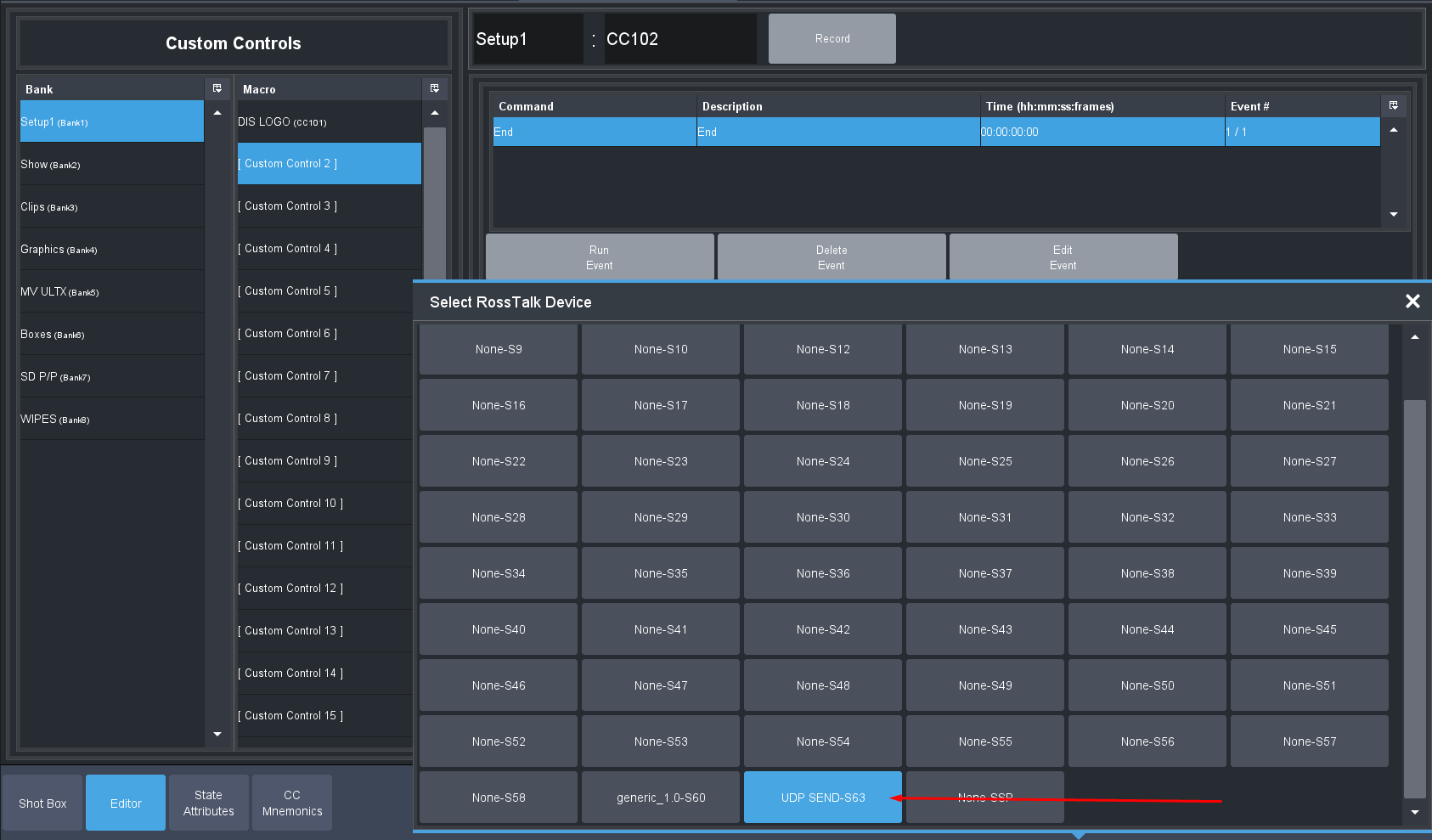
Now pick the Device you just made from the Device Slots (each show file can have up to 64 devices and we use virtual Slots for linking them to inputs or custom controls ... kind of like a device Patch Bay.)
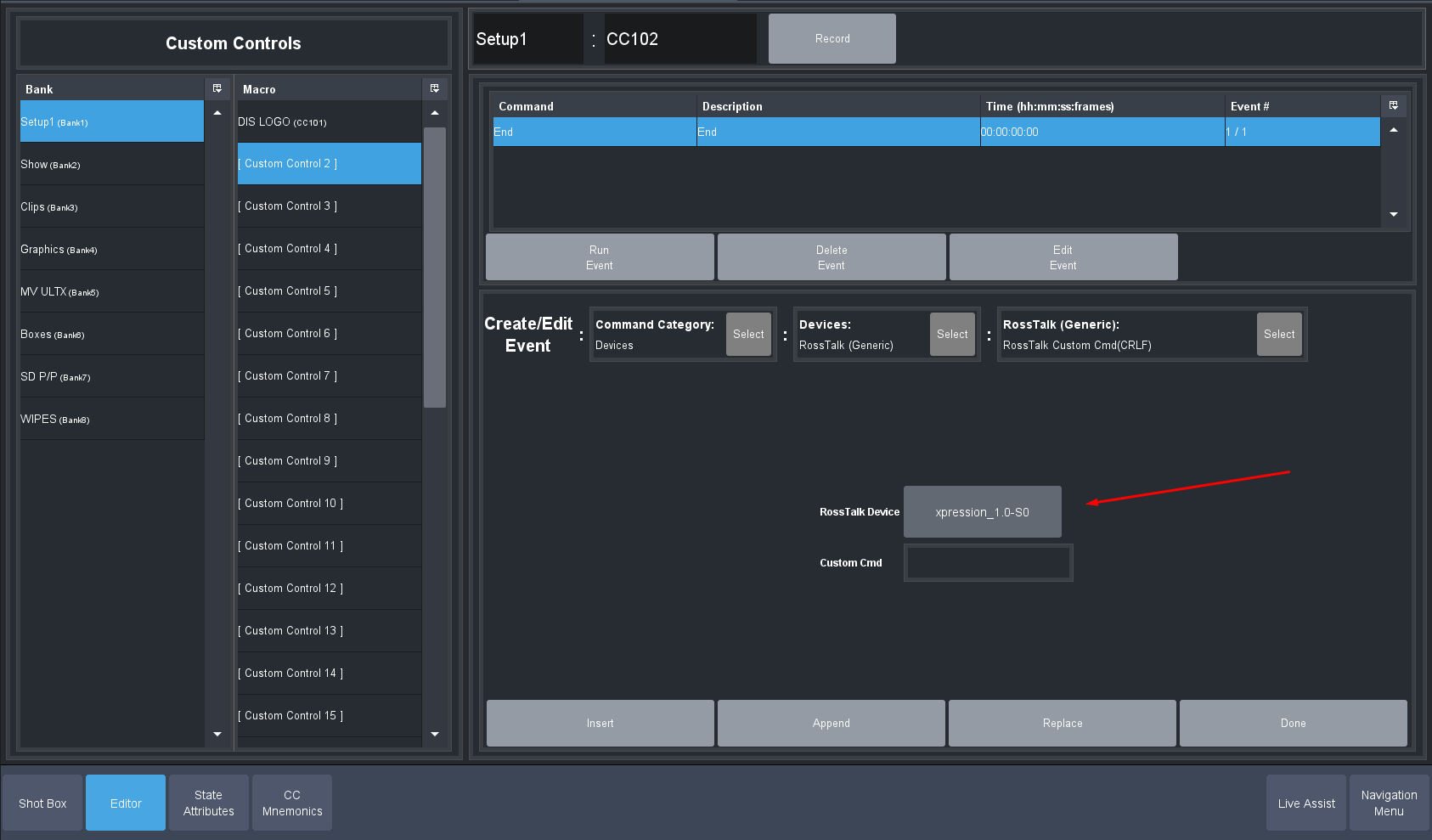
So we pick the one with our name we gave it (hence give it a name to make it easy later to find the correct device.)
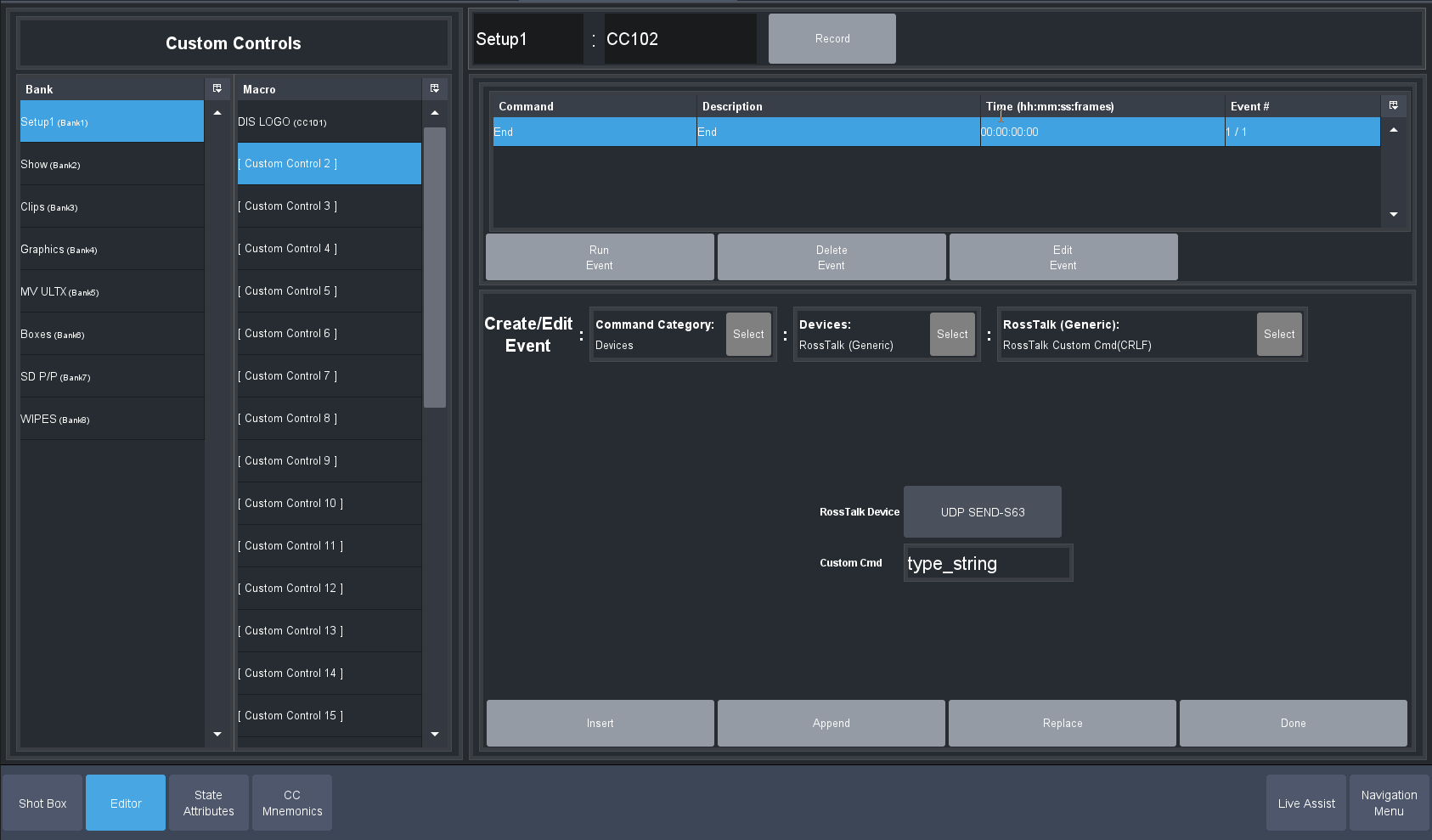
Now You Type in the String you want to send and press the INSERT button to add it to your custom control:
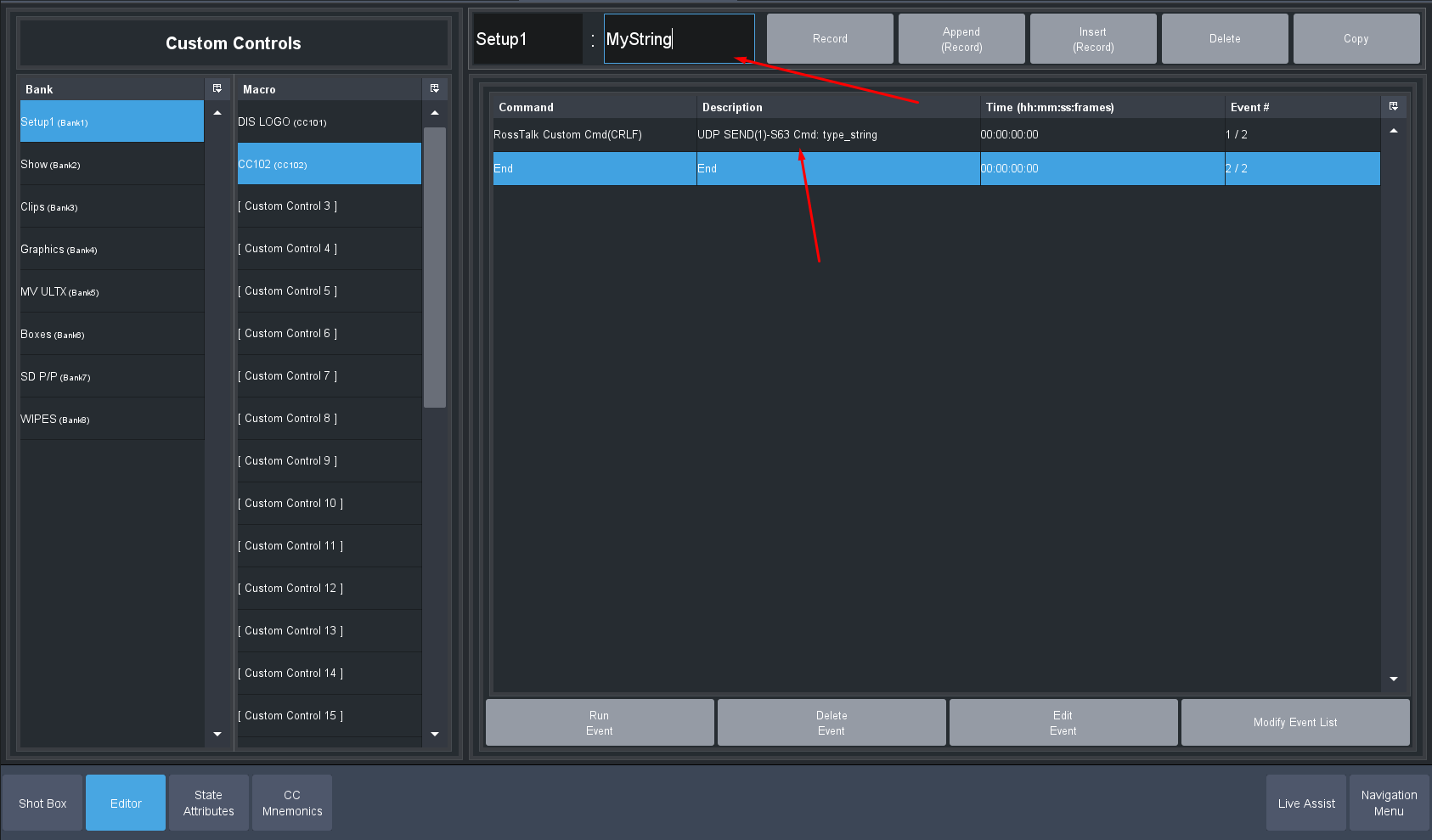
Press Done and give it a name at the top:
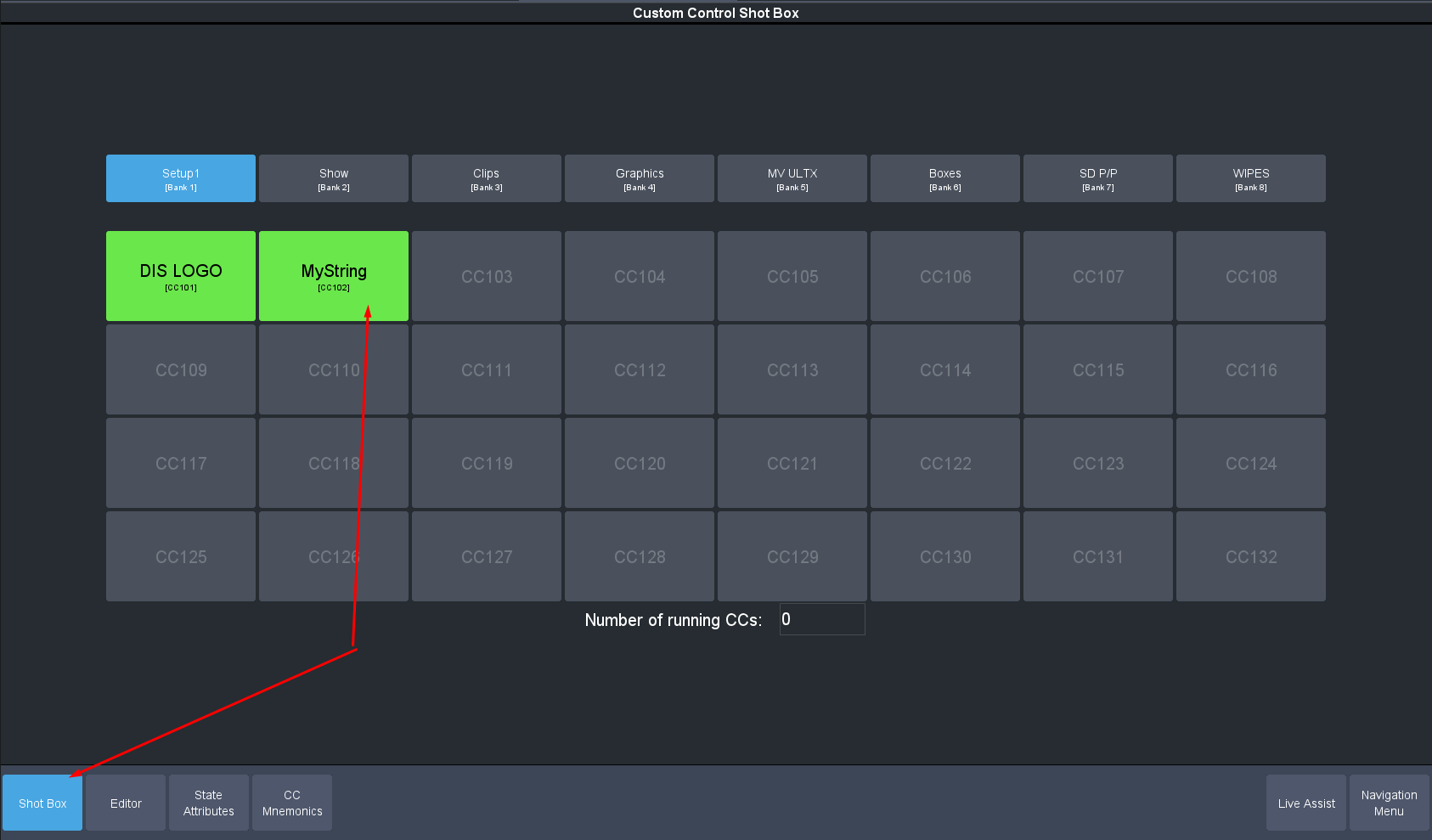
Now go to the "shot box" page and press the Button to send the string out.
------------------------------
Les O'Reilly
Director - Switcher Product Management
------------------------------