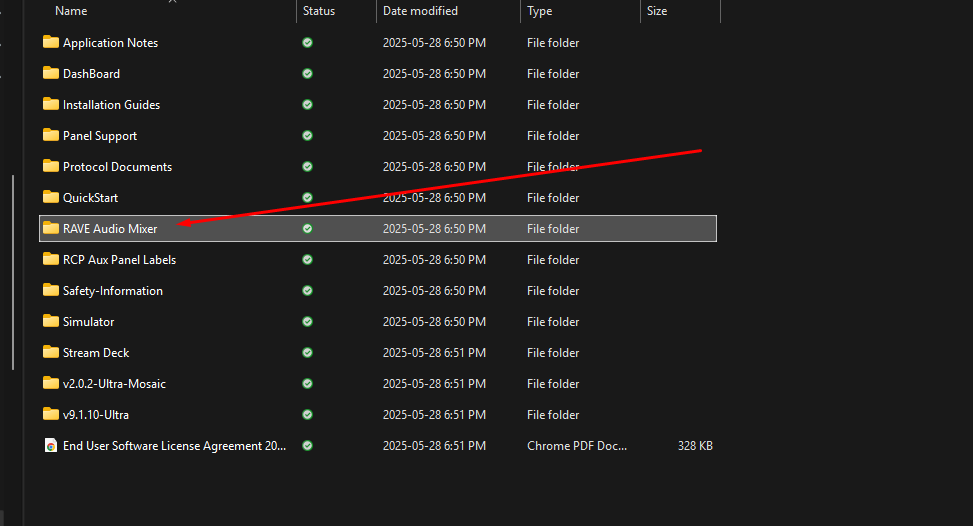
In the ultra Software downloads there is a "Rave Audio Mixer" folder
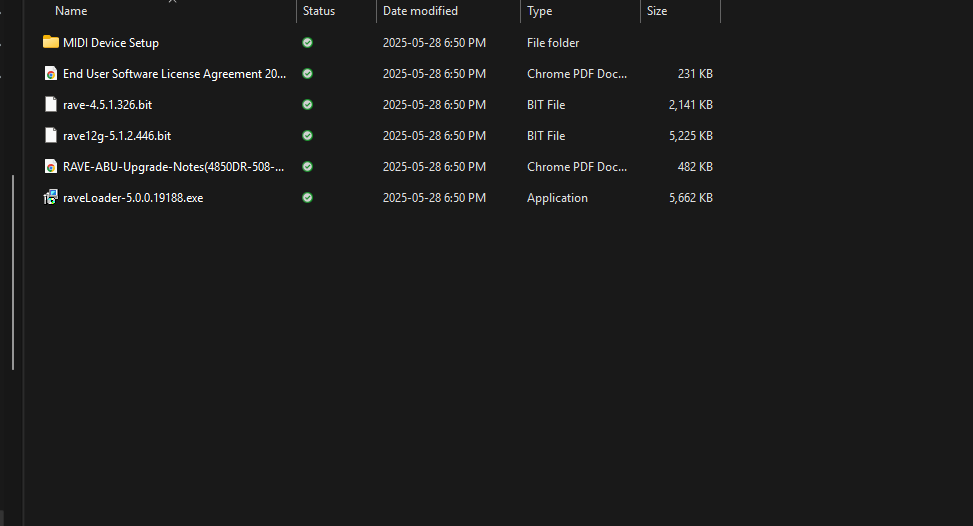
There is a Midi Device Setup folder
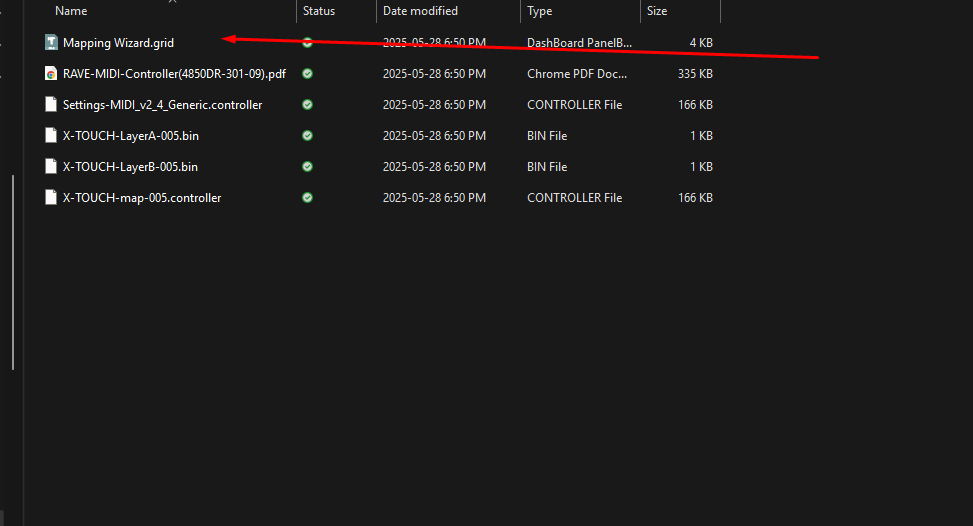
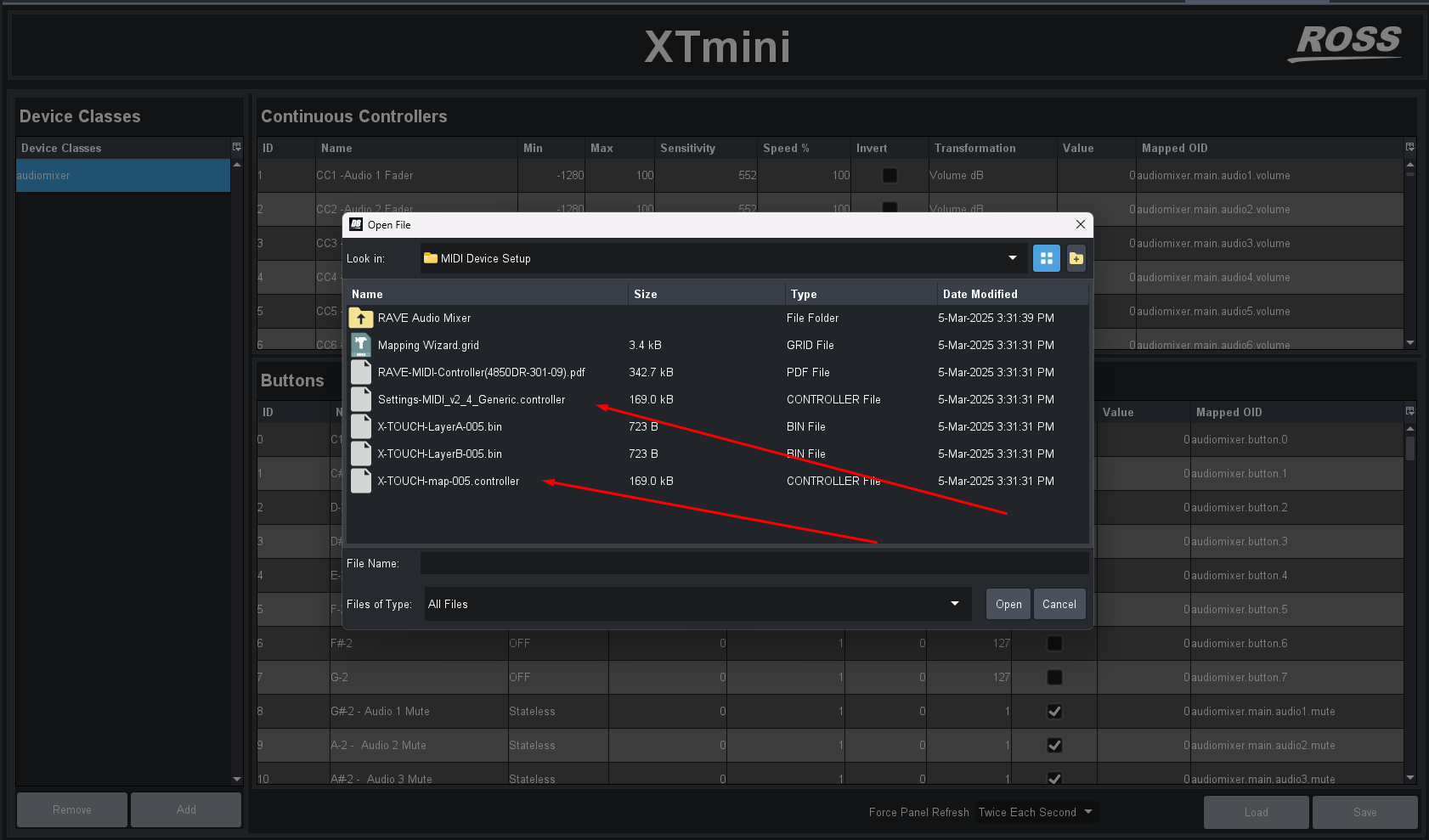
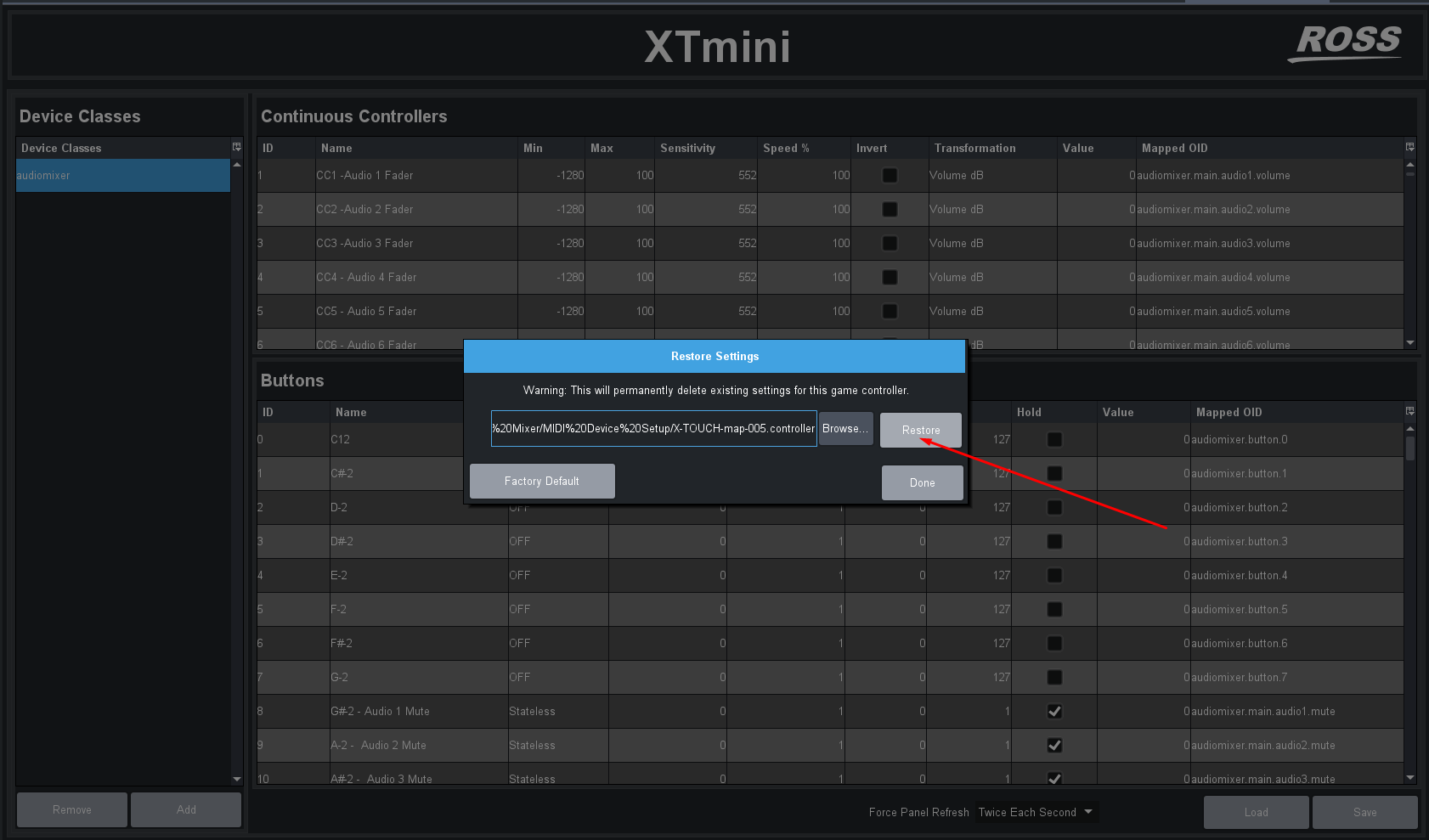
That Mapping wizard will let you link a Midi Device to the Ultra and will setup all of the configuration items for you... then you can link to the correct midi items -- technically loading the "xtouch-map-005.controller" should load a map to the default config of the xtouch but that could work with your device if you setup the same CC or Notes on your controller.
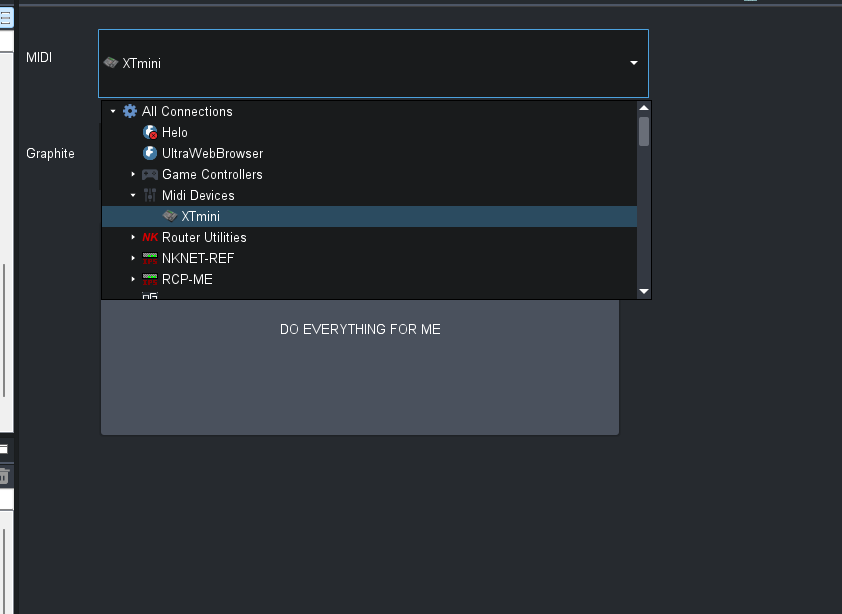
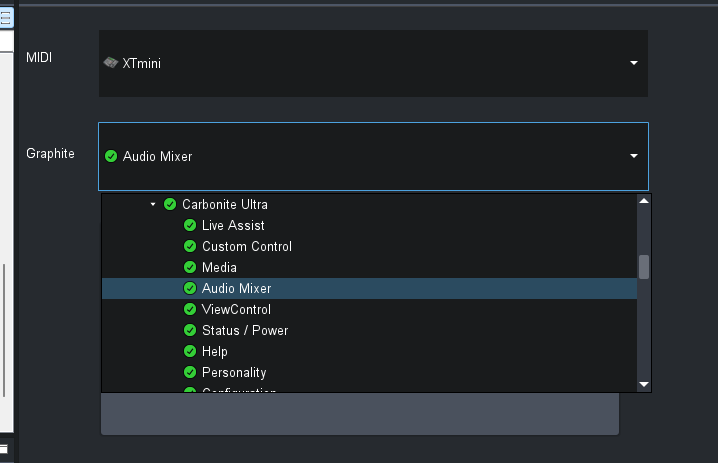
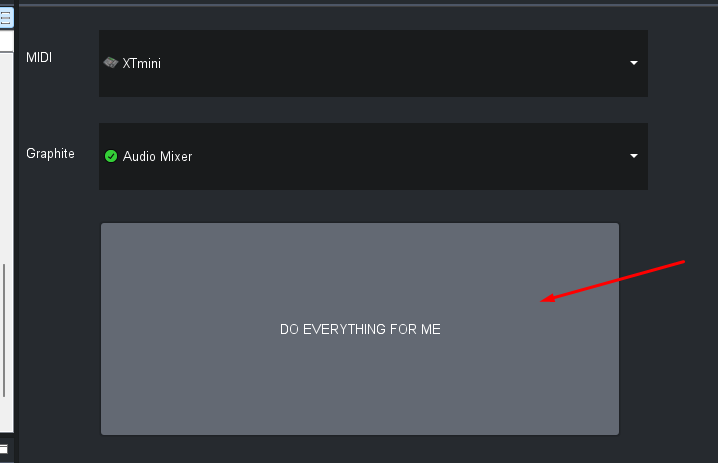
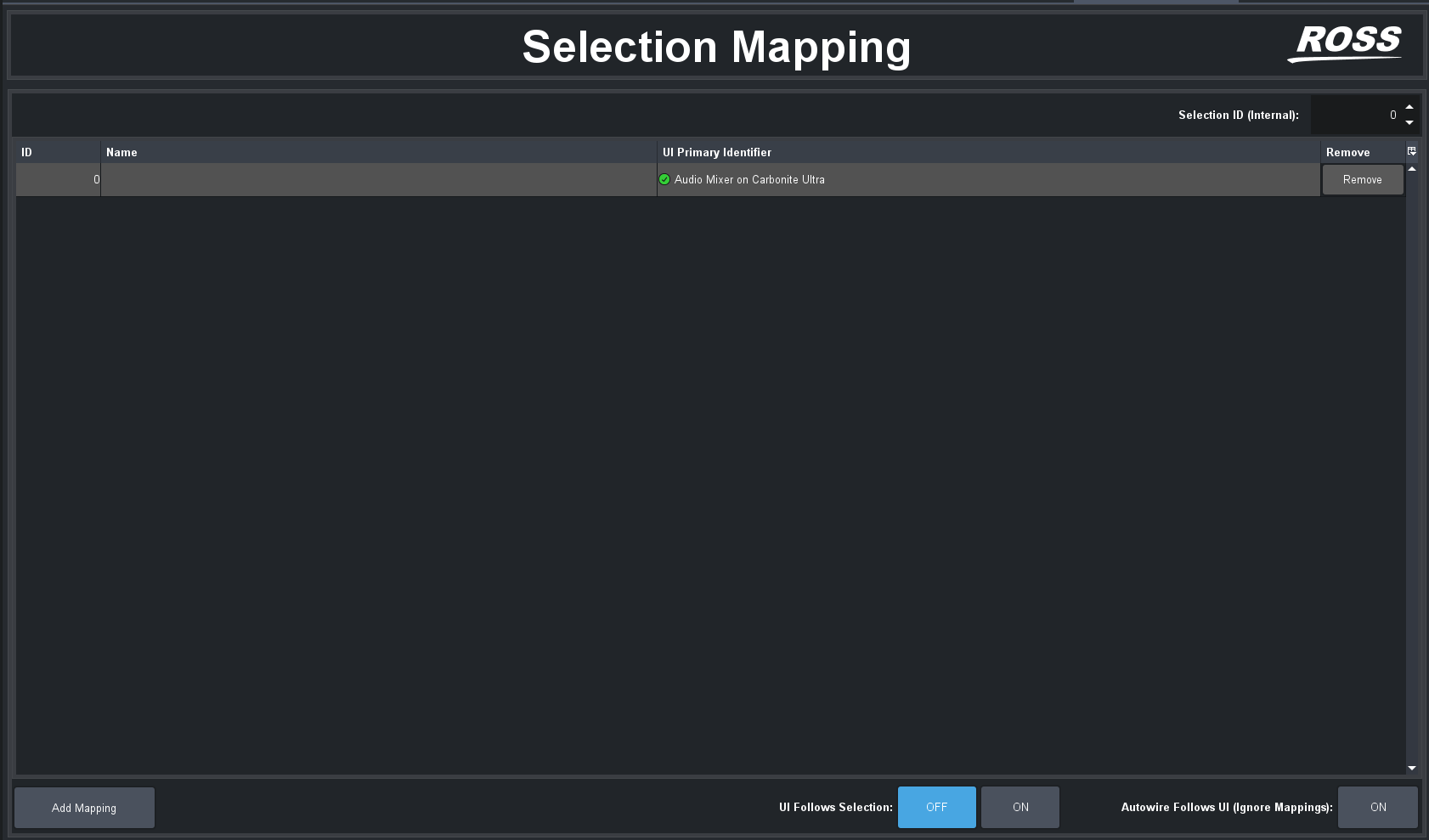
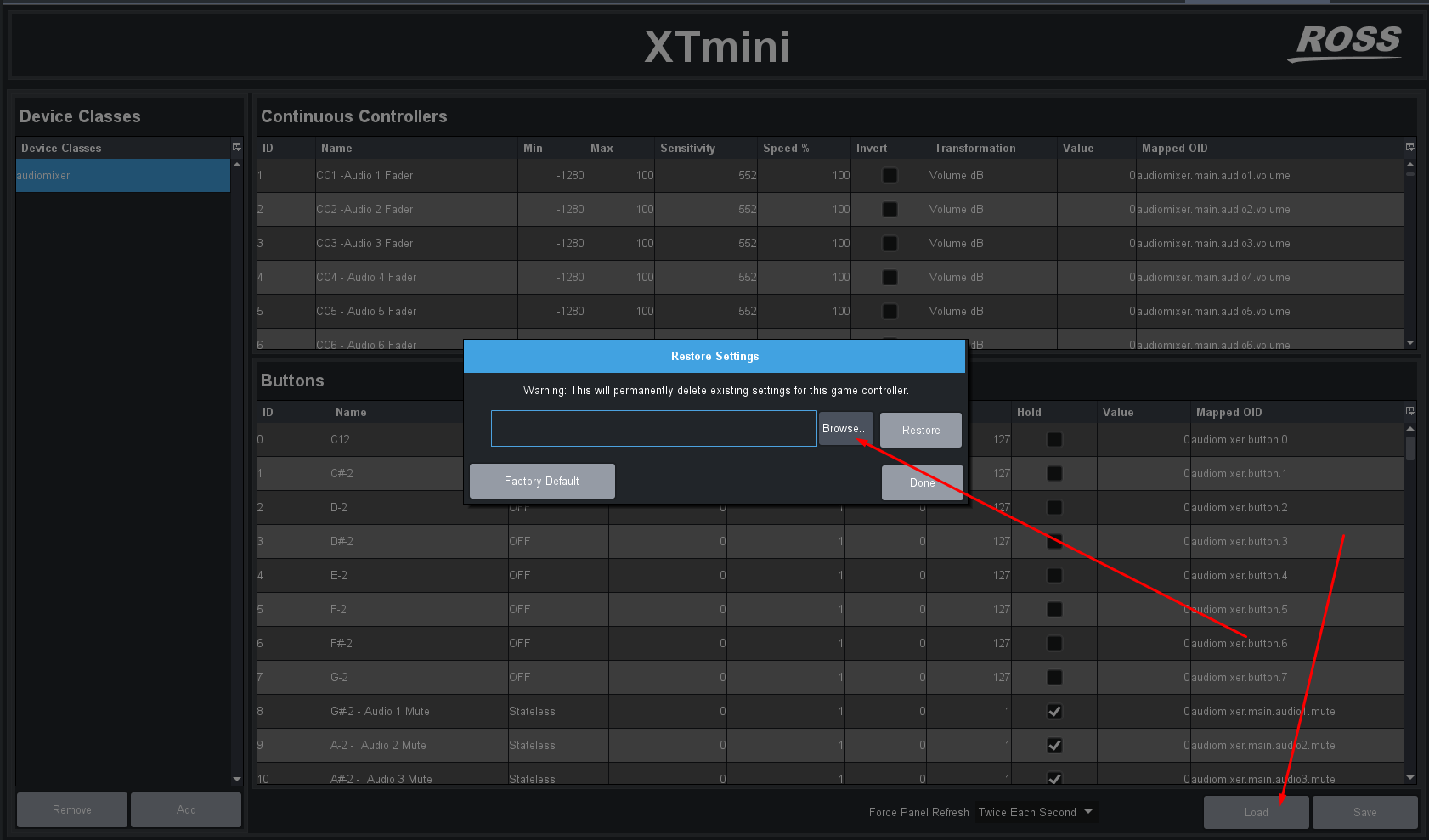
in the folder there are a couple of files you can load to try
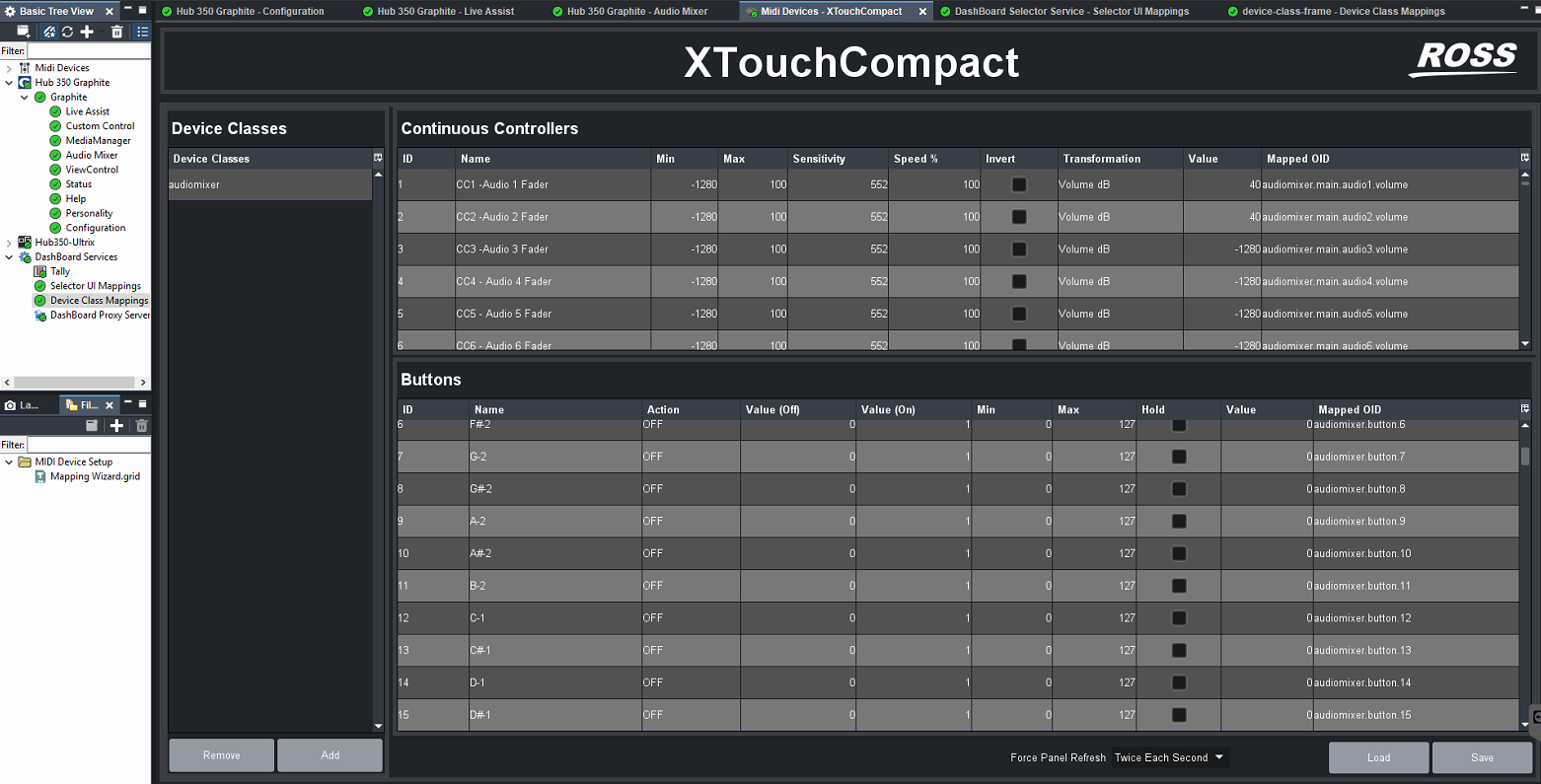
And for my xtouch mini it follows the premise of the knobs(encoders/faders/volume control) starting at CC1 and the Button for that Knob is assigned the First Note of C12
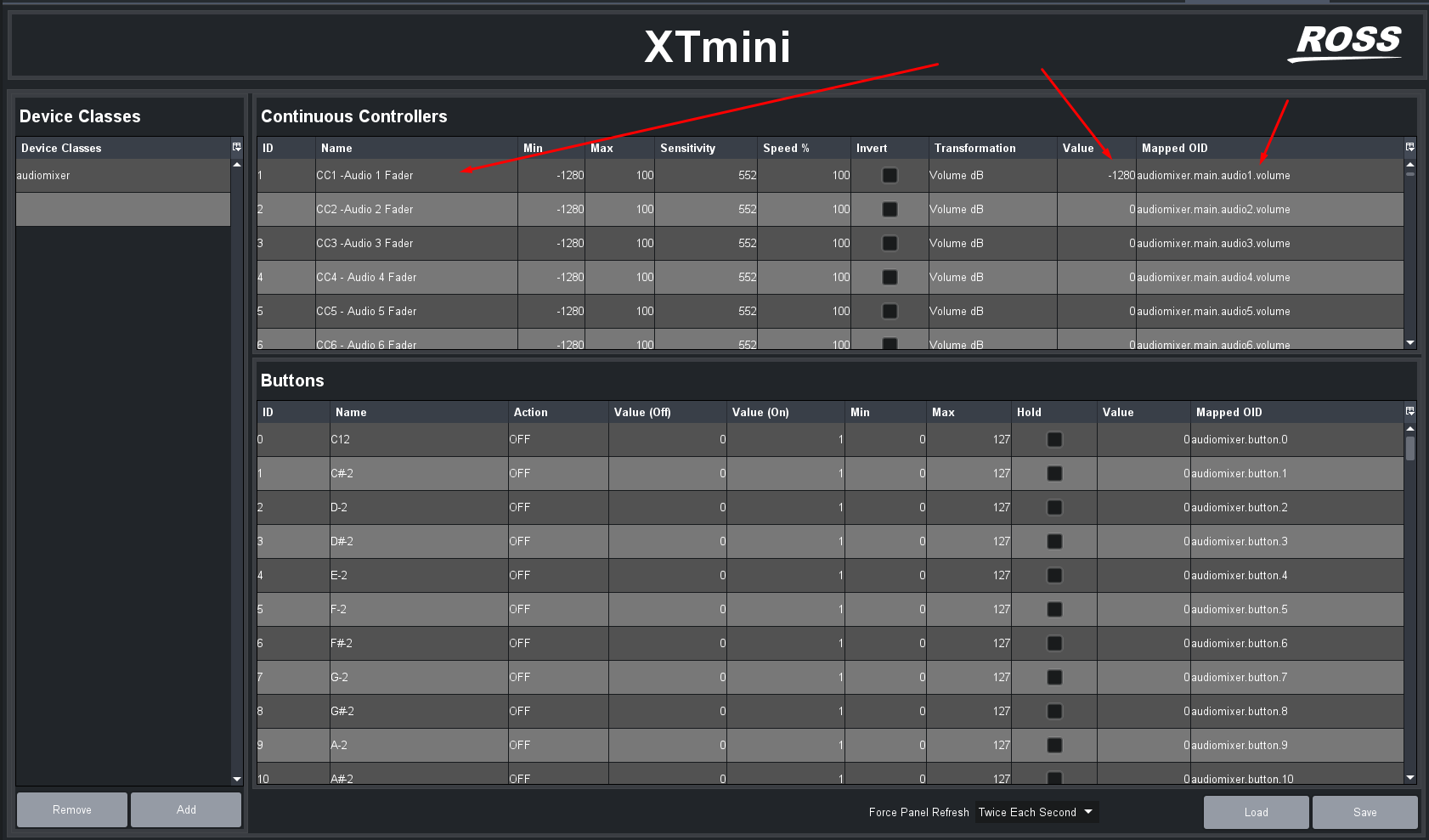
So it "just works" to align with the X touch mini control mapping I am starting off with.
However .. I would say after you have it configured ... You should Close DashBoard .. then open it up again. Then have a look to see if it is working.
That might be the step that is needed. Right after configuration it is hooked up in dashboard but seems like DashBoard needs to close to save all configuration to disk. The be opened again so that it will launch/initialize correctly.
------------------------------
Les O'Reilly
Director - Switcher Product Management
------------------------------
Original Message:
Sent: 06-11-2025 17:00
From: Les O'Reilly
Subject: Using a universal audio mixer panel to work with the Ross Rave audio mixer.
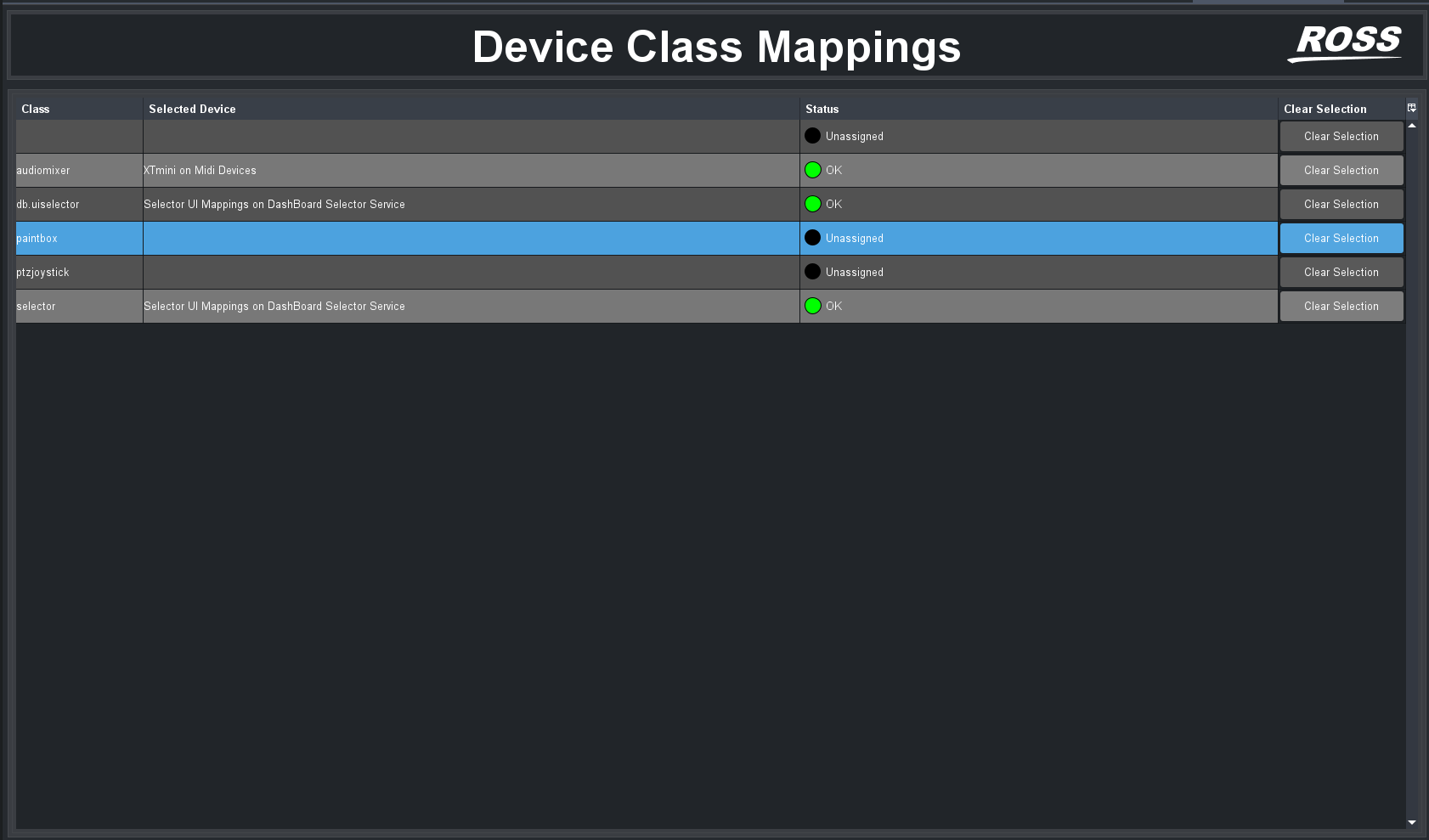
Did you make sure that the Midi device is class "audiomixer" as well?
------------------------------
Les O'Reilly
Director - Switcher Product Management
------------------------------
Original Message:
Sent: 06-11-2025 16:58
From: Reagen Mitchell
Subject: Using a universal audio mixer panel to work with the Ross Rave audio mixer.
I have done that. For some reason I cannot get rid of the three other lines but what you have selected I have done the same. the only other difference is that i am using a Akai controller not a X-Touch.
------------------------------
Reagen Mitchell
BELL MEDIA - Ottawa
Original Message:
Sent: 06-11-2025 11:26
From: Les O'Reilly
Subject: Using a universal audio mixer panel to work with the Ross Rave audio mixer.
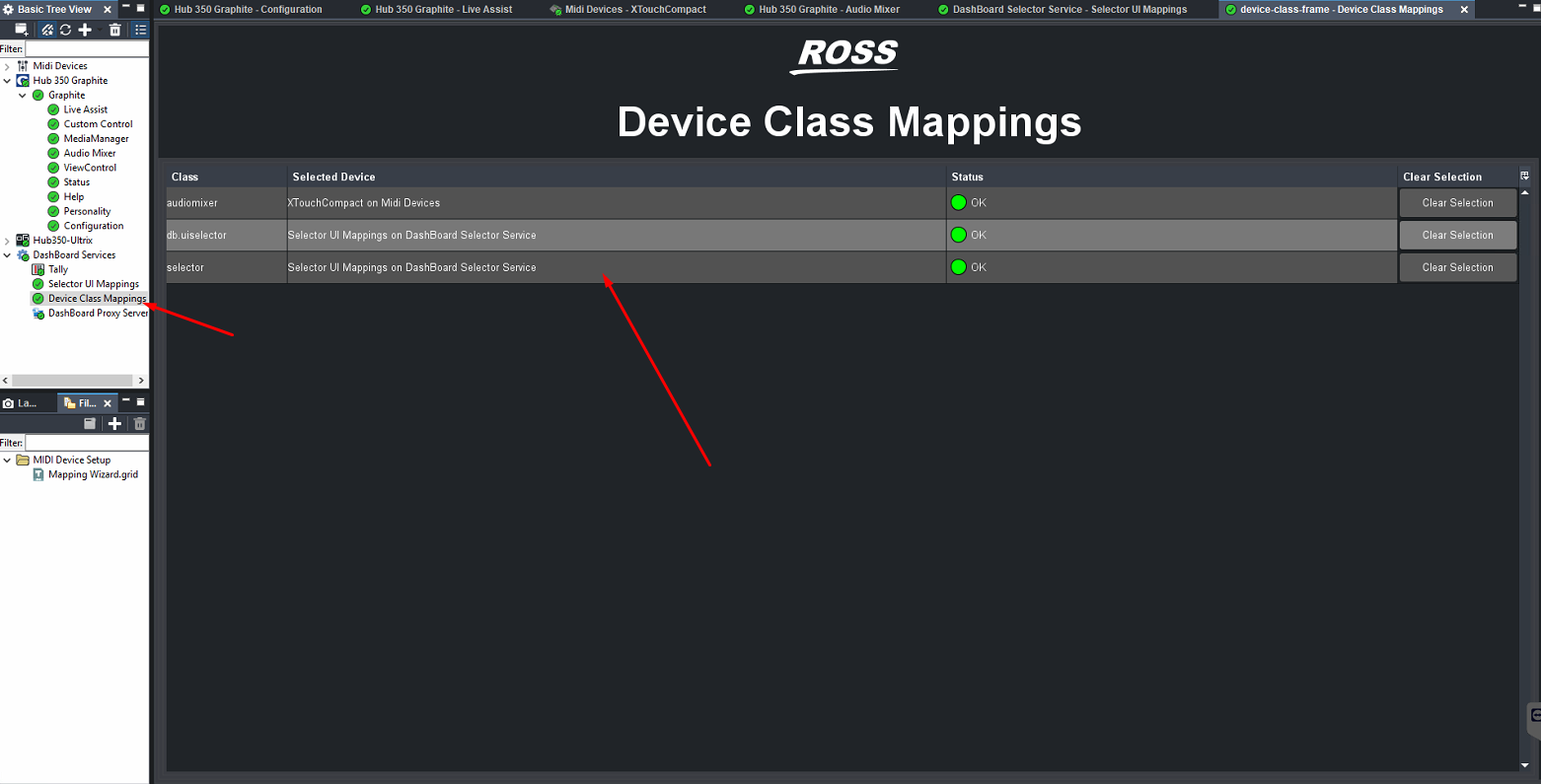
The device class mappings does not match. you need to have it look identical to what I have shown.
------------------------------
Les O'Reilly
Director - Switcher Product Management
Original Message:
Sent: 06-11-2025 11:19
From: Reagen Mitchell
Subject: Using a universal audio mixer panel to work with the Ross Rave audio mixer.
I have done what you have shown but i still cannot control the Rave.
the one thing I noticed is when i save the controller page I am unable to load it. could this be the problem?
------------------------------
Reagen Mitchell
BELL MEDIA - Ottawa
Original Message:
Sent: 06-09-2025 18:06
From: Les O'Reilly
Subject: Using a universal audio mixer panel to work with the Ross Rave audio mixer.
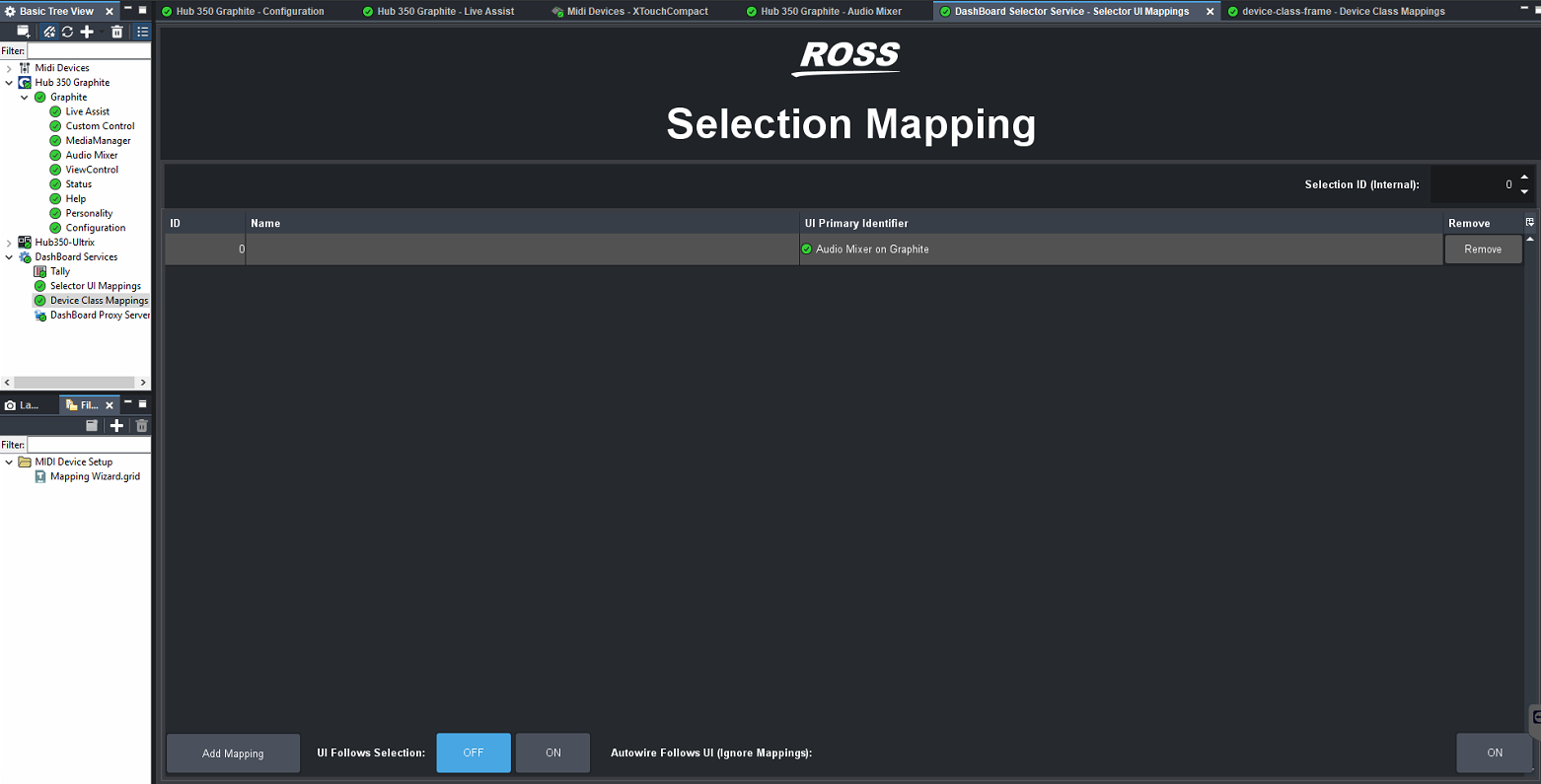
Have you setup the Device Class Mappings and the Selector UI Mappings as well?
Here is a Graphite I was just using an X Touch with today.
------------------------------
Les O'Reilly
Director - Switcher Product Management
Original Message:
Sent: 06-09-2025 13:32
From: Reagen Mitchell
Subject: Using a universal audio mixer panel to work with the Ross Rave audio mixer.
I have connected a Akai MidiMix controller. I have added it as a Midi Device in Dashboard. When looking at he page and using the MIDI commands from the help menu, I can set up a fader or volume control and can see the values changing in the MIDI controller page but do not see a change in the Rave audio faders or pots.
------------------------------
Reagen Mitchell
BELL MEDIA - Ottawa
Original Message:
Sent: 05-28-2025 18:55
From: Les O'Reilly
Subject: Using a universal audio mixer panel to work with the Ross Rave audio mixer.
Any Standard Midi Panel controller will work. The Midi Commands are mapped via DashBoard to the controller and the function.
------------------------------
Les O'Reilly
Director - Switcher Product Management