We are replacing our PivotCams with the new PTZ 12-G. I have a custom panel that I created for our Pivotcams that I would like to use once the cameras are installed. What major or minor modifications do I need to make to my panel in order to control the new cameras?.
Hi Steve,
Transitioning your custom panel to PTZ-12G cameras should be very straightforward.
To start with, you will need to add the new cameras to DashBoard and recreate any presets that you need for each one.
When you open your custom panel after removing the old Pivot cameras, you will see lots of blocks with error messages “Waiting to locate:”.
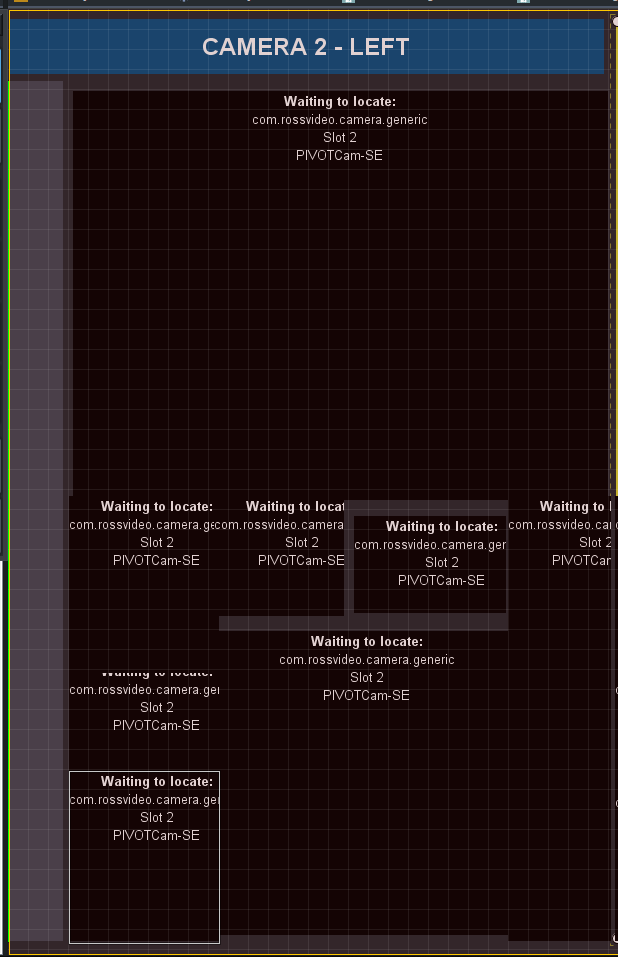
If you go into edit mode and then double click on each of these in turn to open the DashBoard editor, you can use the configure button to select one of the new cameras for that UI element to point at (higlighted in yellow in the screen shot below). You will need to work through each UI element in turn, but once you have done that, most items in your panel should just work with the new cameras with no other changes required. Once you have done one or two to see what they should look like, you can also go through and edit the text in the Source tab - which may be a bit quicker as you have a lot of separate elements.
In future, you may find it easier to create a single context statement in the high level container that includes all the UI elements controlling each camera, which would make it easier to edit the panel if you want to change which cameras you are controlling. I have shown an example of what an abs header which contained all the UI elements for a camera might look like.
Regards
Barbara

Thanks a bunch, Barbara. They’re being installed today???I’ll let you know how they turned out.
[](https://www.locchurch.com/) Steve Witwicki
LIGHT OF CHRIST CHURCH
Video Team Leader and Social Media Manager
Cell: 847-271-0623
Light of Christ exists to INVITE people into Christian community, NURTURE them in a life-changing
relationship with Jesus Christ, so they can faithfully and joyfully SERVE Him.