I understand Xpression can import FBX data. I’ve been trying to bring a simple Maya or UE5 camera track for days.
Tried baking keys, multiple versions of export to different versions of FBX, etc.,etc,etc… But no joy!!!
XPT imports the surfs, meshes, and cams, but no keyframe data.
I know the answer is staring me right in the face, but I can figure this one out!
Any help would be appreciated…
Tim
You have to export an .mov (MOVE) camera file from Maya and then add it to the object track in the scene director
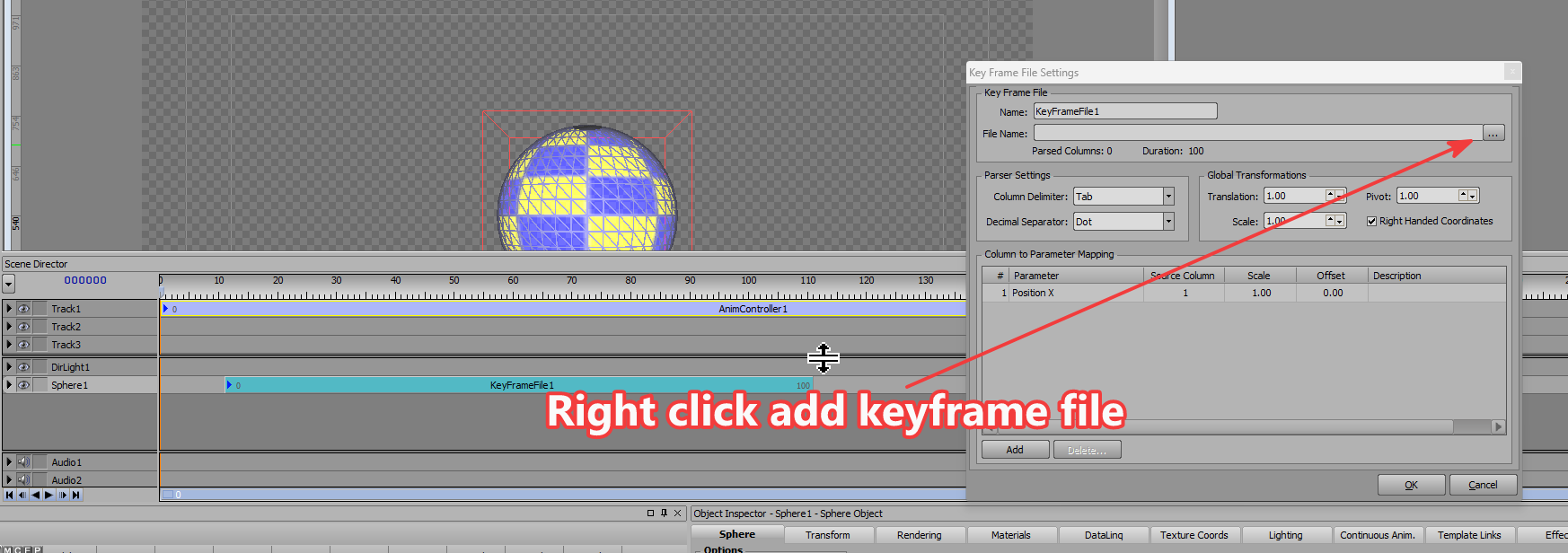
Garner,
thanks for the reply…
For years, I saw the MOV options in the exporter and wondered why a movie file export here!
Now I see it’s a MOVE and not a MOVIE format.
Any I idea why I get //Error: Could not save file "/bla,bla,bla…
tried baked and unbaked keys… no joy!
I went digging around in the Plug-In Manager but came up dry-
Tim Foster
VP, PFN-TV Operations | Primerica Financial Services
Primerica Financial Services
1 Primerica Parkway
Duluth, Ga 30099
Tim.Foster@Primerica.com
404.406.0853 cell
Error is in Maya or XPression?
Here is a sample MOVE file: XPression MOVE File Camera Keyframe.mov
Maya!
Tim Foster
VP, PFN-TV Operations | Primerica Financial Services
Primerica Financial Services
1 Primerica Parkway
Duluth, Ga 30099
Tim.Foster@Primerica.com
404.406.0853 cell