Hi all,
I’ve narrowed down an issue I’m having with video playback. I have a scene with three pause points in the main Scene Director. After each pause, pressing Enter in the Sequencer continues to a different camera angle zooming in to a different video each time. Problem is when Enter is pressed the videos restart creating a jump effect.
Originally I thought all of the video materials were restarting when the Scene Director resumed, but I’ve now realised videos that are already assigned/imported into the original scene do NOT restart. They continue playing correctly when I press Enter to resume from a pause. The problem only happens with videos that are template links to be replaced. When replaced in the sequencer this restarting behavior occurs.
Those videos play correctly initially, but every time I press Enter to resume one of the Scene Director pauses, the replacement video jumps back to frame 0 and starts again. The original video material is set to Auto Start / Free Running.
It appears to be specifically related to how a video file selected/replaced from the Sequencer is being handled when a paused take item is resumed.
Any fixes are welcomed.
Thanks.
I saw this same problem last week. Simon “Red” Redmile is your answer here. He has a script that can take care of this. Good Luck.
This wouldn’t work. I tried a similar script already. If the videos were nested in the scene it would work but the videos are being swapped out in MOS. One work around that kinda worked …the sequencer take/enter action is what is re-executing the take item, which causes the three videos to restart. I came across a resume channel function, which seemed interesting, and to execute it assigned a keyboard shortcut. That worked very smooth. Problem is I assigned it to keyboard ‘N’ and wasn’t able to use the key if I had to type anything needing a ‘n’. Here is the script: (my scene director is called IN)
Dim fb As xpOutputFramebuffer
Dim onlineScene As xpScene
Dim sd As xpSceneDirector
Dim layer As Integer
’ FB4 = index 3
If Engine.GetOutputFramebuffer(2, fb) Then
For layer = 0 To 20

    If fb.GetSceneOnLayer(layer, onlineScene) Then

        If onlineScene.GetSceneDirectorByName("IN", sd) Then

            sd.Play

            Exit For

        End If

    End If

Next
End If
I literally do this all the time and it works.
I am not using mos but videos are being assigned dynamically via xml data and macro look ups.
If you look at my script I find the object once it is already online, grab the material from the object and then pause it.
I think theres maybe a misunderstanding …I don’t want the videos to pause. The pauses are in the scene director after various animation controllers for the camera. Pauses are there for however long the anchor reads the tease. After hitting enter the camera continues to Media 2 etc. But when hitting enter to go to the next controller in the director the videos restart creating a jump effect. I’ve added a video to show what I mean. Hope I am clearer.

maybe try putting my scripts at the beginning for all clips and then play then straight away in one script, sounds wierd but it might work.
Try it on just one object and video first and see what result you get.
Dim videoObj As xpBaseObject
Dim mat As xpMaterial
Self.GetObjectByName(“video”, videoObj)
If videoObj.GetMaterial(0, mat) Then
mat.Play
End If
Thanks for your help. Tried adding the scripts at the beginning etc. didn’t work. I am going to use the resume channel method which I assigned to a shortcut on the keyboard.
sorry I wasn’t able to help in the case.
You could also try get the videos in the same method as my script but then setting them to “freerunning” that might stop them restarting.
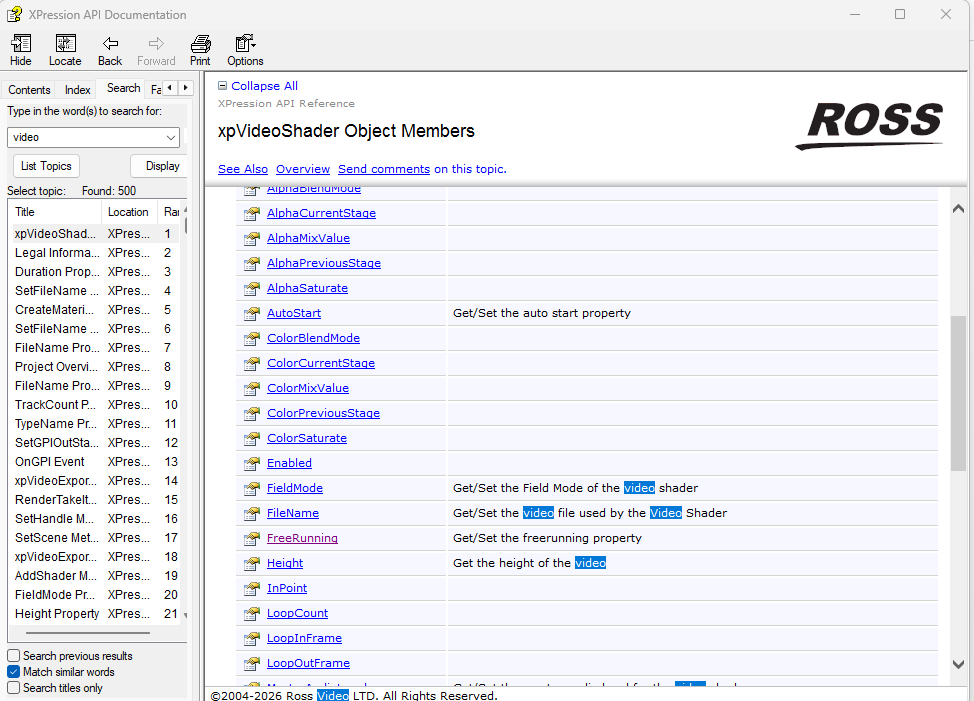
Dim videoObj As xpBaseObject
Dim mat As xpMaterial
dim shad as xpVideoShader
Self.GetObjectByName(“video”, videoObj)
If videoObj.GetMaterial(0, mat) Then
mat.GetShader(0, shad)
shad.FreeRunning=true
End If